Skin teleconsultation and product app for a clinic group
Patients video-call a skin doctor on duty, who builds a product recommendation during the call. Patients buy it in the same app without hanging up.
- SECTOR
- Healthcare
- LOCATION
- Indonesia
- YEAR
- 2020
- DELIVERED AS
Names and sensitive information are blurred under NDA.
The problem
A dermatology and aesthetic clinic group wanted every consultation to end in a skincare plan the patient can buy. Patients were to see a doctor on duty by video call or chat and get a clear digital prescription, and doctors needed a focused workspace for busy shifts. The client asked for a calm, premium look on all four apps: two for patients, on phone and web, and two for doctors.
What we built
We built a teledermatology platform for a dermatology and aesthetic clinic group in Indonesia: patient apps for phone and web, and a doctor app and web dashboard, all kept in sync. Patients video-call or chat with a doctor on duty. During a call the doctor builds a product recommendation, marking each product mandatory or optional with when to use it, and the patient opens it over the video and adds it to the cart without hanging up. The doctor sees it go from viewed to in cart to paid.
Screen by screen
What we were asked to solve
01 / 07
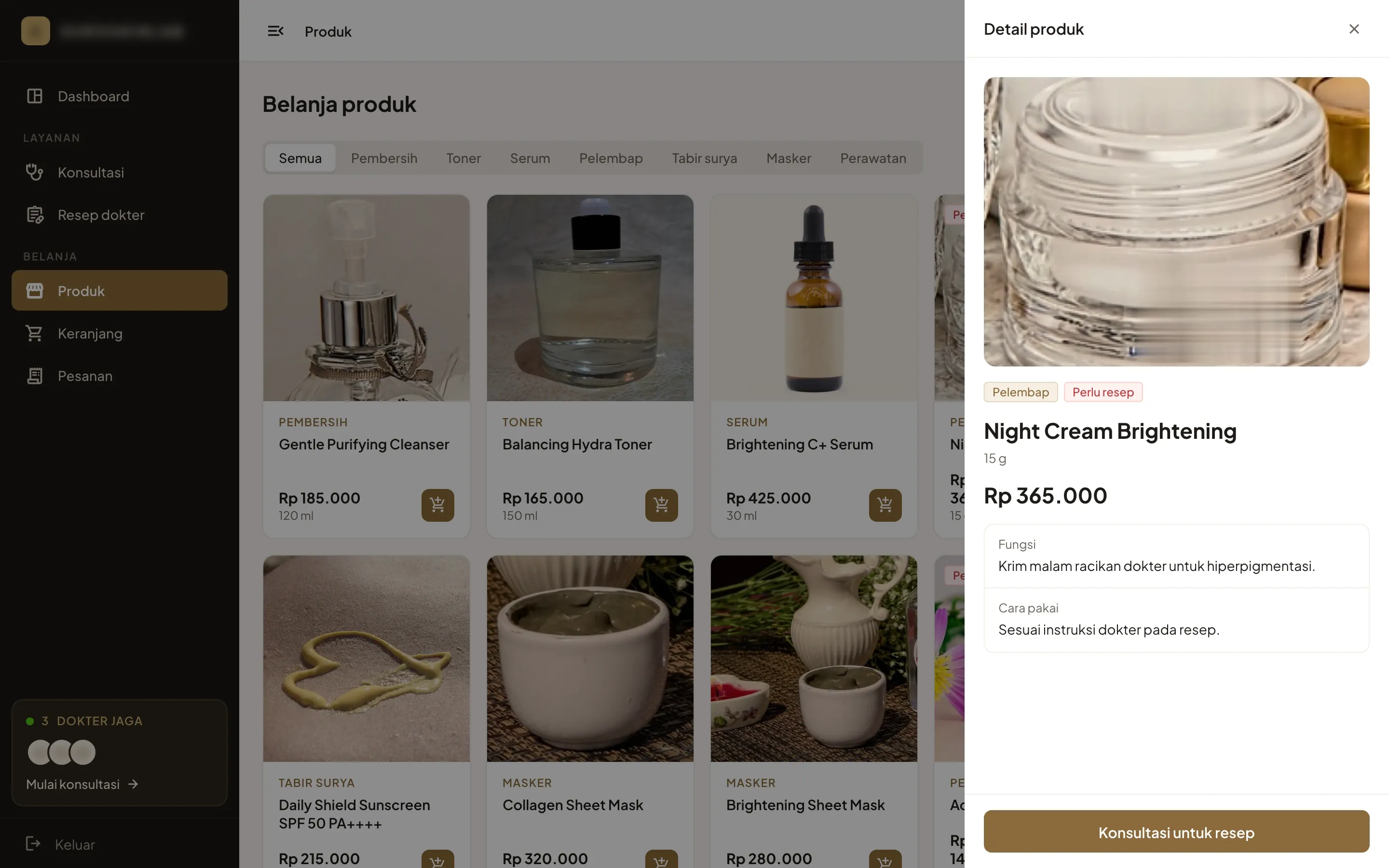
The clinic’s products, prescription creams included
- What we built
- The patient web app lists the clinic’s products by category, and each one opens with what it does and how to use it. A cream the doctors compound is marked as needing a prescription, and its button opens a consultation in place of the cart.
02 / 07
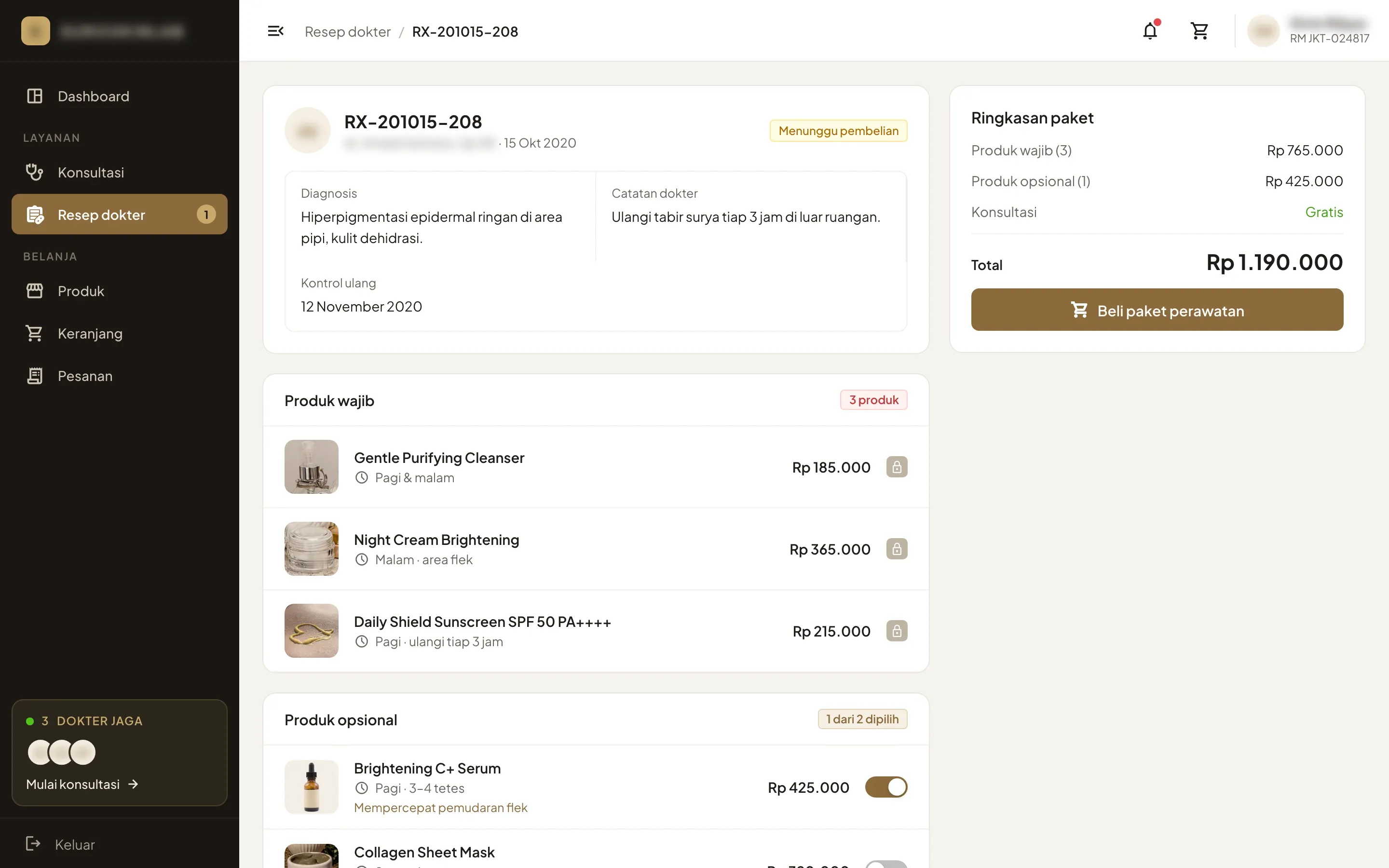
A prescription that’s ready to buy
- The problem
- The client wanted patients to buy the recommended products directly, with no guesswork.
- What we built
- Each prescription holds the diagnosis, the doctor’s note and the follow-up date. Mandatory products are locked in with when to use them, optional ones are switches, and the whole package goes to the cart in one click.
Start1 / 3
03 / 07 · 1 of 3
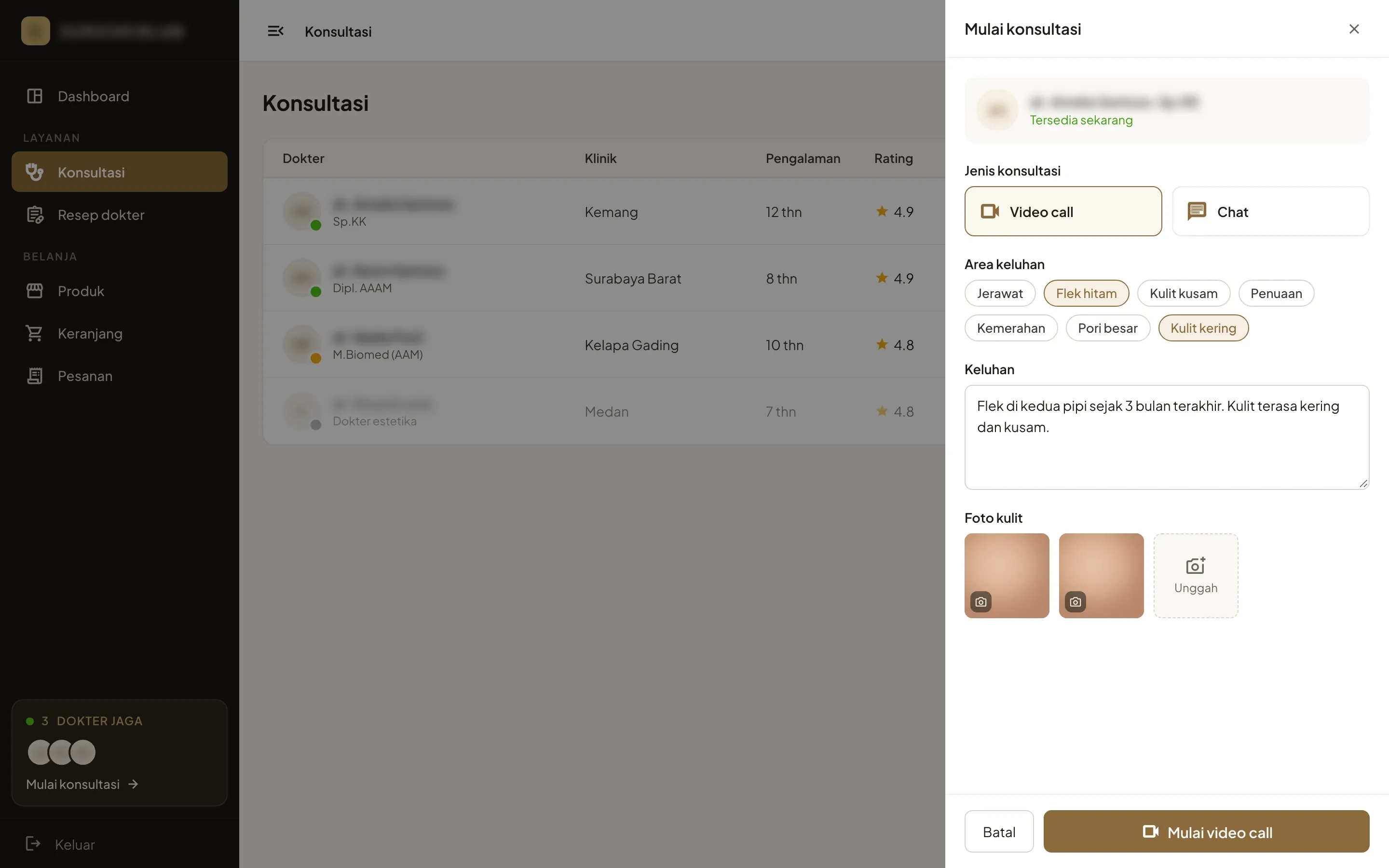
Video call or chat, with the complaint first
- What we built
- Patients pick a doctor on duty and choose a video call or a chat. They tick the areas that bother them, describe the complaint and add photos of their skin, and the doctor reads all of it before answering.
03 / 07 · 2 of 3
A chat that ends with the prescription
- What we built
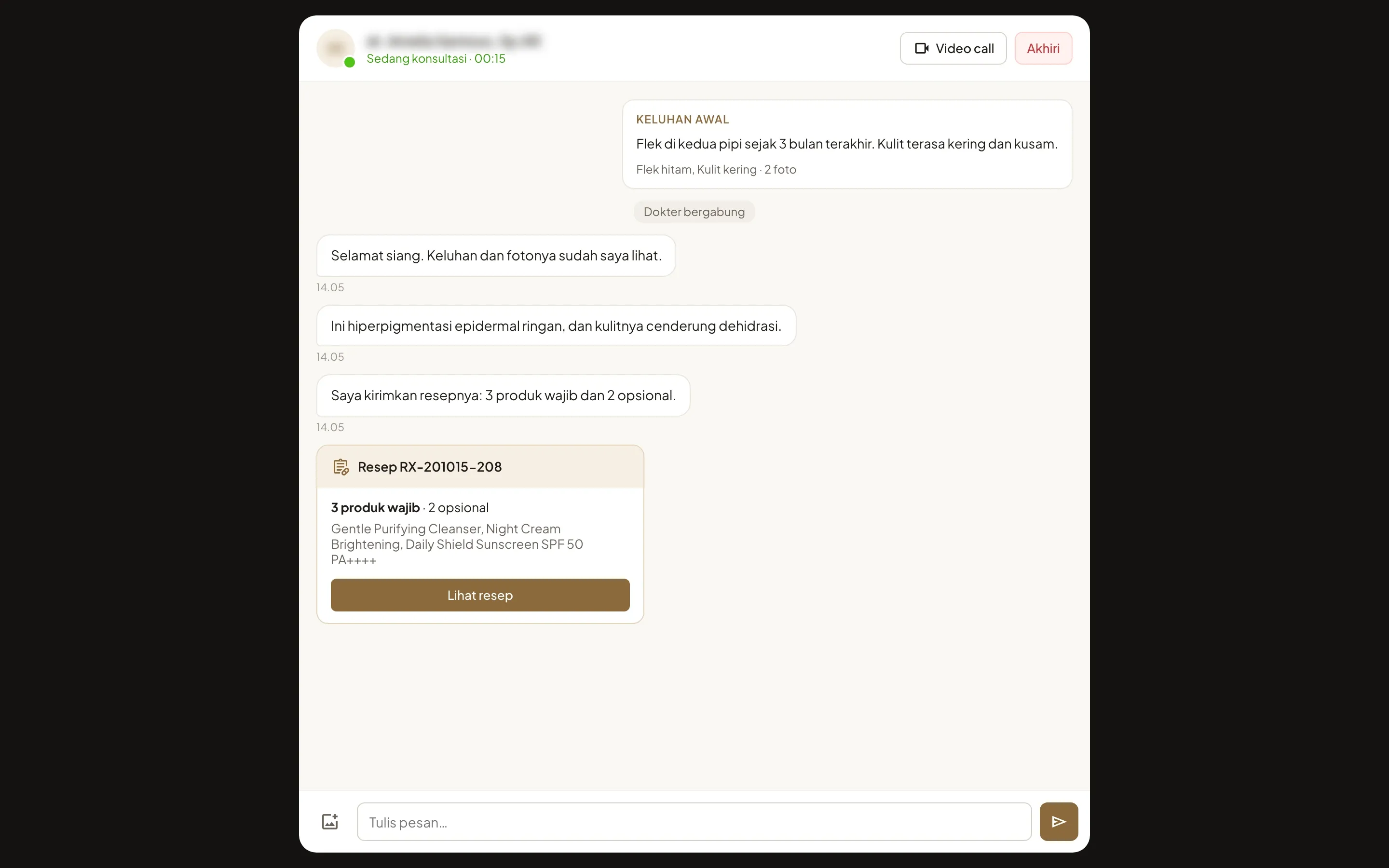
- In a chat the complaint opens the thread. The doctor answers in writing and sends the prescription as a card in the conversation, which opens in one click.
03 / 07 · 3 of 3
The same thread beside the video
- What we built
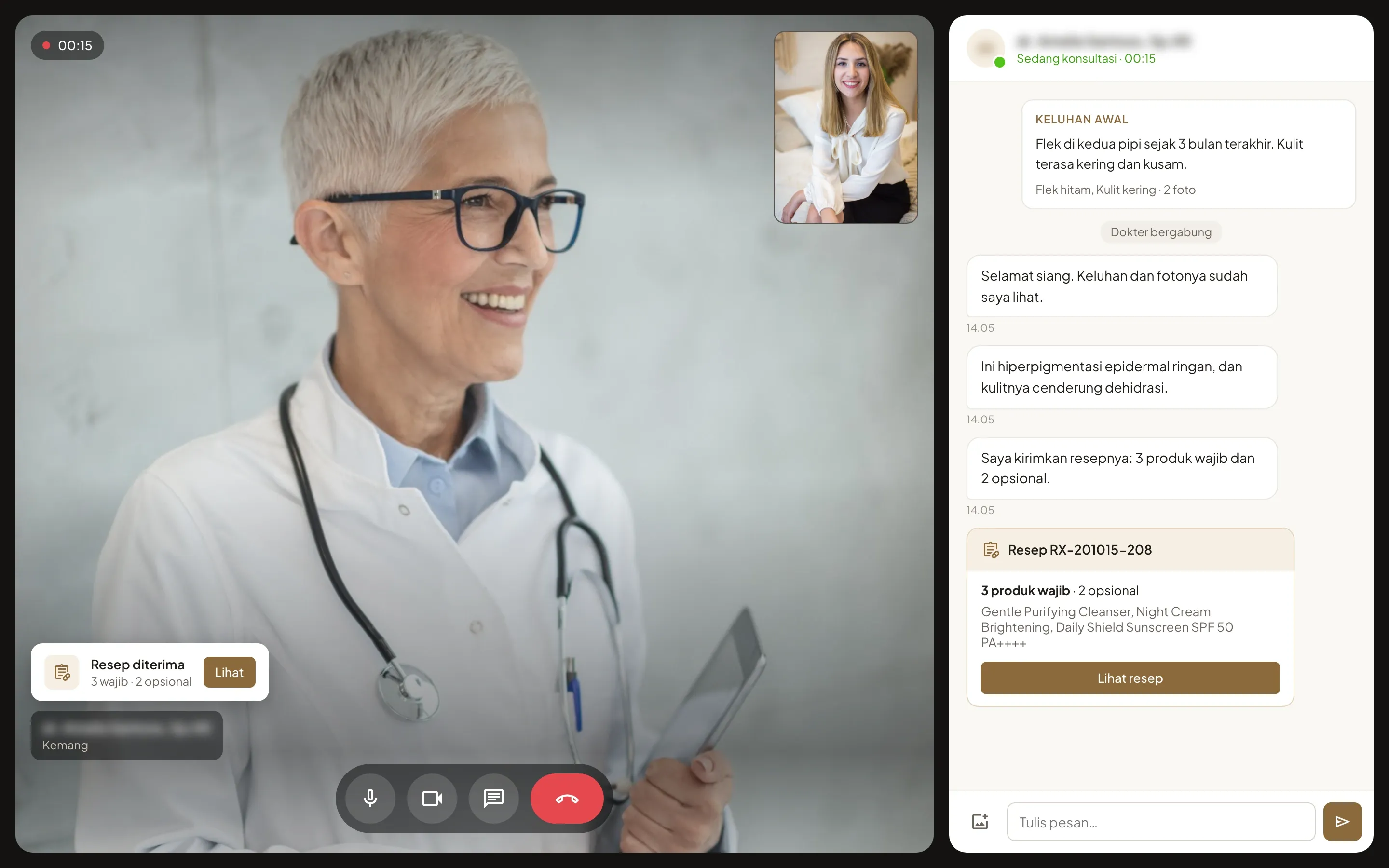
- On a video call the chat stays open beside the doctor, with the complaint and the diagnosis in writing. The prescription arrives as a card over the video.
04 / 07
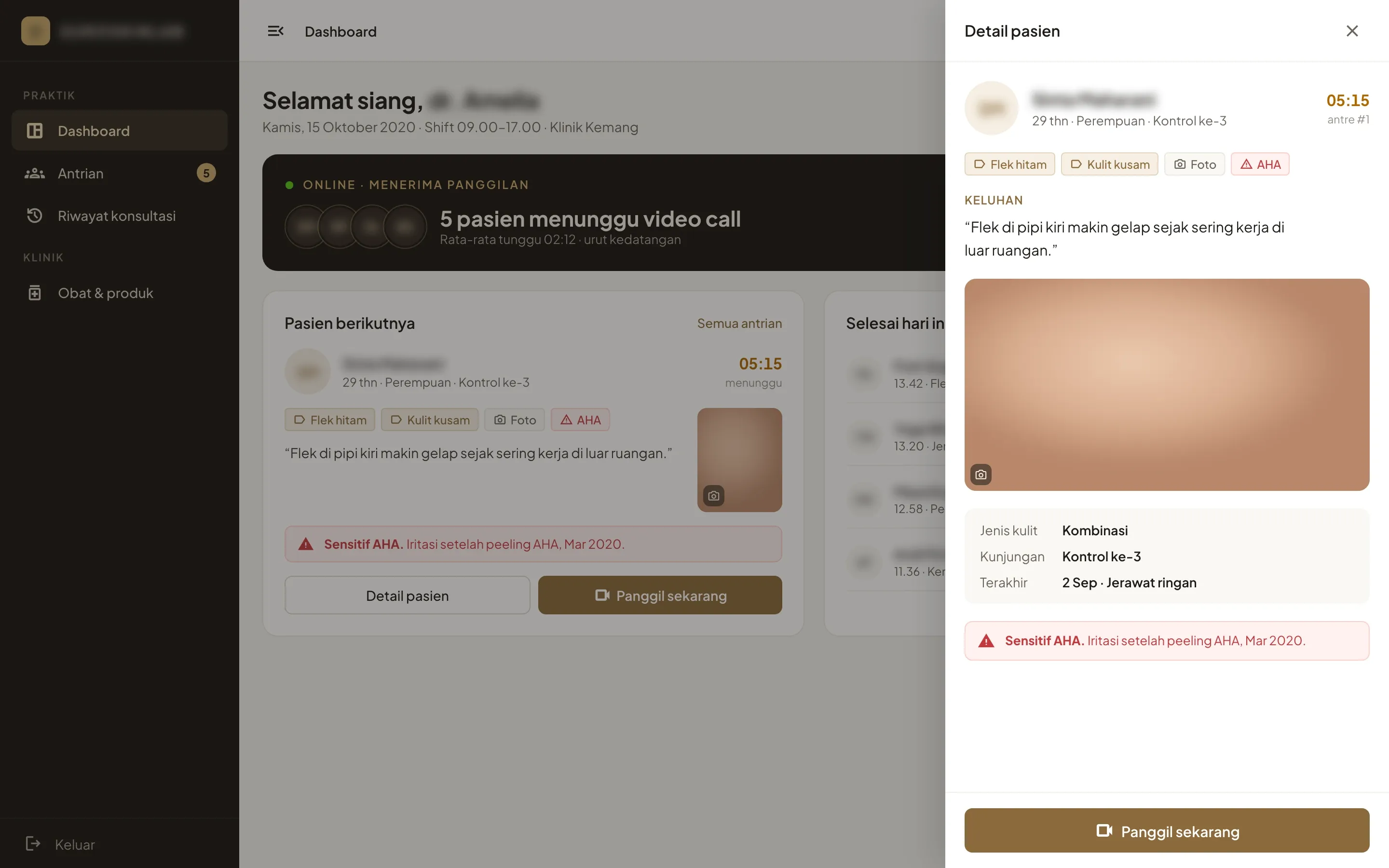
The next patient, briefed before the call
- The problem
- Doctors needed a focused workspace for busy shifts, where they could manage incoming calls and the patient queue.
- What we built
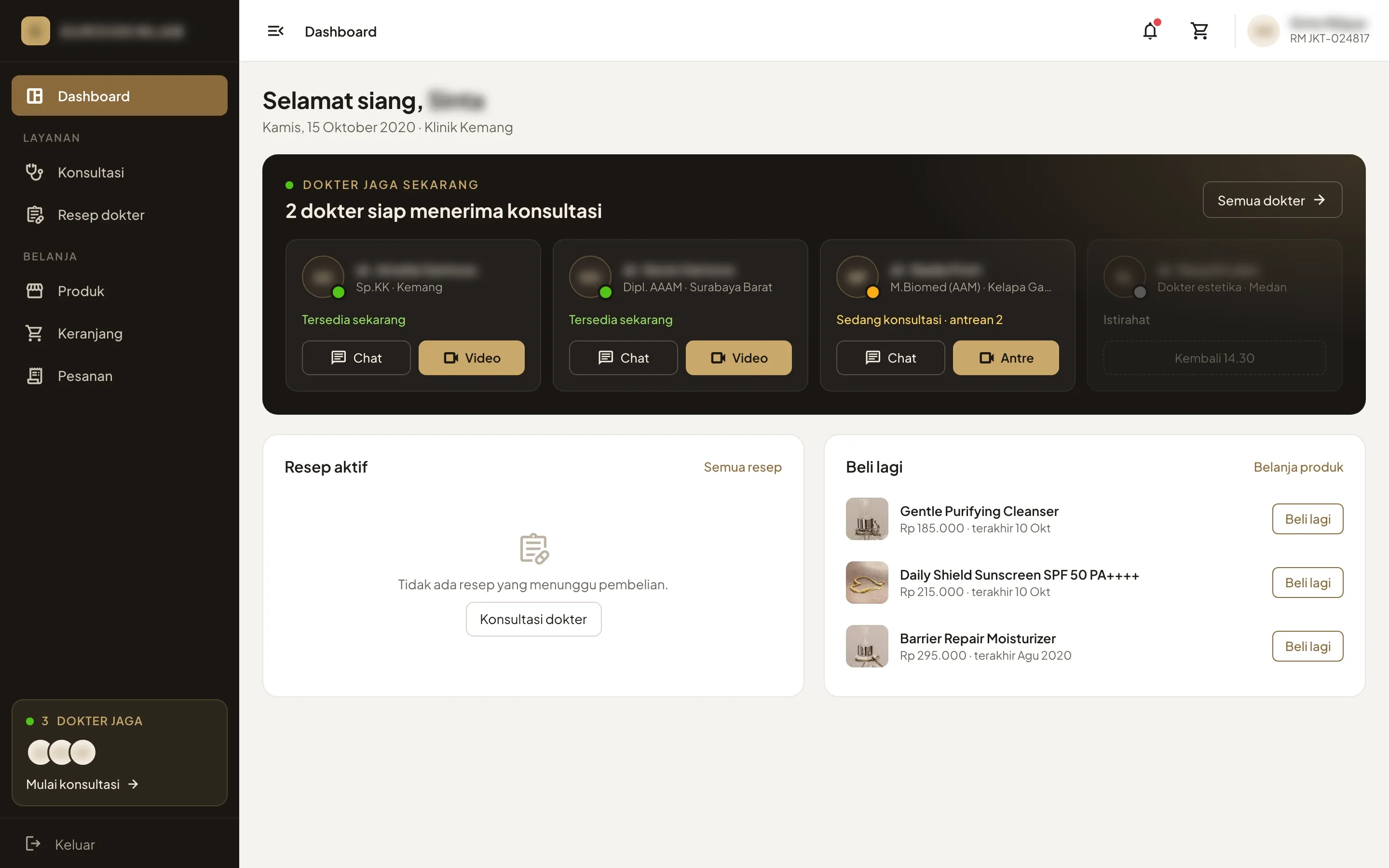
- The doctor dashboard opens on the patients waiting, the next one in line and today’s finished consultations. The brief beside it holds the concerns, the complaint in the patient’s own words, the skin photo, the skin type, the last visit and any recorded sensitivity, such as irritation after an AHA peel.
On duty1 / 2
05 / 07 · 1 of 2 · Doctor app
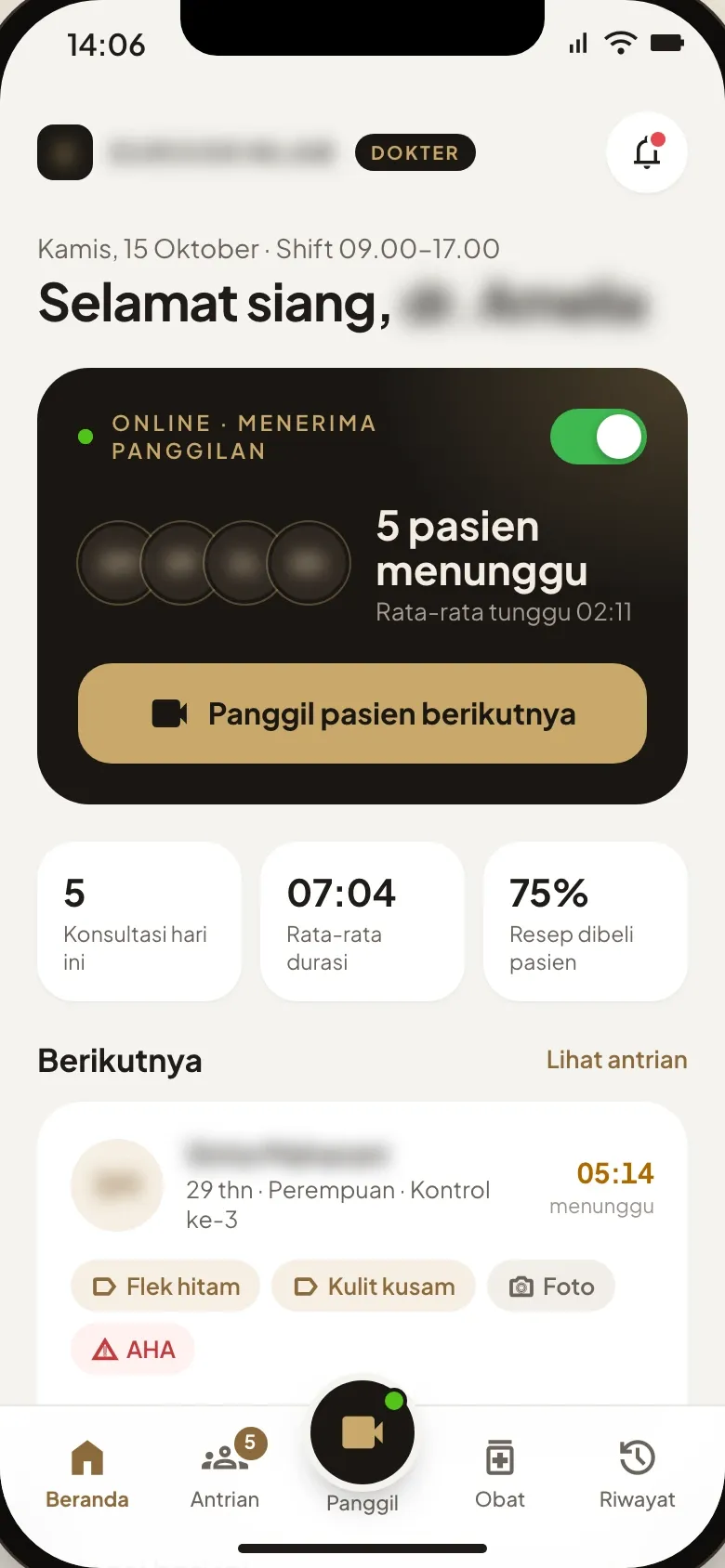
On duty from the doctor’s phone
- What we built
- The doctor app opens on an online switch, the patients waiting and a button to call the next one, with today’s consultations, their average length and the share of prescriptions patients bought. A call left unanswered for 30 seconds passes to another doctor on duty.
05 / 07 · 2 of 2 · Patient app
A doctor in one tap on the patient’s phone
- What we built
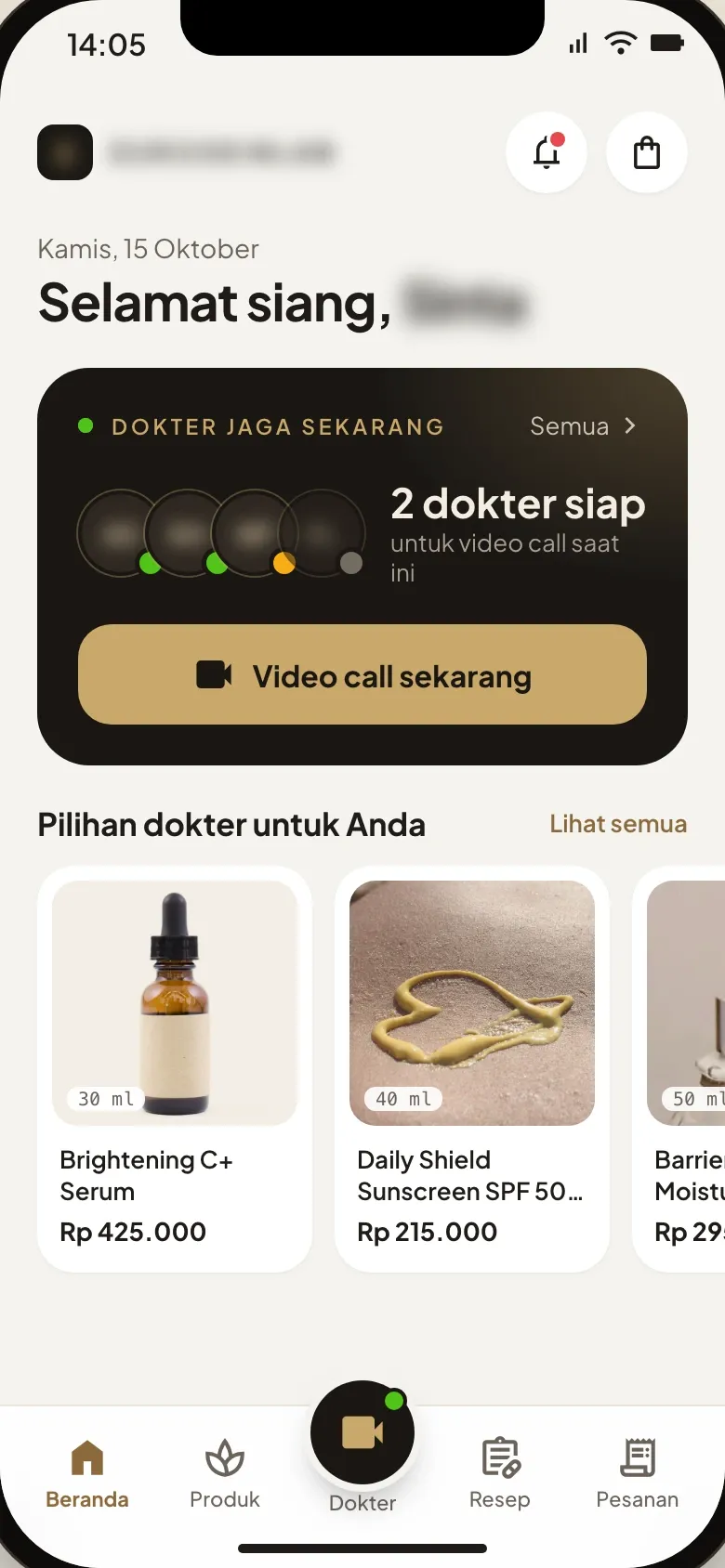
- The patient app opens on the doctors on duty and how many are free for a video call right now, with one button to start it. The products the doctors pick sit underneath.
Recommendation1 / 2
06 / 07 · 1 of 2 · Doctor app
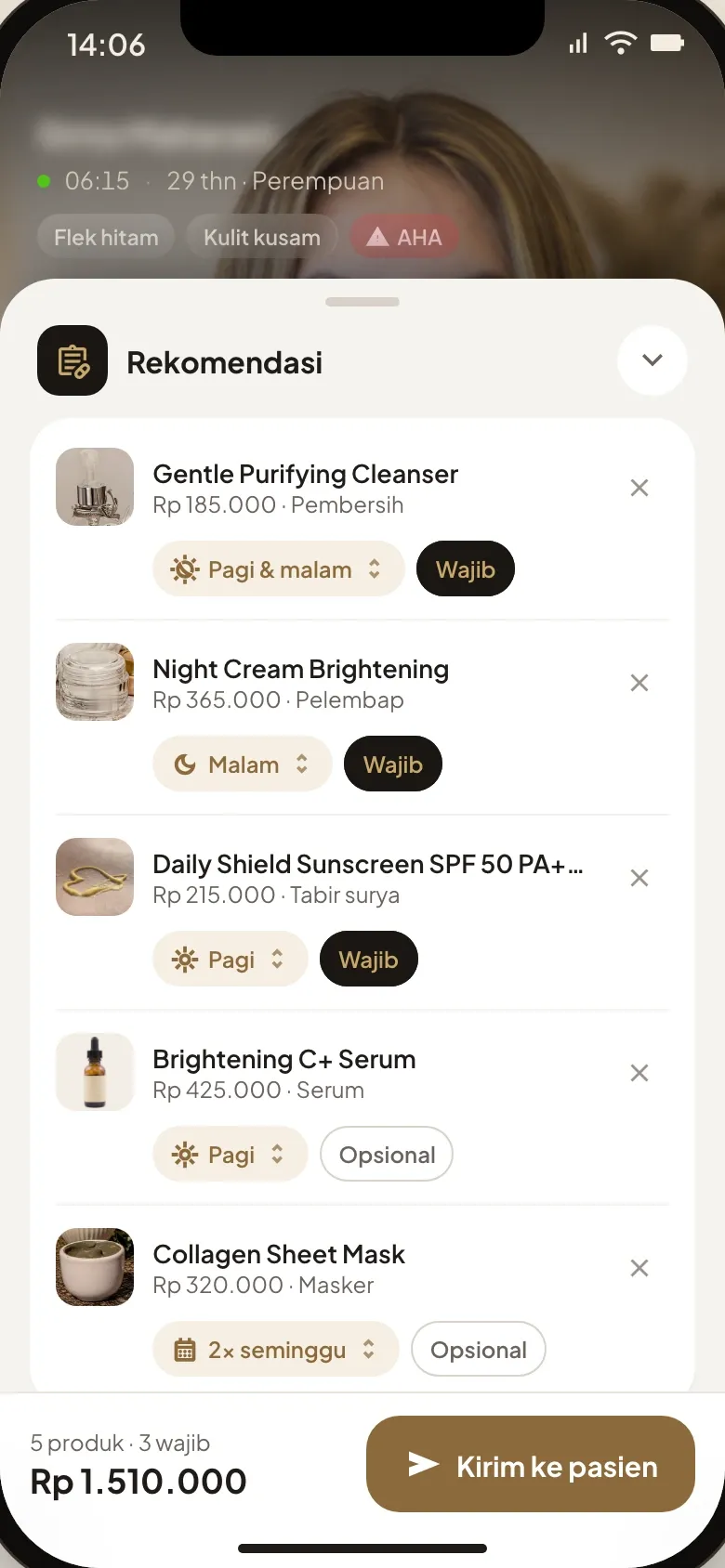
A recommendation built during the call
- The problem
- The client wanted the doctor to put the recommendation together during the consultation, and the patient to buy it without ending the call.
- What we built
- The doctor opens the recommendation sheet over the video and starts from a package suggested for the complaint, here dark spots. Each product gets when to use it and whether it’s mandatory, products are checked against the clinic’s stock, and one that clashes with a recorded sensitivity is flagged before it’s sent.
06 / 07 · 2 of 2 · Patient app
The recommendation opens over the video
- What we built
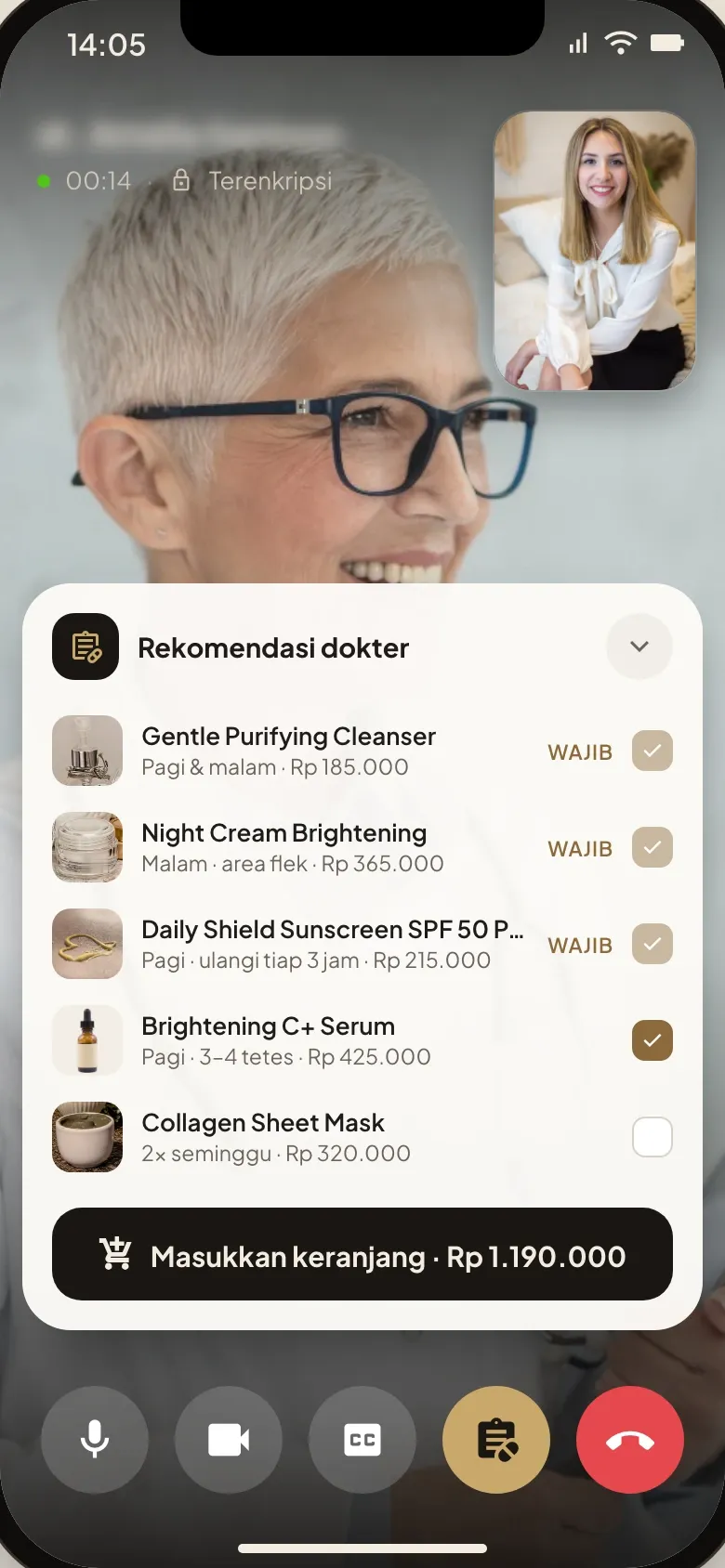
- On the patient’s phone the recommendation opens over the video. Mandatory products are ticked and fixed, the optional ones are the patient’s choice, and the selection goes to the cart with the doctor still on screen.
Viewed1 / 3
07 / 07
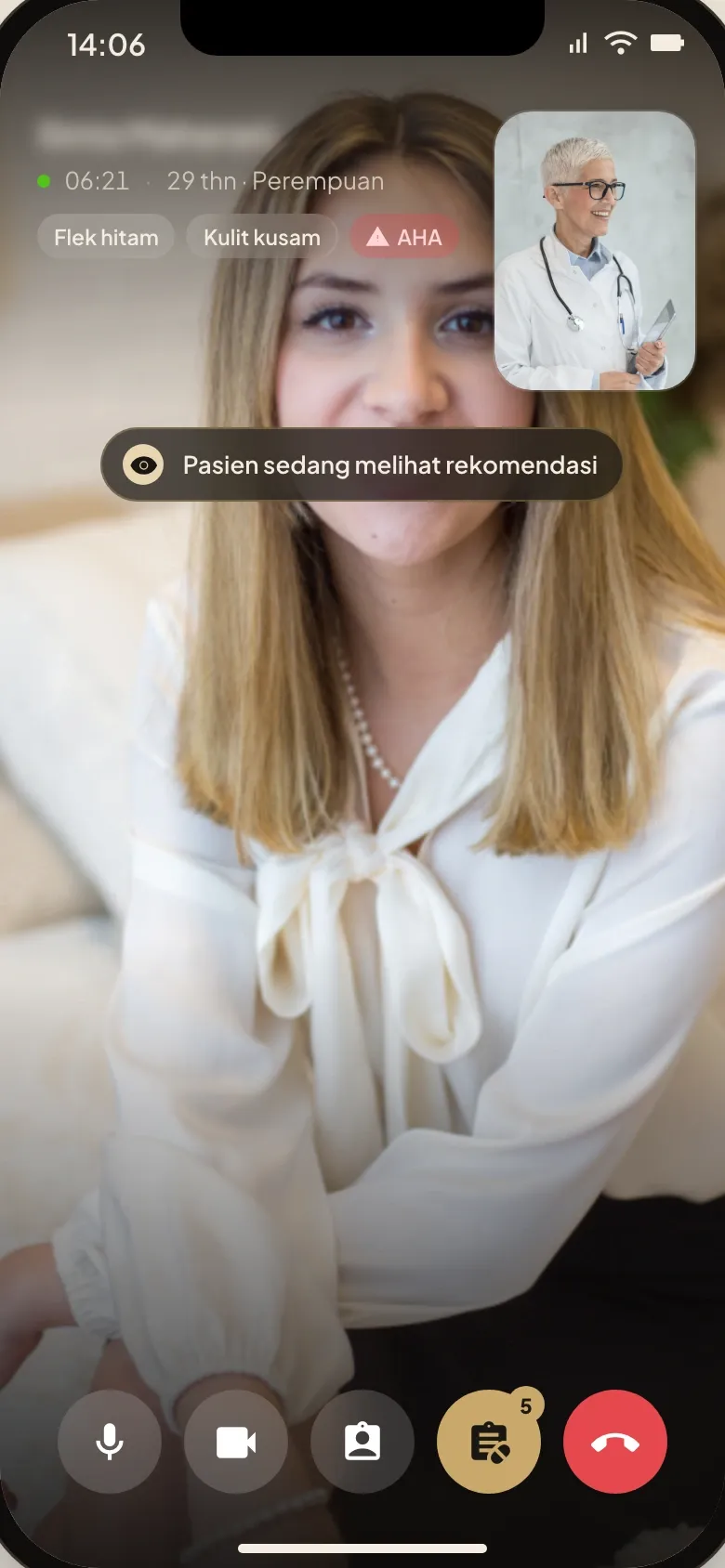
From viewed to paid, during the call
- The problem
- The client asked for both sides to stay in sync, with the doctor following each recommendation from viewed to in cart to paid.
- What we built
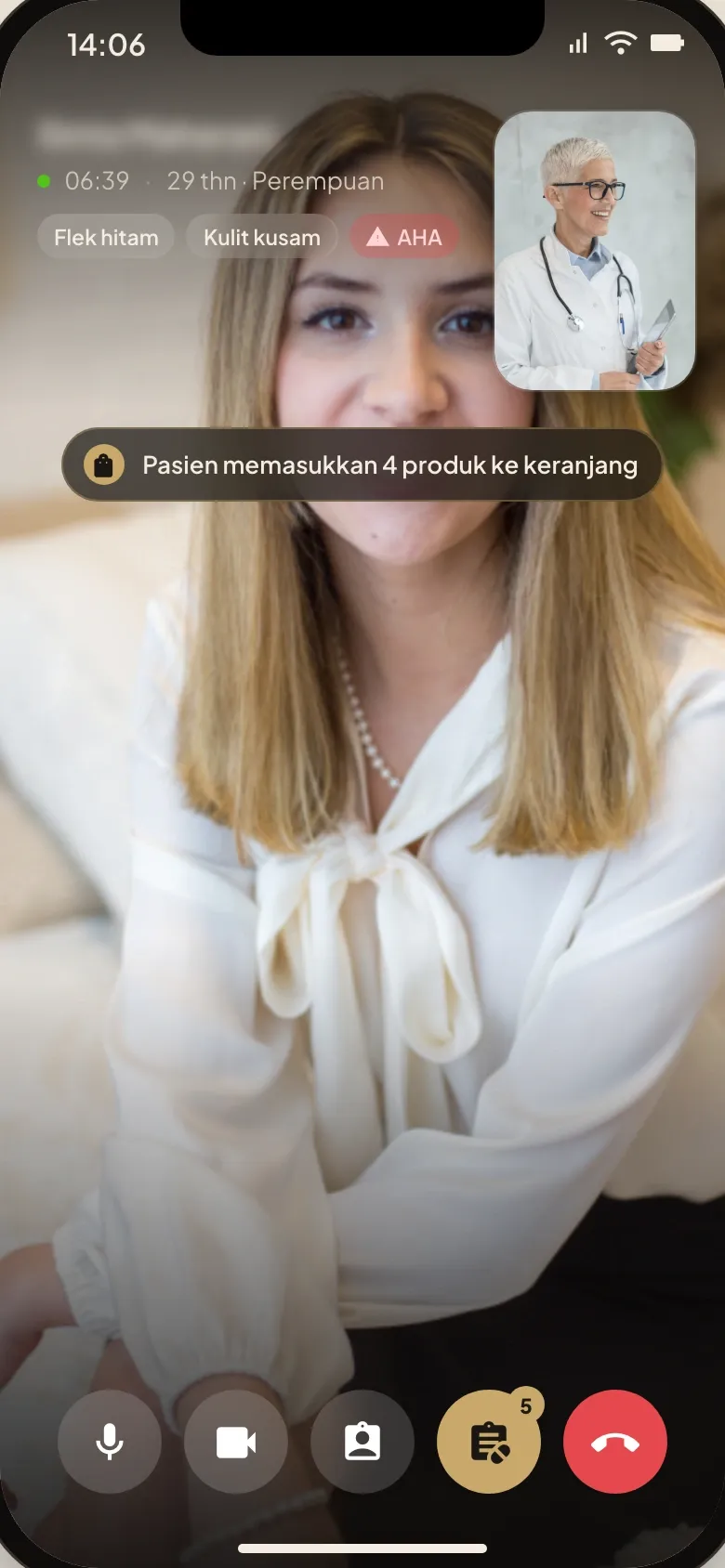
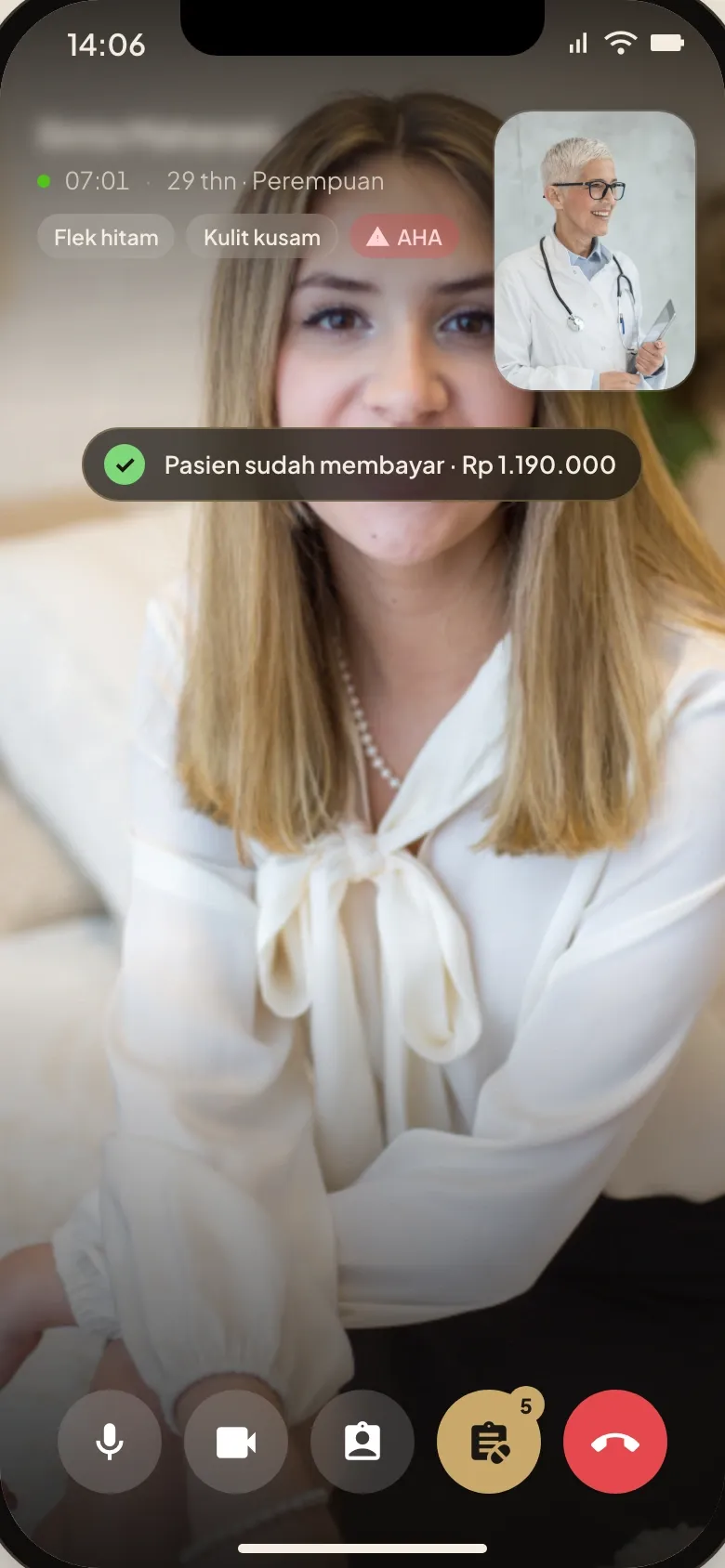
- Once the recommendation is sent, a line over the video tells the doctor, with the call still running, what the patient does with it: the patient views it, puts four products in the cart, then pays Rp 1,190,000.
How the 8-week build went
Listen & prototype
Requirements with the clinic group, then a clickable prototype of the call, the patient brief and the recommendation, revised in week 3 before the build.
Core build
Built the patient and doctor apps: video calls and chat, a queue that passes an unanswered call to another doctor after 30 seconds, the recommendation builder with allergy and stock checks, the live status and checkout.
Live & handover
Deployed the patient apps on phone and web and the doctor app and dashboard, and handed over source code, documentation and admin access.
Related reading
- Service · Ecommerce DevelopmentEcommerce developmentSee the service →
- Service · Mobile App DevelopmentMobile app developmentSee the service →
- Blog · ProcessHow we run an 8-week custom software build, week by weekRead article →
- Blog · ProductMVP vs MLP: building first versions people keep usingRead article →