Supplies, cleaning and repairs for short-stay hosts
Short-stay hosts in Johor restock and book cleaners for dozens of units at once, and approve repairs. Staff run orders, stock and crews in one console.
- SECTOR
- Hospitality & Property
- LOCATION
- Johor Bahru, MY
- YEAR
- 2021
- DELIVERED AS
Names and sensitive information are blurred under NDA.
The problem
A short-stay operations company in Johor supplied Airbnb-style hosts with amenities from its fulfilment centre in Senai, booked their turnover cleaning and handled repairs. Many of its hosts ran dozens or hundreds of units, and they restocked, booked cleaners and reported damage one property at a time, which was slow and easy to get wrong. The company also wanted a console for its own team that only company administrators could open.
What we built
For a short-stay operations company in Johor, Malaysia, we built a web portal for its hosts and an admin console for its staff. In the portal, one restock order goes to dozens of units and arrives the next morning when placed before 18:00. Cleans are booked one by one, in bulk or automatically, and a repair starts only after the host approves its quote. The console runs orders and stock at the Senai centre, host verification, cleaning crews and repairs, and only company administrators with two-step verification can sign in.
Screen by screen
What we were asked to solve
01 / 10
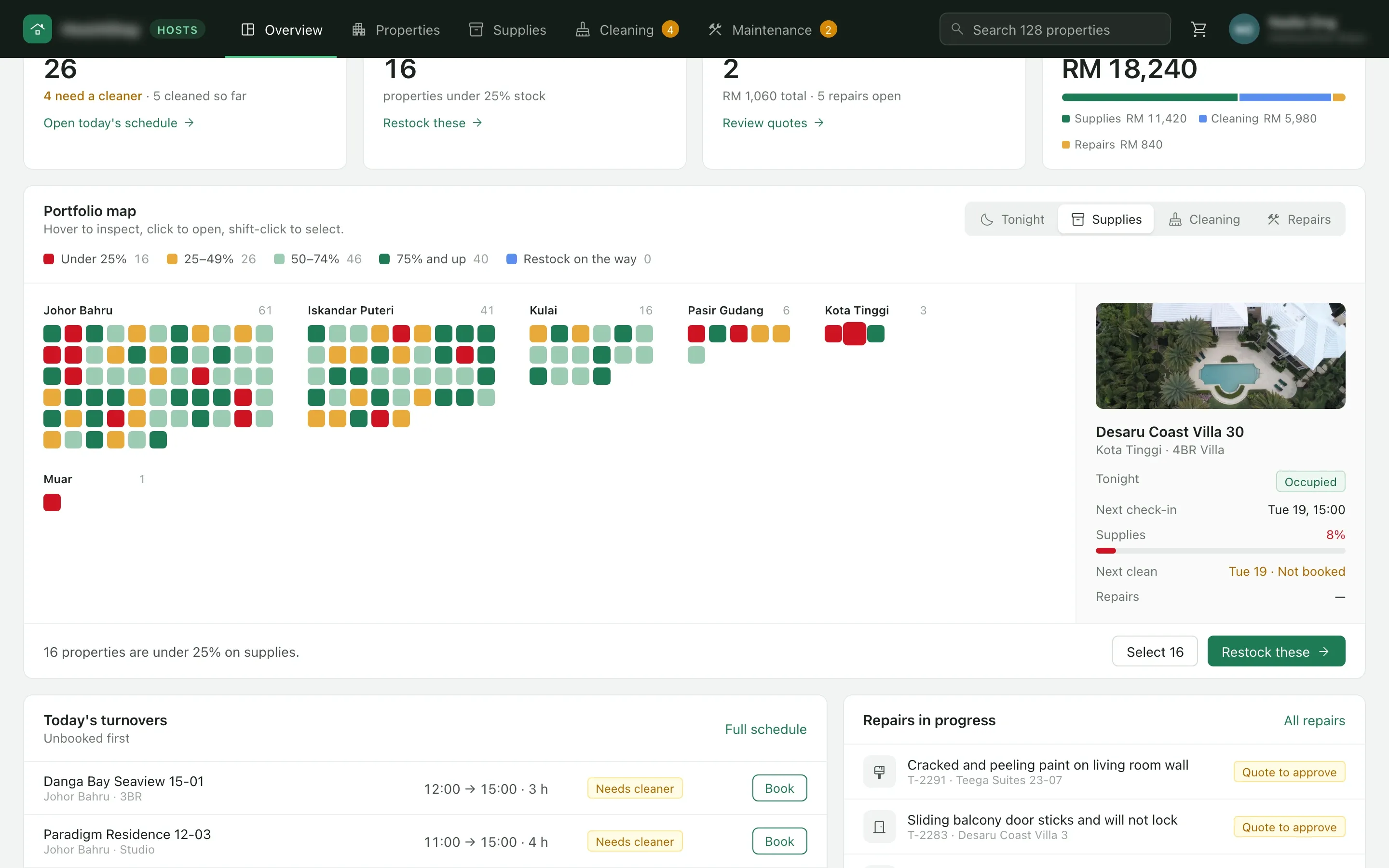
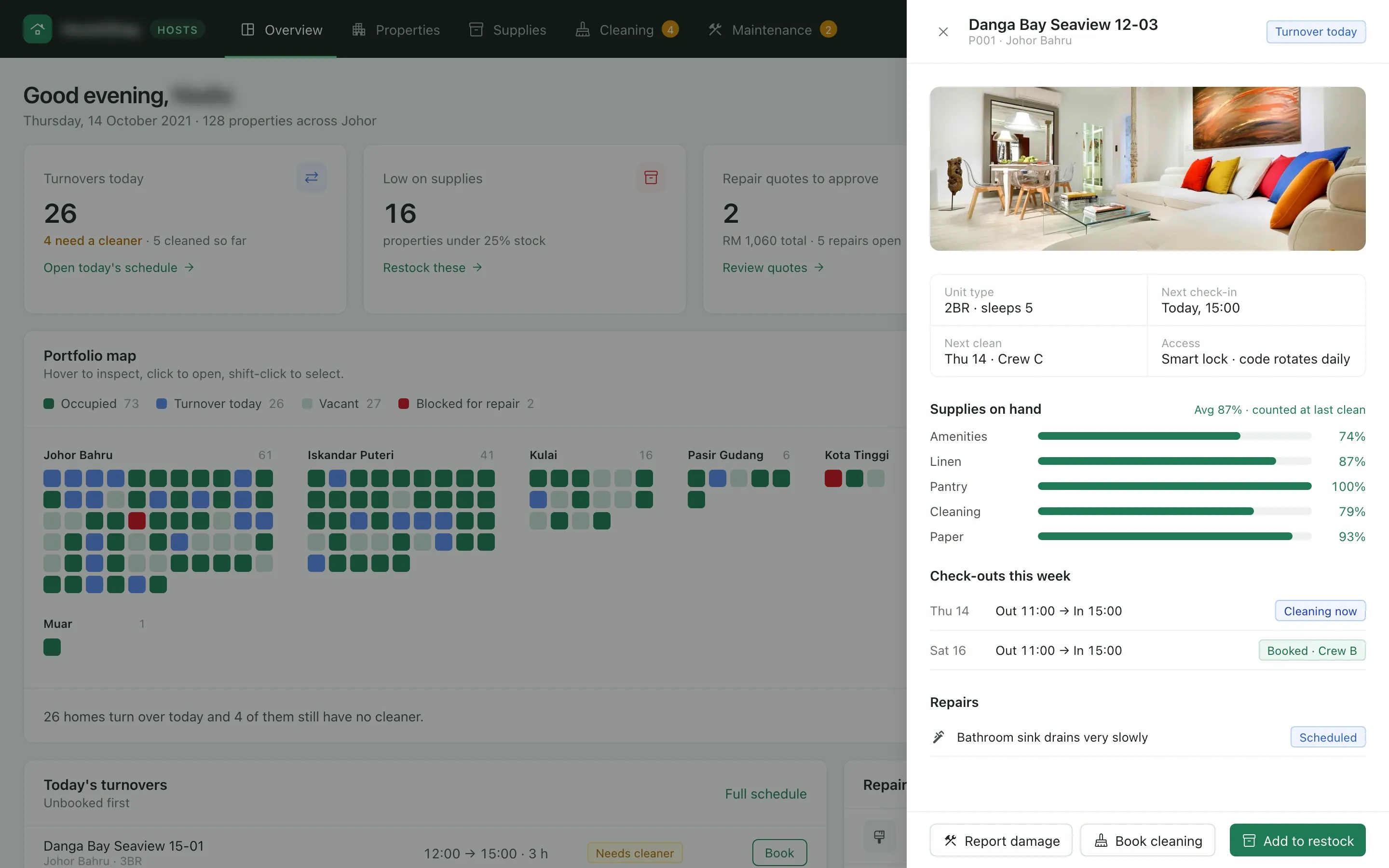
Every unit on one map
- The problem
- The client wanted hosts with dozens or hundreds of units to see the whole portfolio at a glance and spot the units that need attention.
- What we built
- The overview draws every property as a square, grouped by area, under four lenses: tonight, supplies, cleaning and repairs. A click opens the unit in a drawer with its stock by category, this week’s check-outs and its repairs, and restocking, booking a clean or reporting damage starts from there. Shift-click selects several units at once.
02 / 10
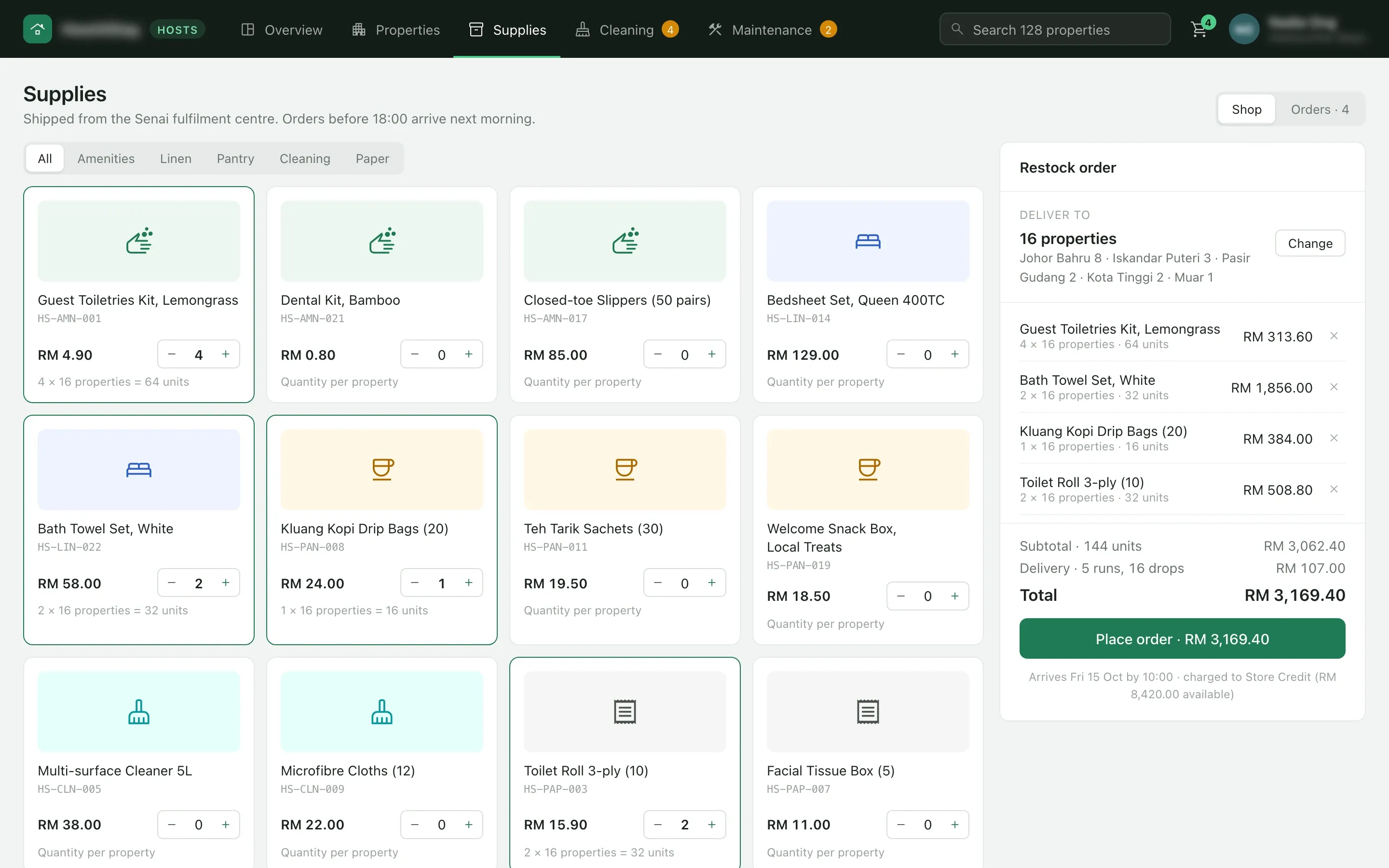
One restock order for 16 properties
- The problem
- Hosts placed a restock order for one property at a time.
- What we built
- The quantity is set once per property and multiplies across every unit picked, here 4 toiletry kits for each of 16 properties. The order splits into delivery runs, ships from the Senai fulfilment centre and arrives the next morning when placed before 18:00.
03 / 10
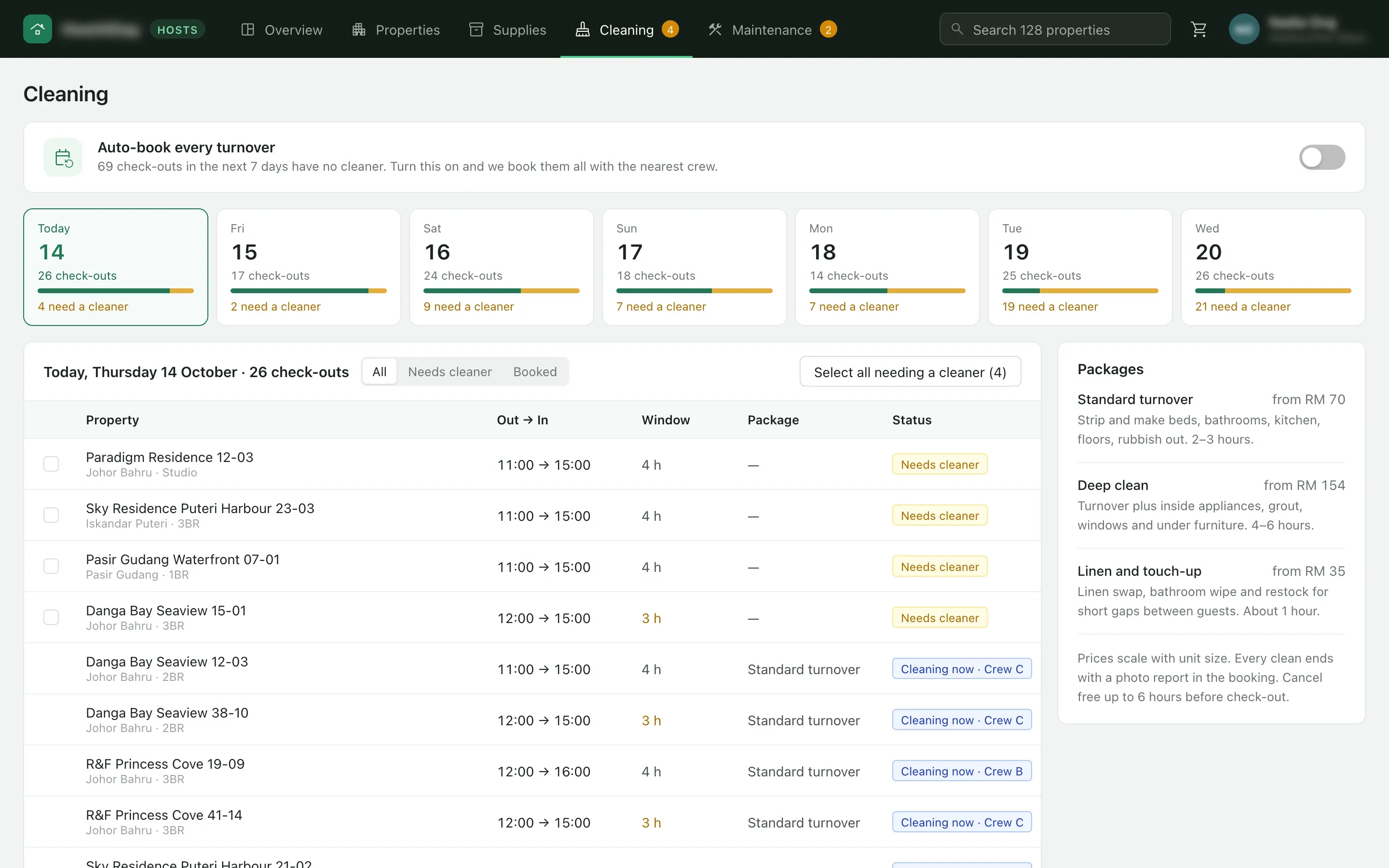
Check-outs without a cleaner, day by day
- The problem
- Turnover cleans were booked property by property.
- What we built
- The cleaning page counts the check-outs that still have no cleaner on each of the next seven days and lists the day’s turnovers with their window and crew. A host selects every unit that needs a cleaner and books one package, or turns on auto-booking so each check-out gets the nearest crew. Every clean ends with a photo report in the booking.
04 / 10
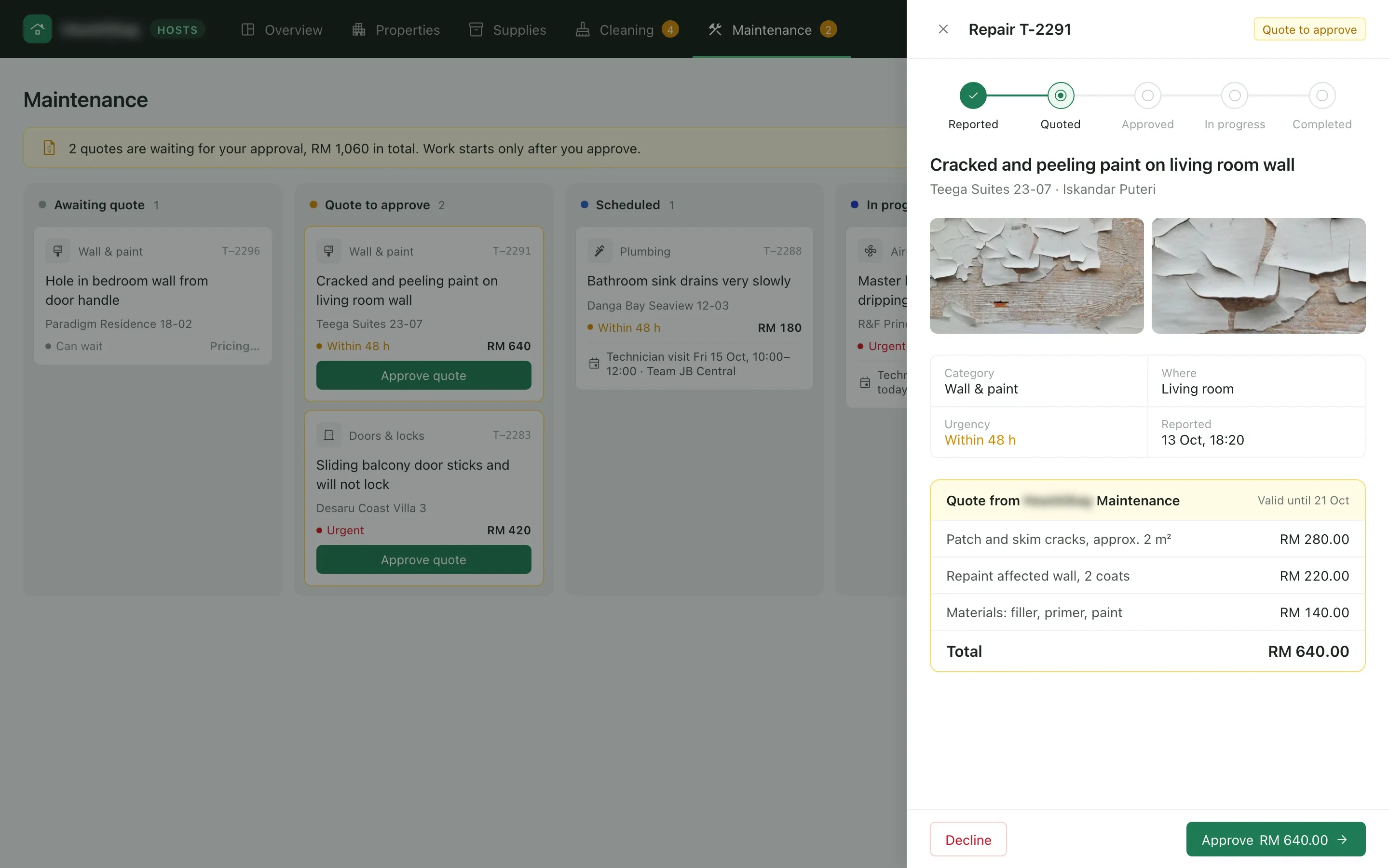
Repairs start after the host approves
- What we built
- Hosts report damage with photos, the room and how urgent it is. The maintenance team sends a quote line by line with the date it is valid until, and the host approves or declines it from the drawer. The ticket then moves from quoted to approved, in progress and completed.
05 / 10
The back office on one screen
- The problem
- The company’s team needed one place to fulfil orders, manage stock, verify hosts, dispatch cleaners and run repairs.
- What we built
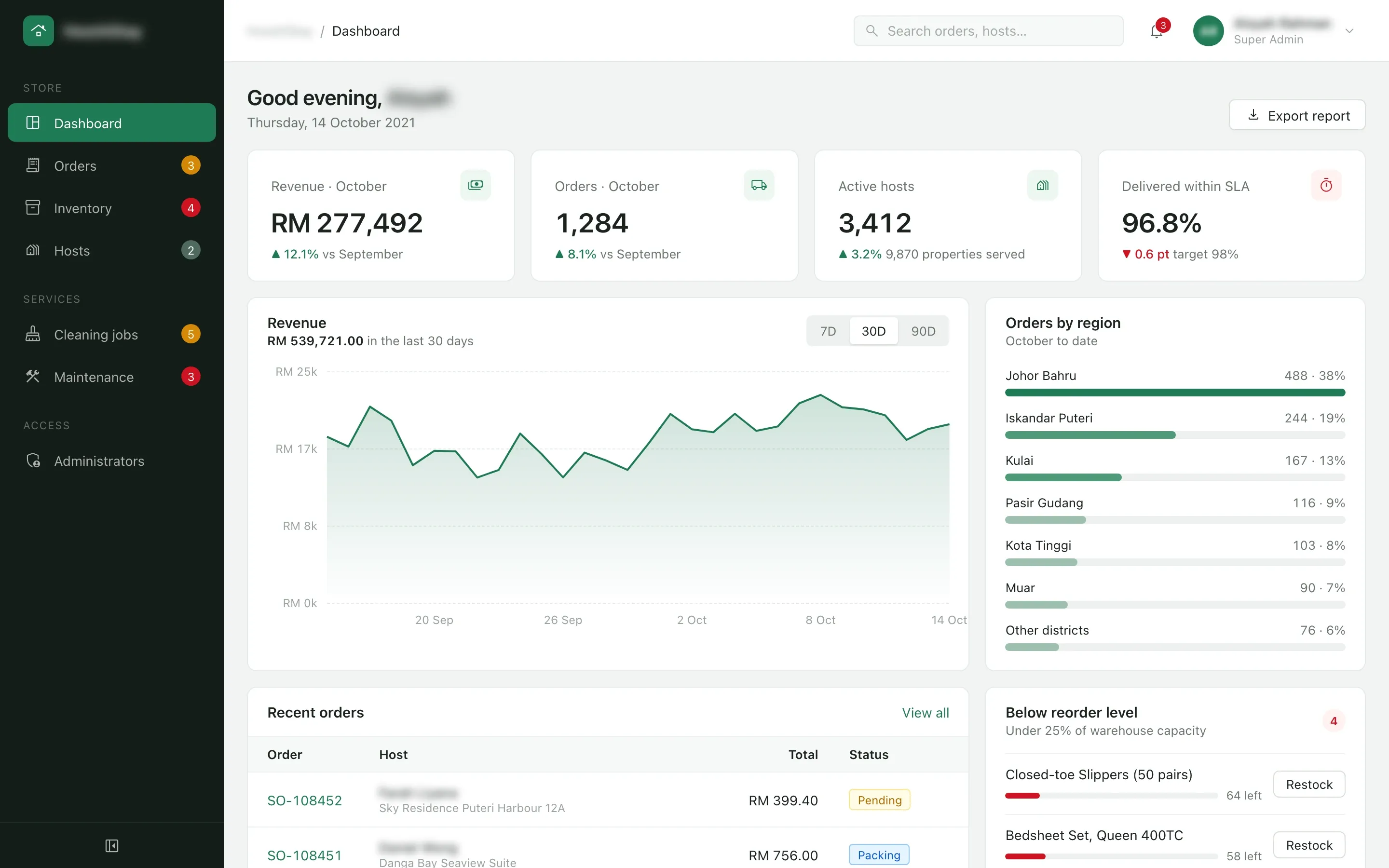
- The admin console opens on the month’s revenue, orders, active hosts and the share of deliveries made on time, then revenue by day, orders by region, the latest orders and the products below their reorder level.
06 / 10
Every supply order, placed to delivered
- What we built
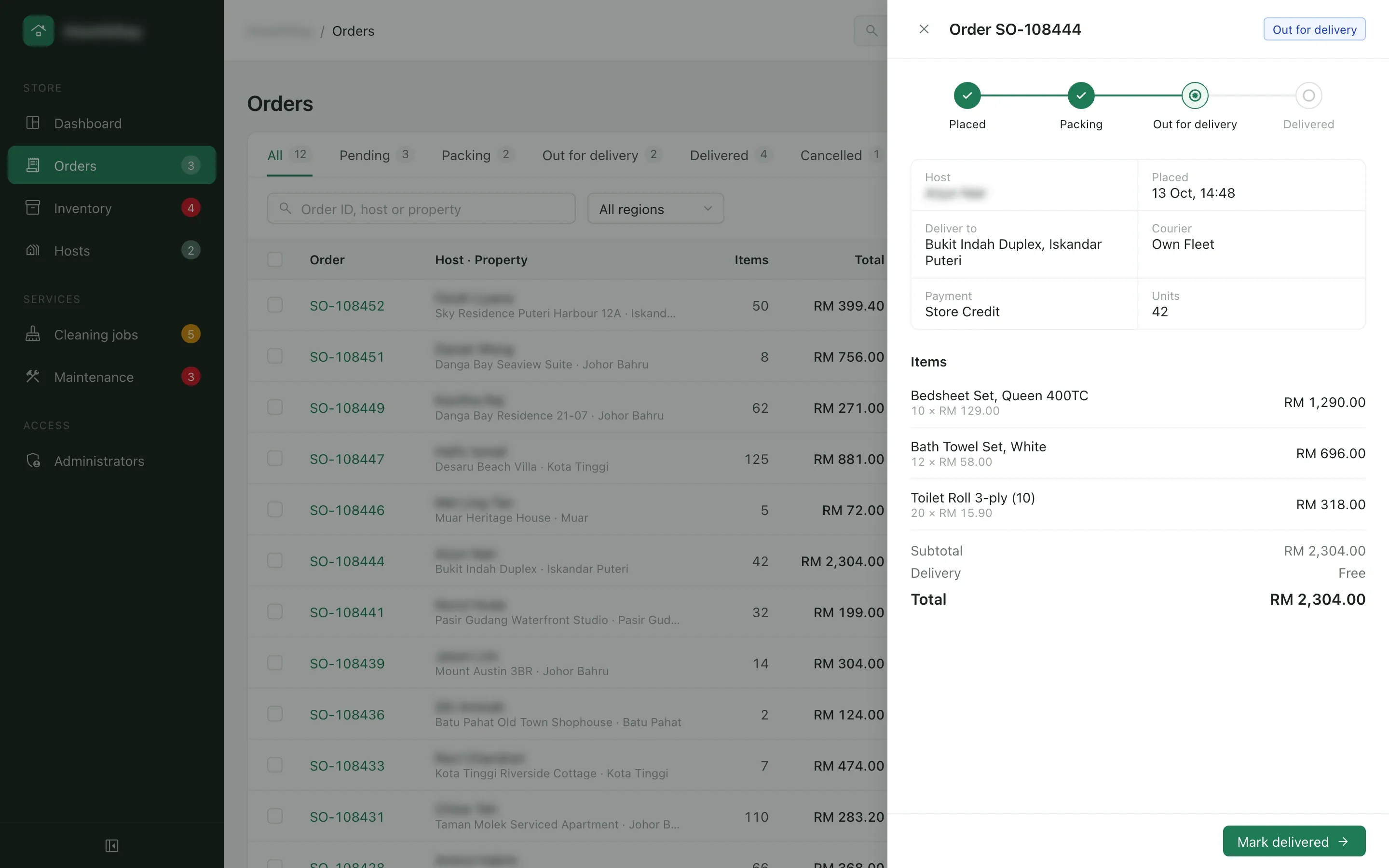
- Orders from every host arrive in one list, filtered by status and region. Each opens in a drawer with the delivery address, the courier, the payment and the lines, and moves from placed to packing, out for delivery and delivered.
07 / 10
Stock at Senai and what hosts can order
- What we built
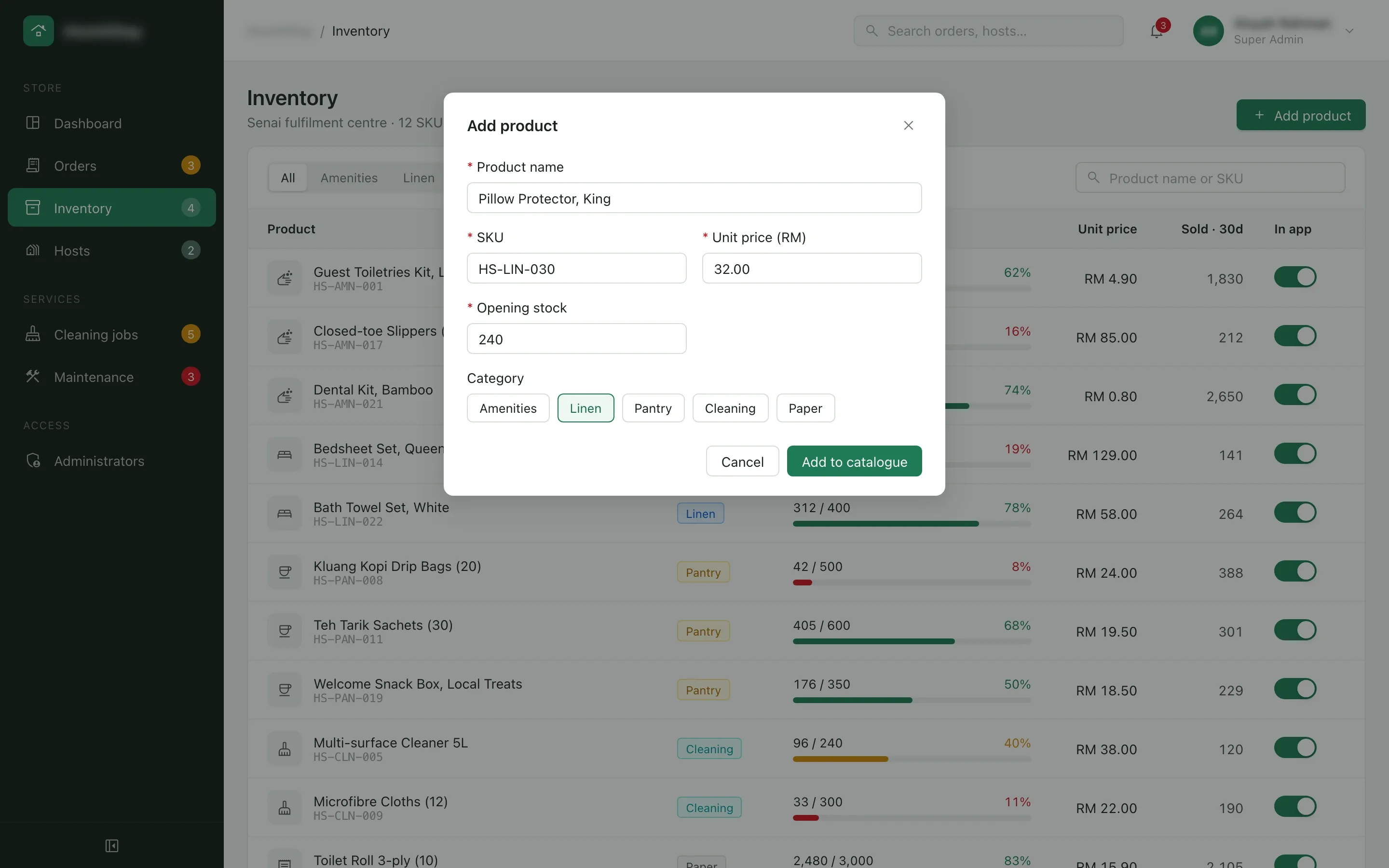
- Inventory shows each product’s stock at the Senai fulfilment centre against its capacity, its sales over 30 days and a switch that lists it for hosts. Stock under a quarter of capacity turns red and joins the dashboard’s reorder list. A new product takes a name, SKU, price, opening stock and category.
08 / 10
Crews matched by area and load
- What we built
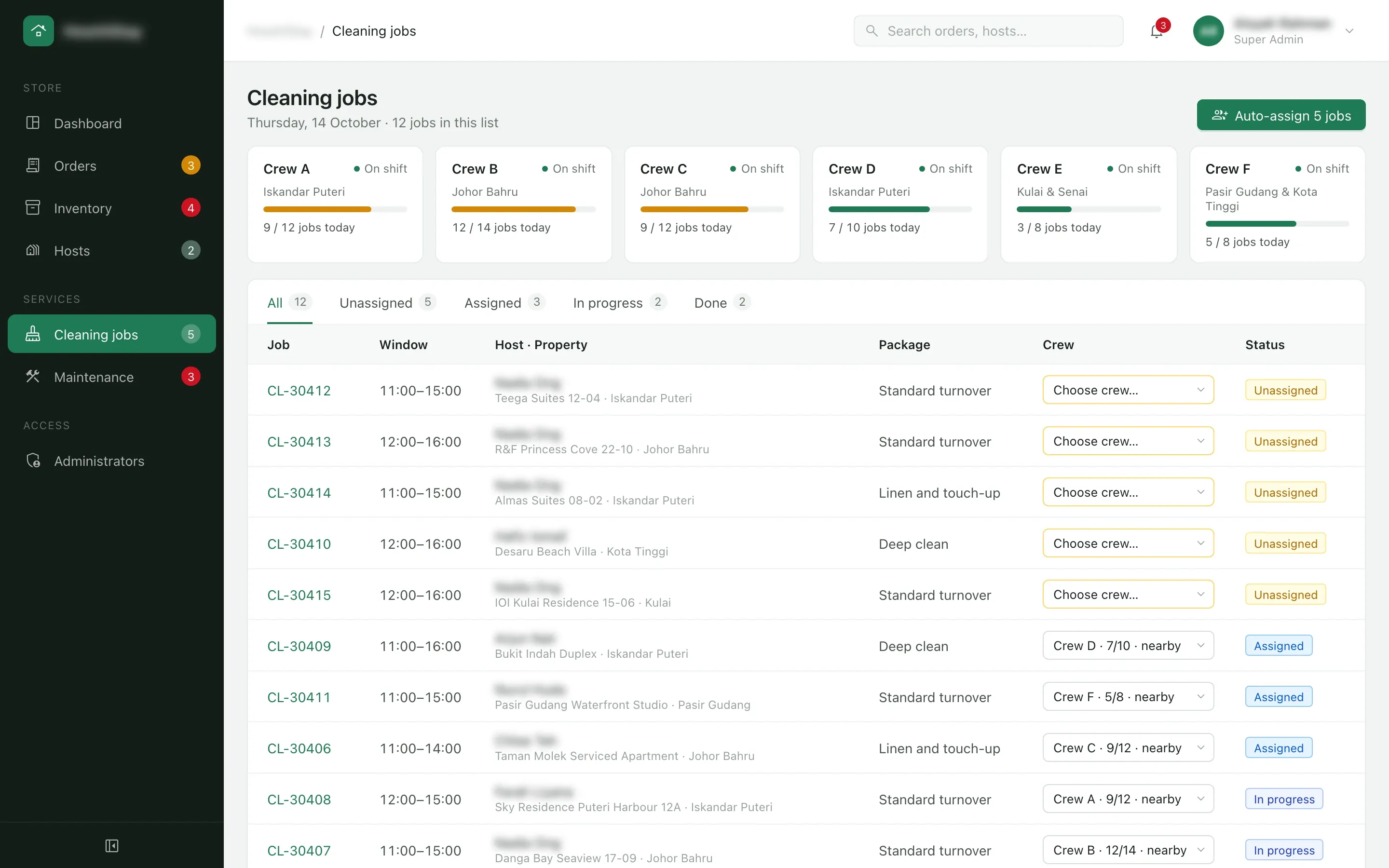
- Each crew card shows its area and how many of the day’s jobs it has taken. Auto-assign gives every unassigned job to the nearest crew with room, and staff can still change any job’s crew from the list.
09 / 10
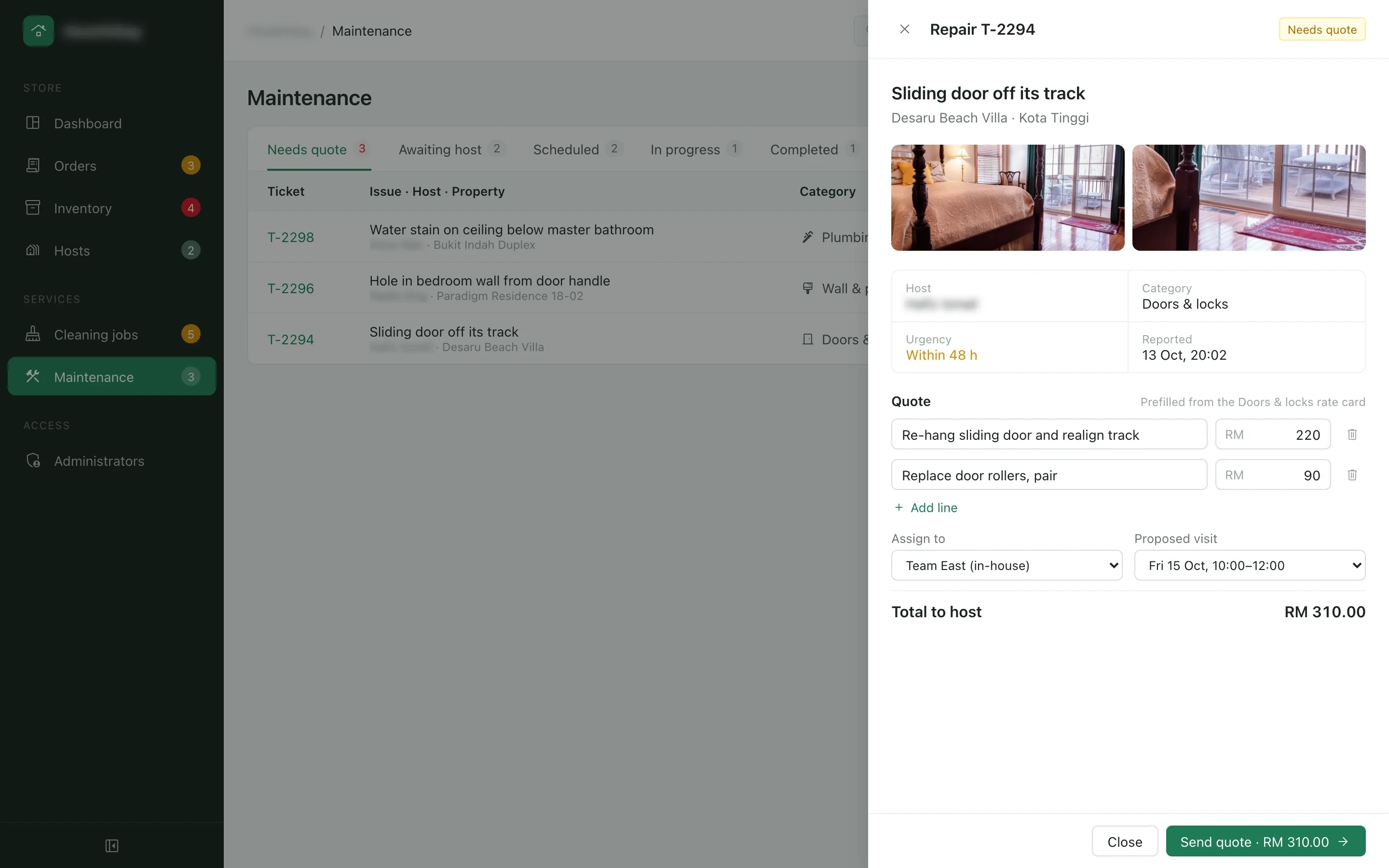
Repairs priced from a rate card
- What we built
- A reported repair opens with the host’s photos, the category and the urgency. The quote fills in from the category’s rate card, and staff adjust the lines, pick the team and a visit slot, then send it to the host.
Sign-in1 / 2
10 / 10 · 1 of 2
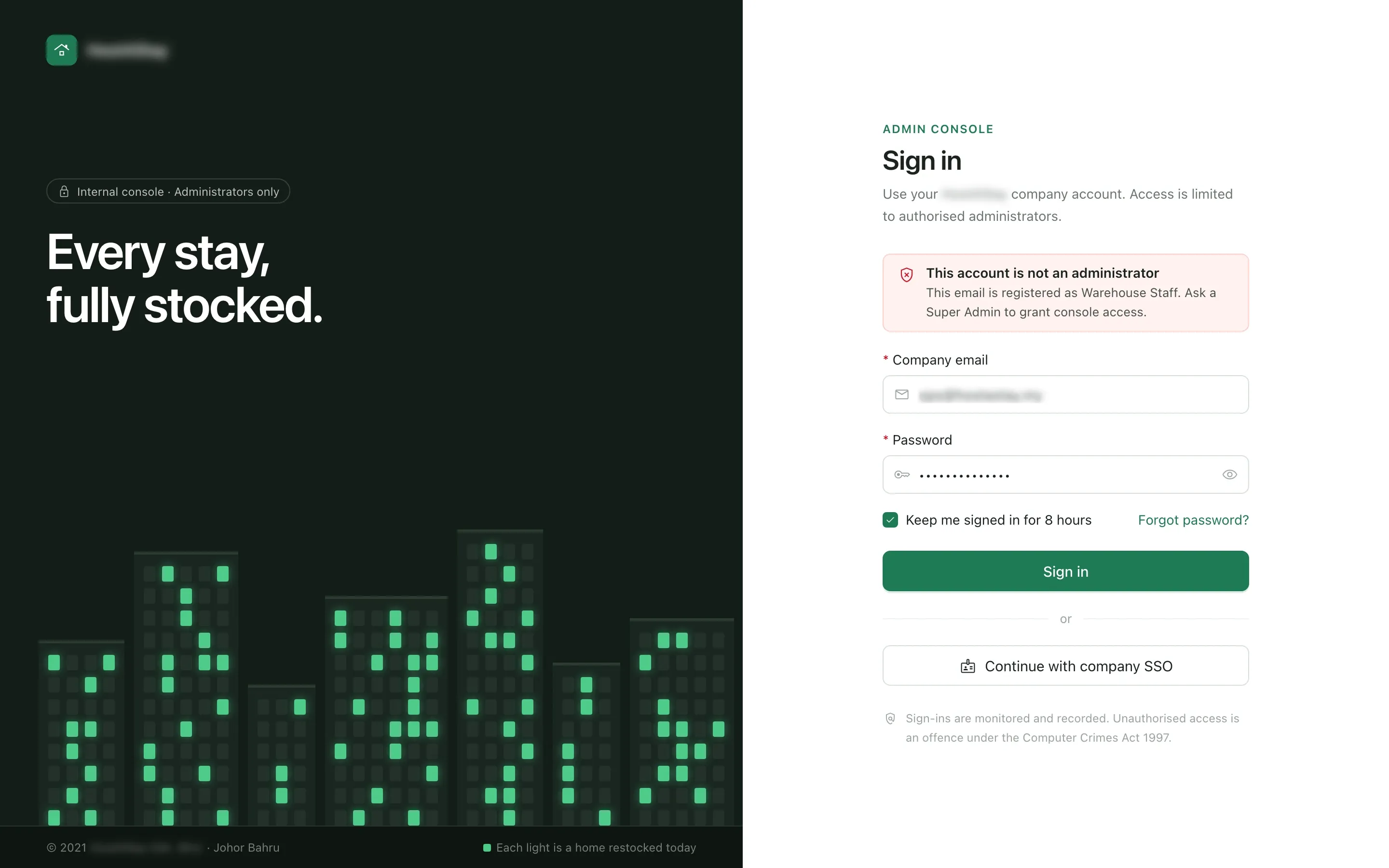
A console only administrators can open
- The problem
- Only company administrators were to sign in to the console. Warehouse staff, support agents, drivers and outside accounts had to be blocked.
- What we built
- The sign-in takes a company email and password, or the company’s single sign-on. An account without an administrator role is turned away with the reason. This one belongs to warehouse staff, and the alert says to ask a super admin for access. Two-step verification follows, repeated failures lock the account, and every attempt is recorded.
10 / 10 · 2 of 2
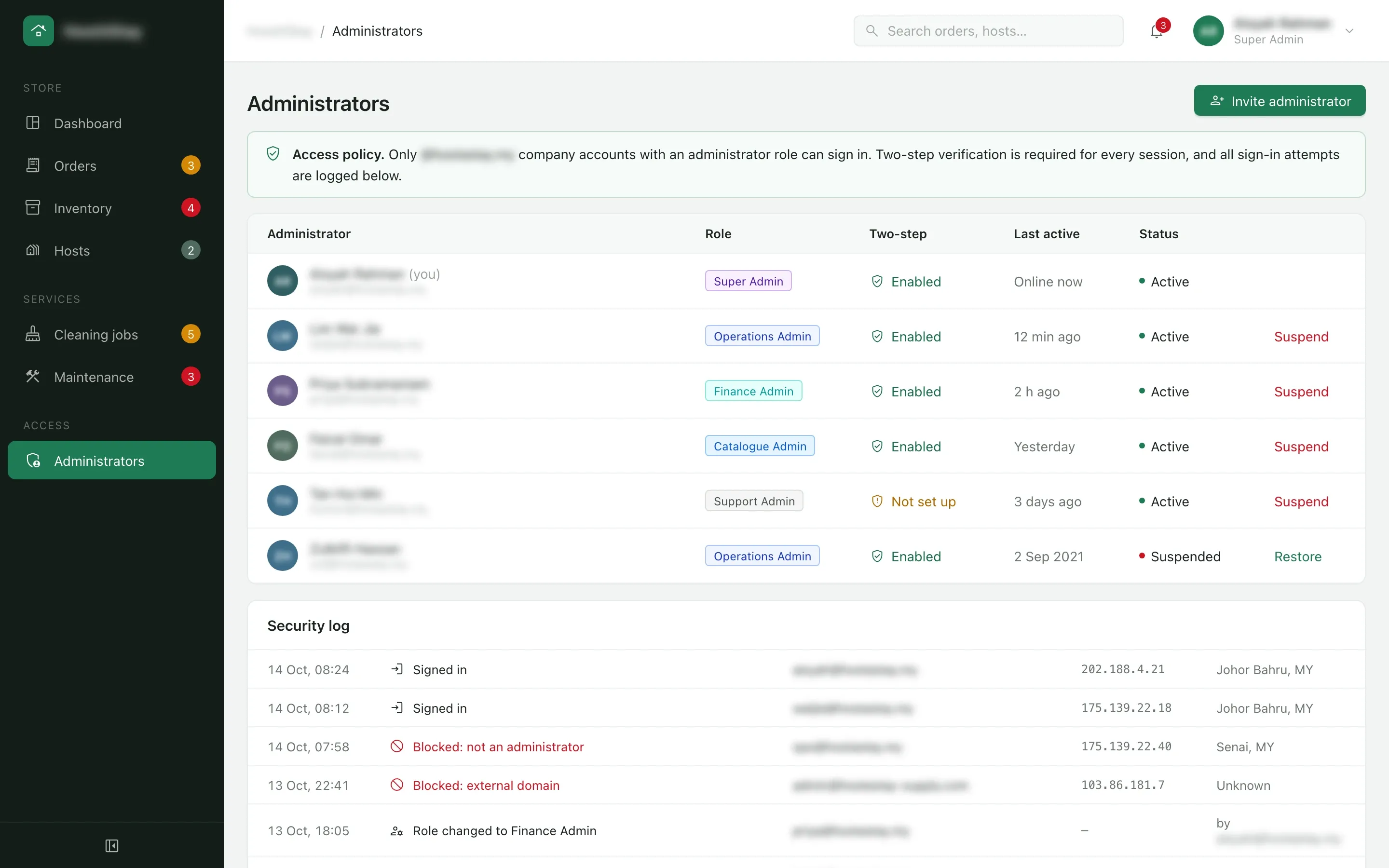
Every administrator and every attempt
- What we built
- The administrators page lists each admin with a role such as operations, finance or catalogue admin, whether two-step verification is set up and when they were last active. Admins are invited, suspended and restored from here, and the security log underneath records sign-ins, blocked attempts with their reason and role changes.
How the 8-week build went
Listen & prototype
Requirements with the company, then a clickable prototype of the host portal and the admin console, revised in week 3 before the build.
Core build
Built the portal and the console on one catalogue: restock orders split into delivery runs, cleaning packages and auto-booking, repair quotes from rate cards, crew assignment and stock for the Senai centre.
Live & handover
Deployed the host portal and the admin console, with two-step verification on every administrator account, and handed over source code, documentation and admin access.