Computer-based mock exams for a national tutoring chain
Students sit mock exams in a browser or the iOS and Android app and see scores with explanations on submit. Teachers add questions by typing or by photo.
- SECTOR
- Education
- LOCATION
- Indonesia
- YEAR
- 2024
- DELIVERED AS
Names and sensitive information are blurred under NDA.
The problem
The chain’s monthly SNBT, Kedinasan and junior high school try-outs, held at branches across Indonesia, were sat on paper. It wanted a computer-based test platform in two parts: a console where administrators and teachers prepare and run every exam, and an exam app for students on desktop and phone. Every branch had to sit the same try-out on the same schedule.
What we built
For a national tutoring chain in Indonesia, we built an admin console for head office and teachers and a student exam app for the browser, iOS and Android, all on one question bank. Head office and teachers build question sets per subject, class and package, and head office schedules each mock exam. Students enter with the token their supervisor reads out, each answer saves the moment it’s chosen, and the score and worked explanations open as soon as they submit. Teachers type questions with a formula editor or photograph a worksheet for Claude 3.5 Sonnet to read, then check every question before it joins the set.
Screen by screen
What we were asked to solve
01 / 10
Today’s exam first, on the web and the phone
- What we built
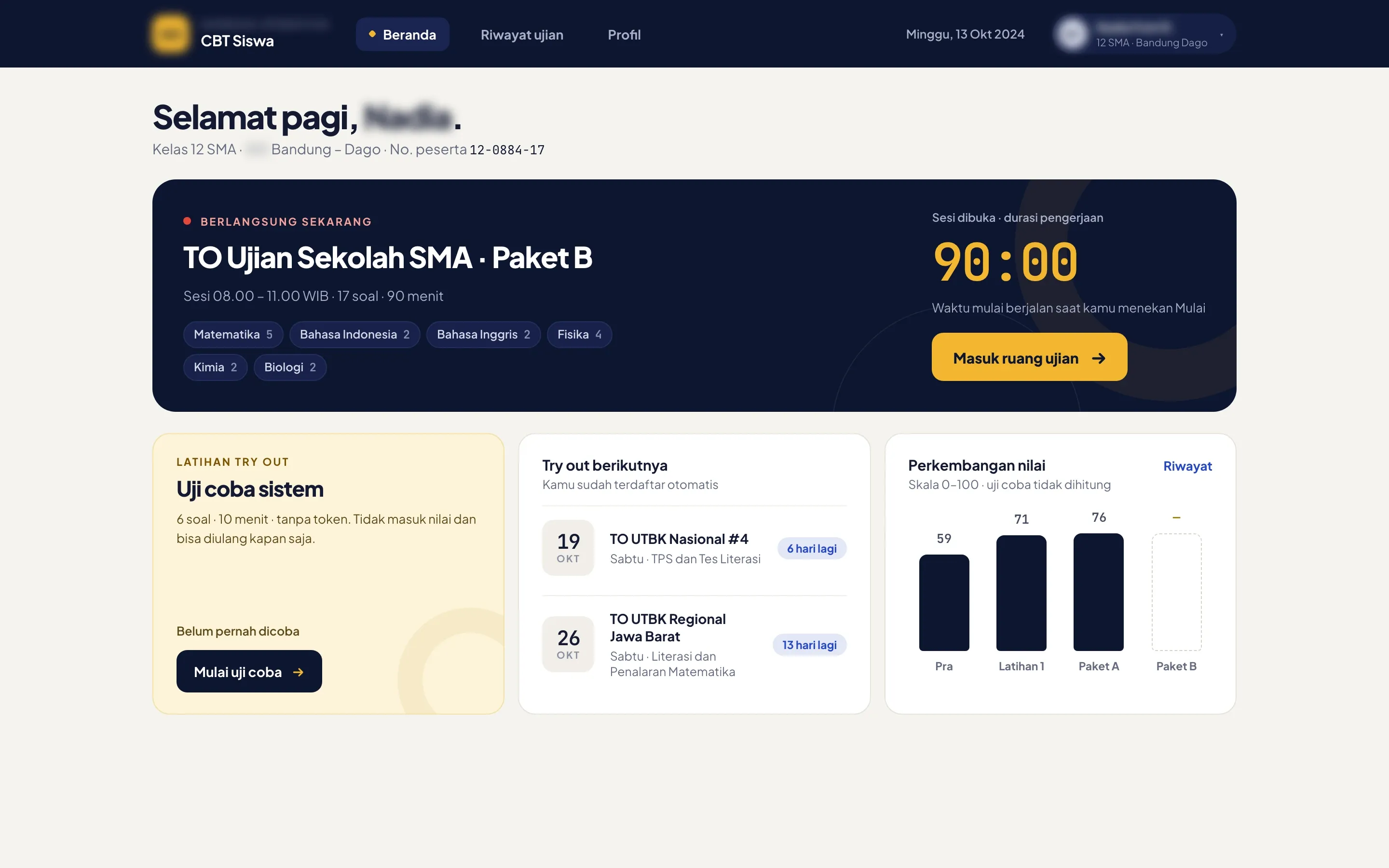
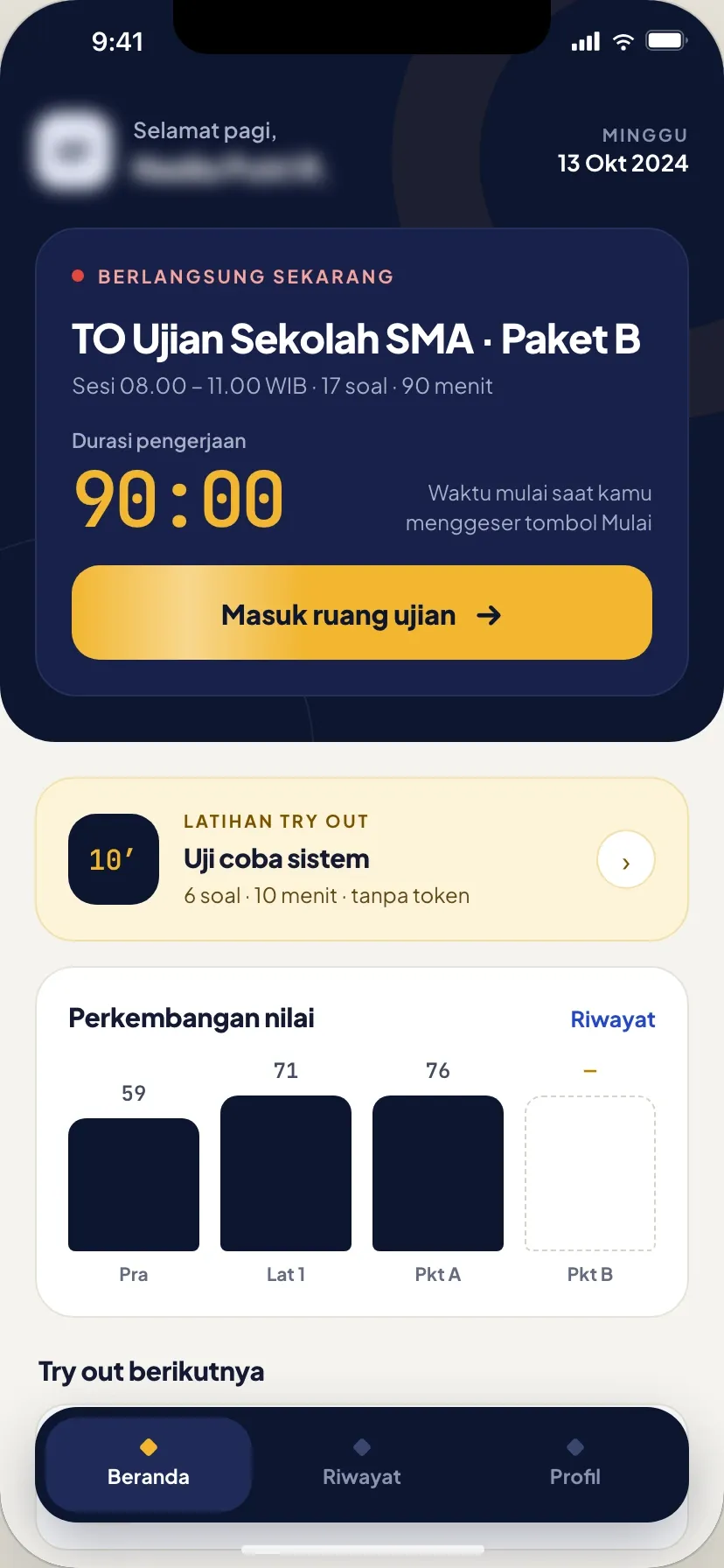
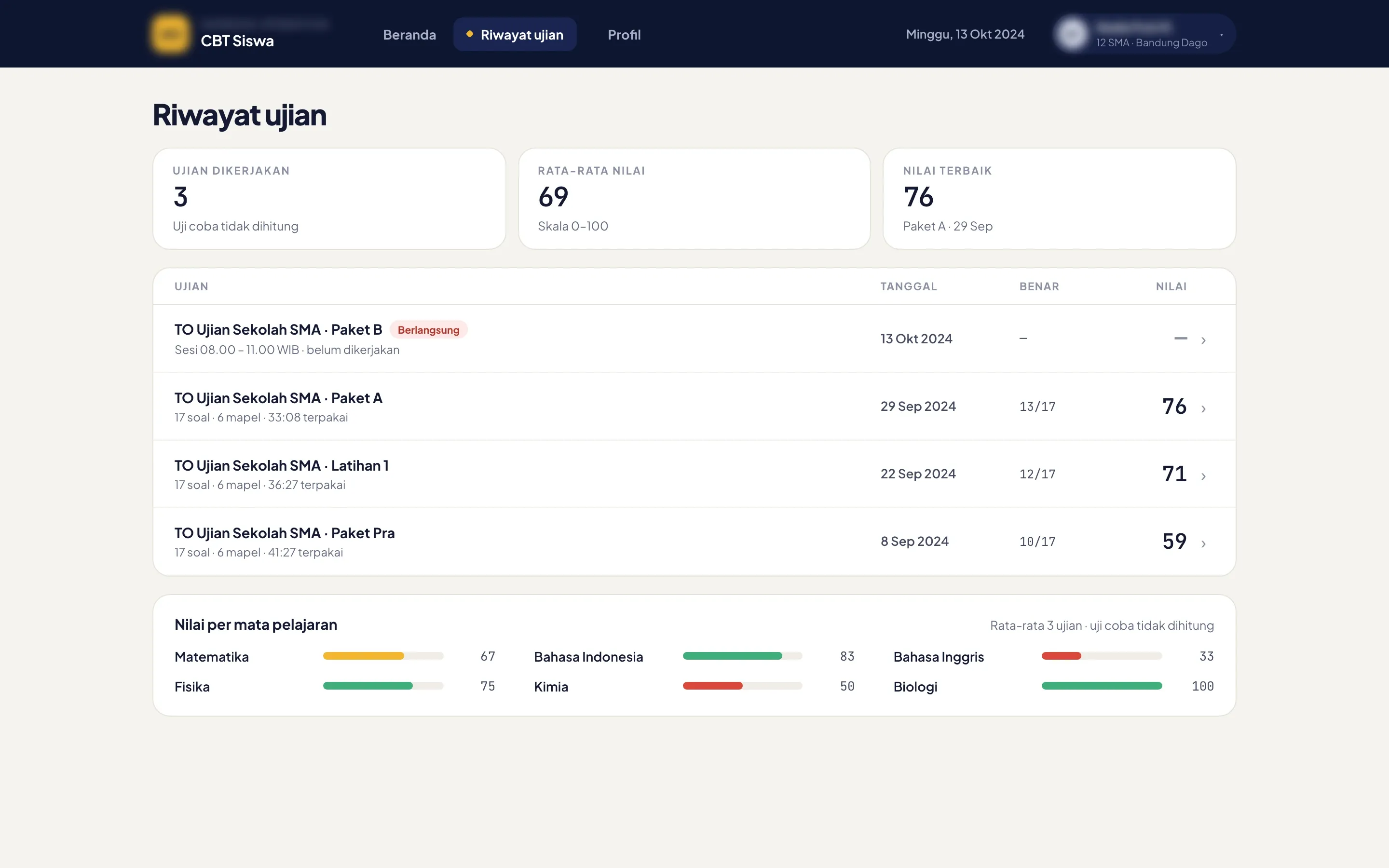
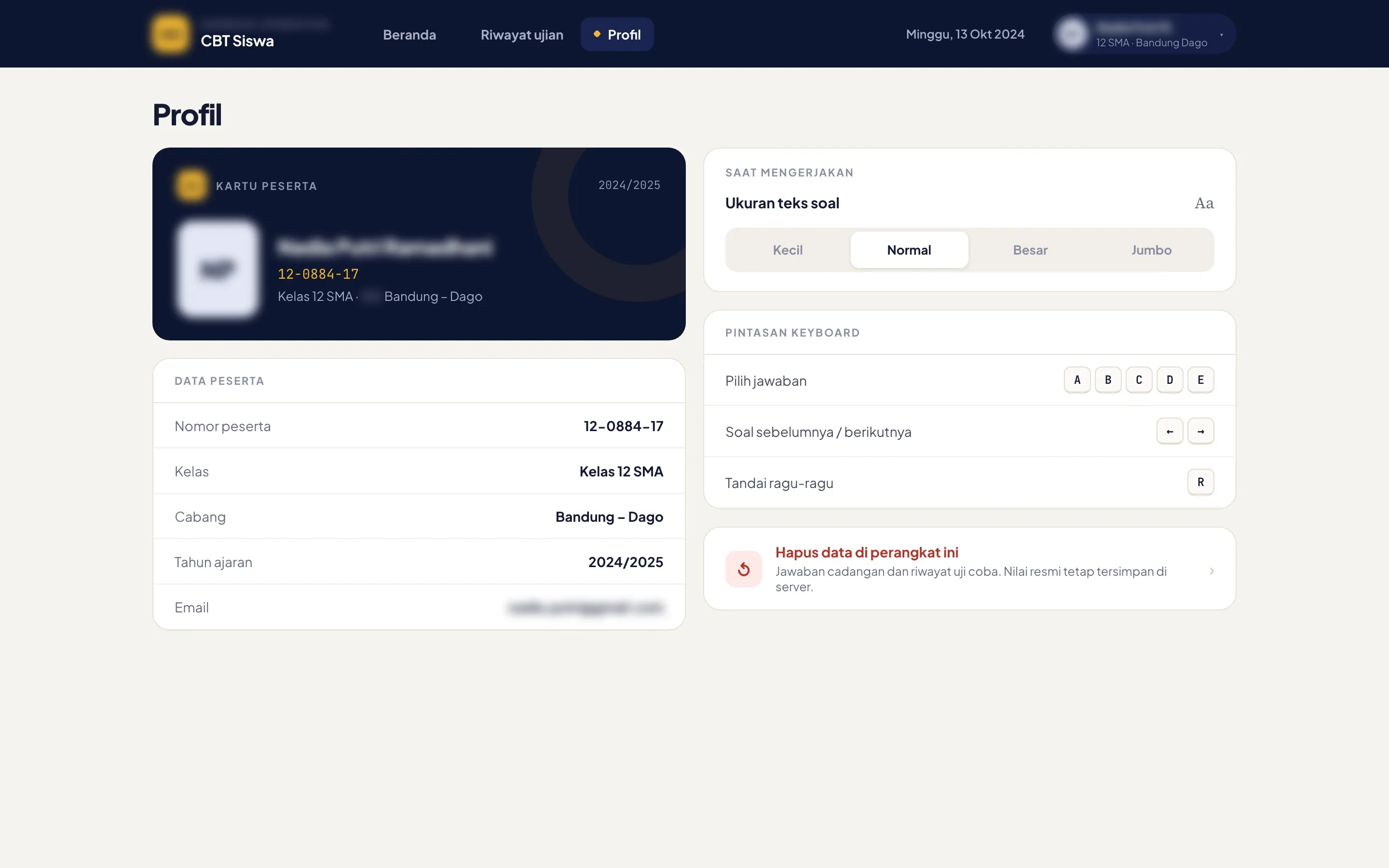
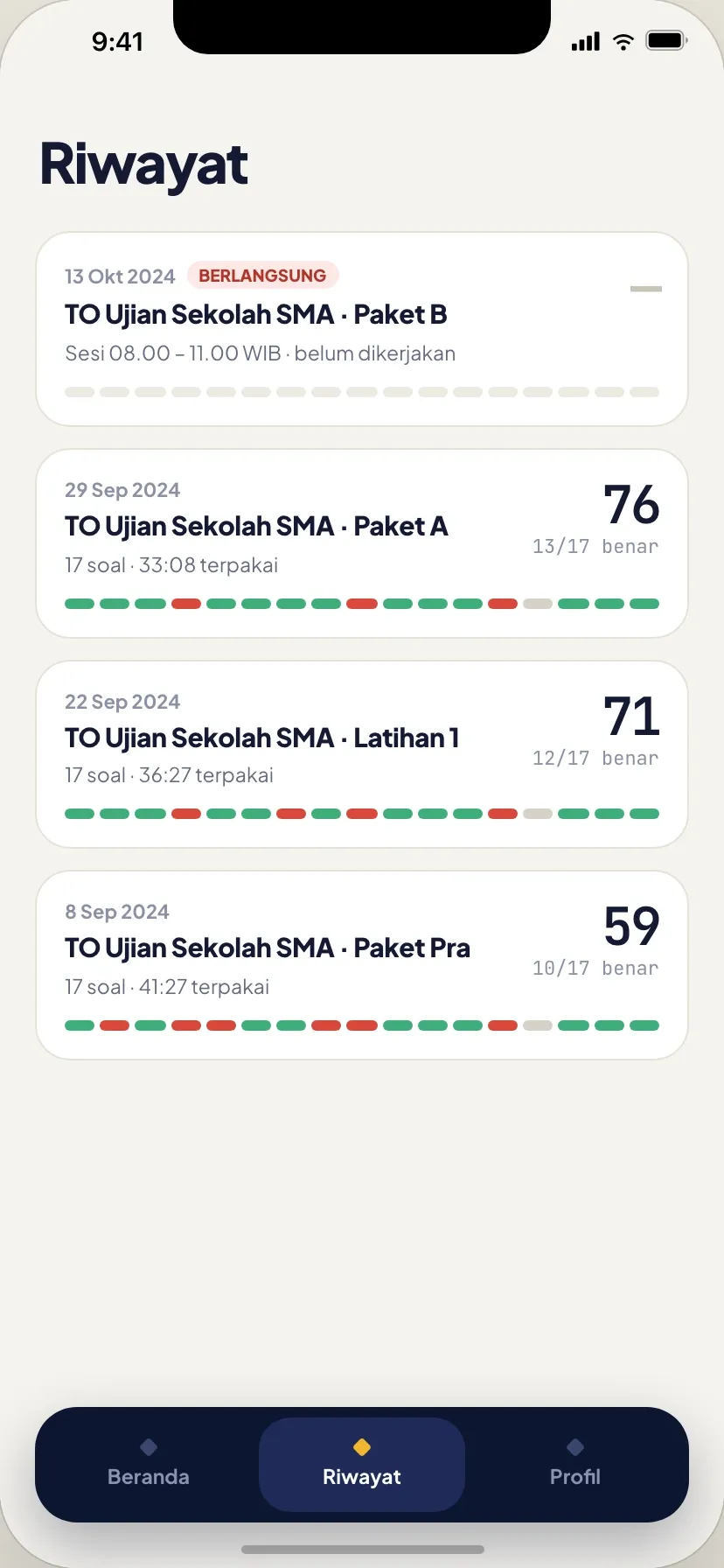
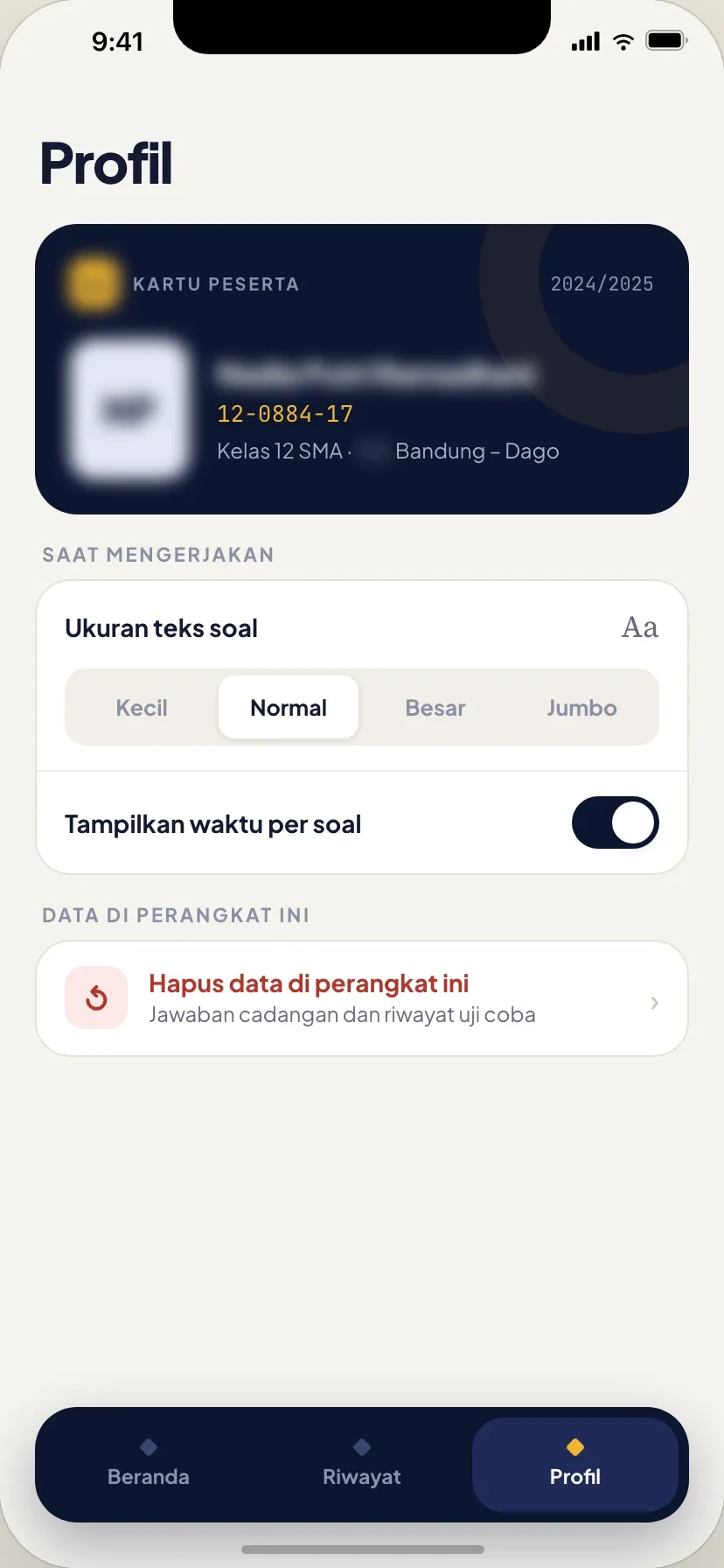
- The home screen opens on the mock exam that’s running, with its subjects and the way into the exam room, then the practice run, the next mock exams and a chart of past scores. History keeps every score with the average per subject, and the profile holds the participant card and the text size for questions.
02 / 10
The supervisor’s token opens the session
- What we built
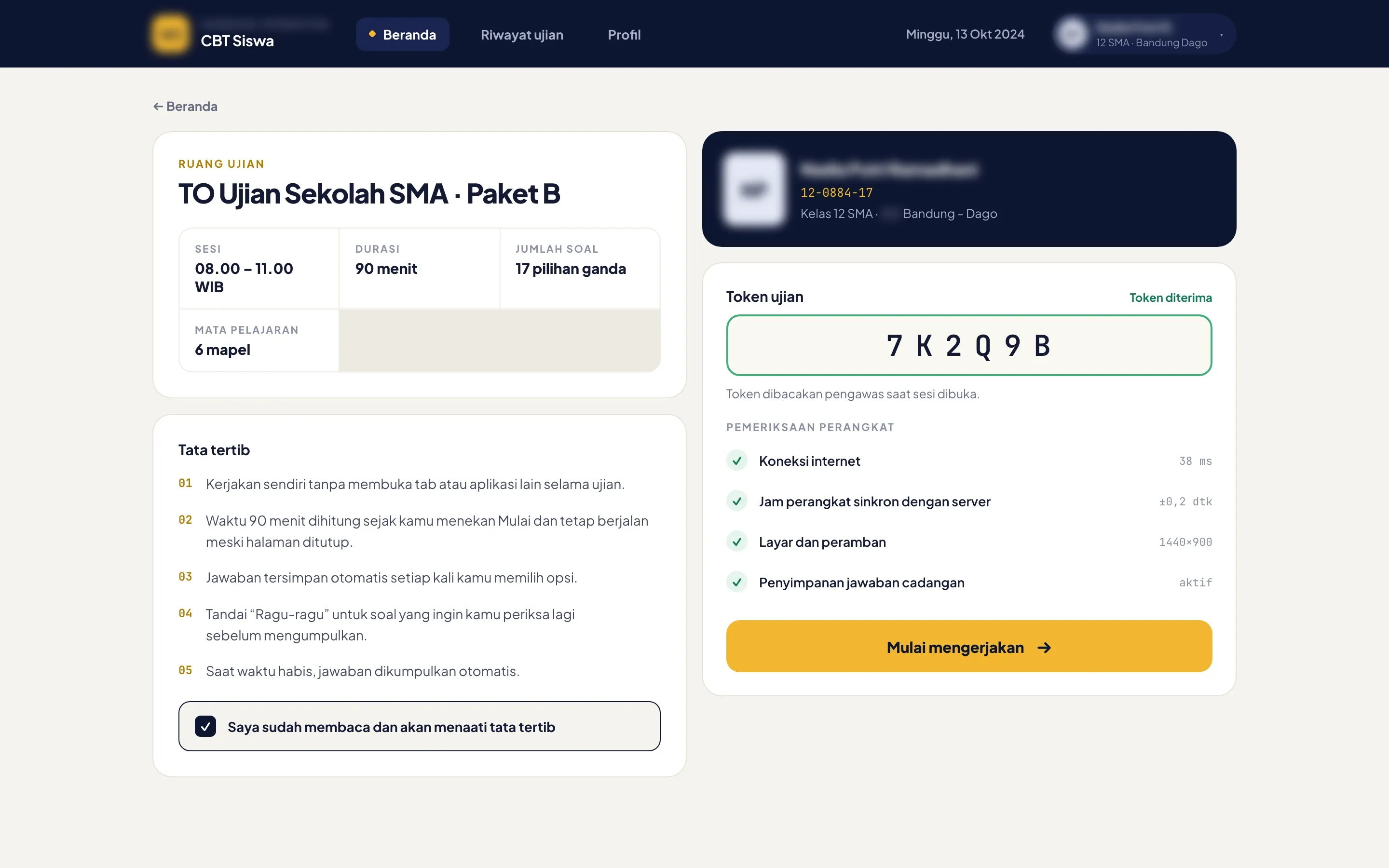
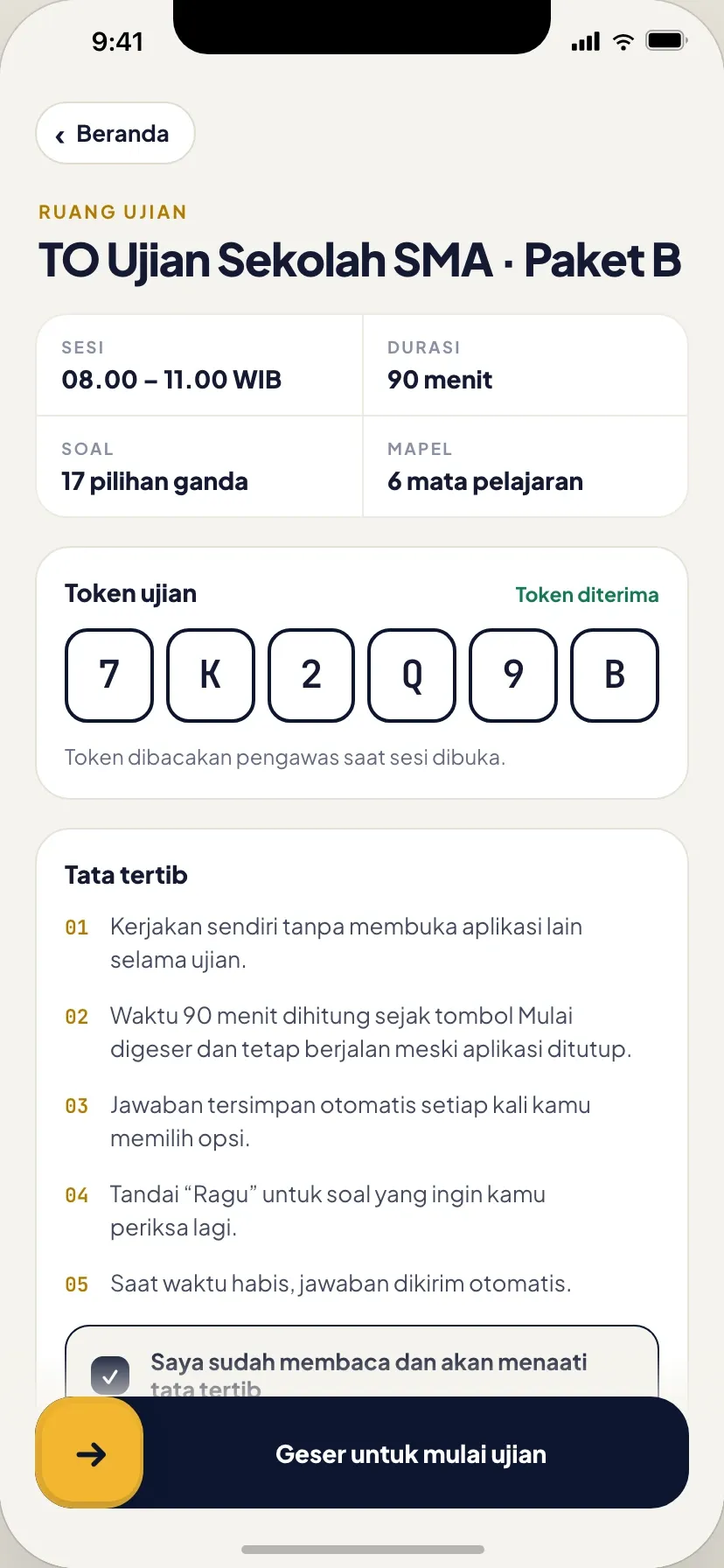
- Students type the six-character token the supervisor reads out and agree to the rules while the app checks the connection, the device clock, the screen and answer backup. Only then does the start button, or the slide on the phone, start the 90-minute timer.
03 / 10
Every answer saved as it’s chosen
- The problem
- Students needed to practise on the system before the real exam, and to keep their answers if the connection dropped or the page reloaded.
- What we built
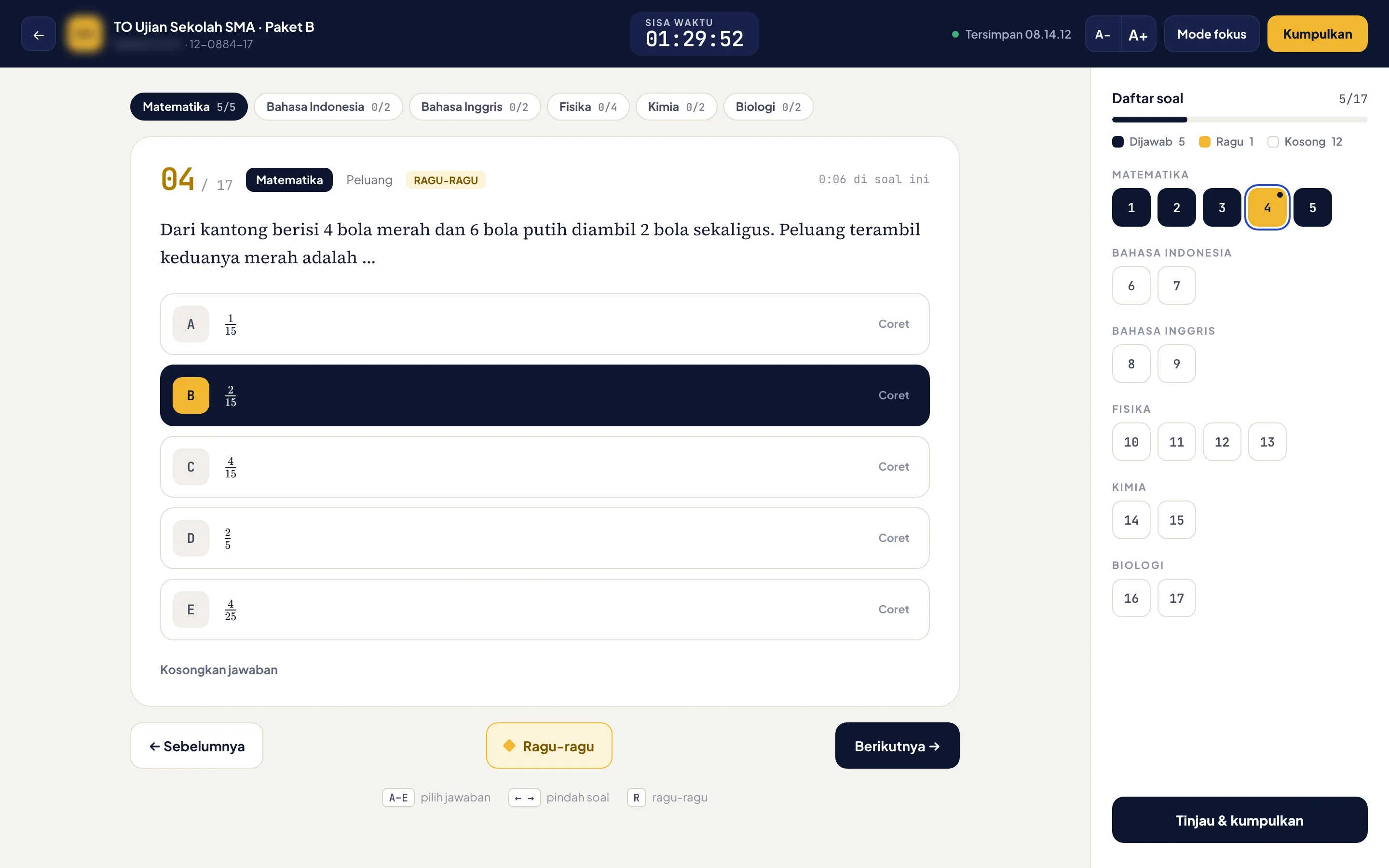
- Each answer saves the moment it’s picked, and the timer keeps running even if the page closes. Students flag questions as unsure, strike out options, change the text size and jump between subjects from the grid. A six-question practice run without a token or a score lets them try the screen first, as often as they like.
04 / 10
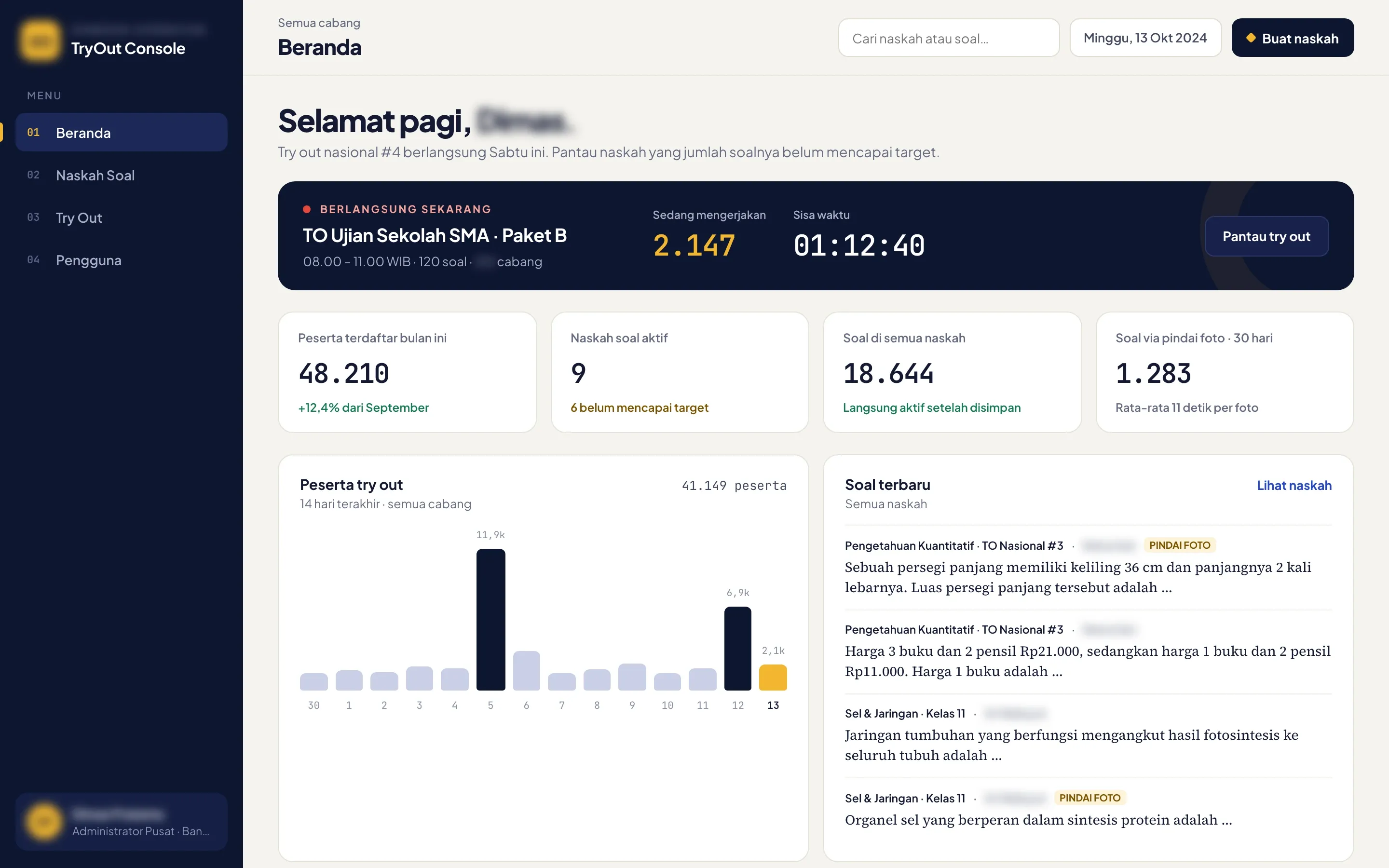
Exam day, live across every branch
- What we built
- The console opens on the mock exam in progress, with the number of students working and the time left. Below sit this month’s sign-ups, the question sets still short of their target, participants over the last 14 days and the latest questions, with the ones added by photo scan marked.
05 / 10
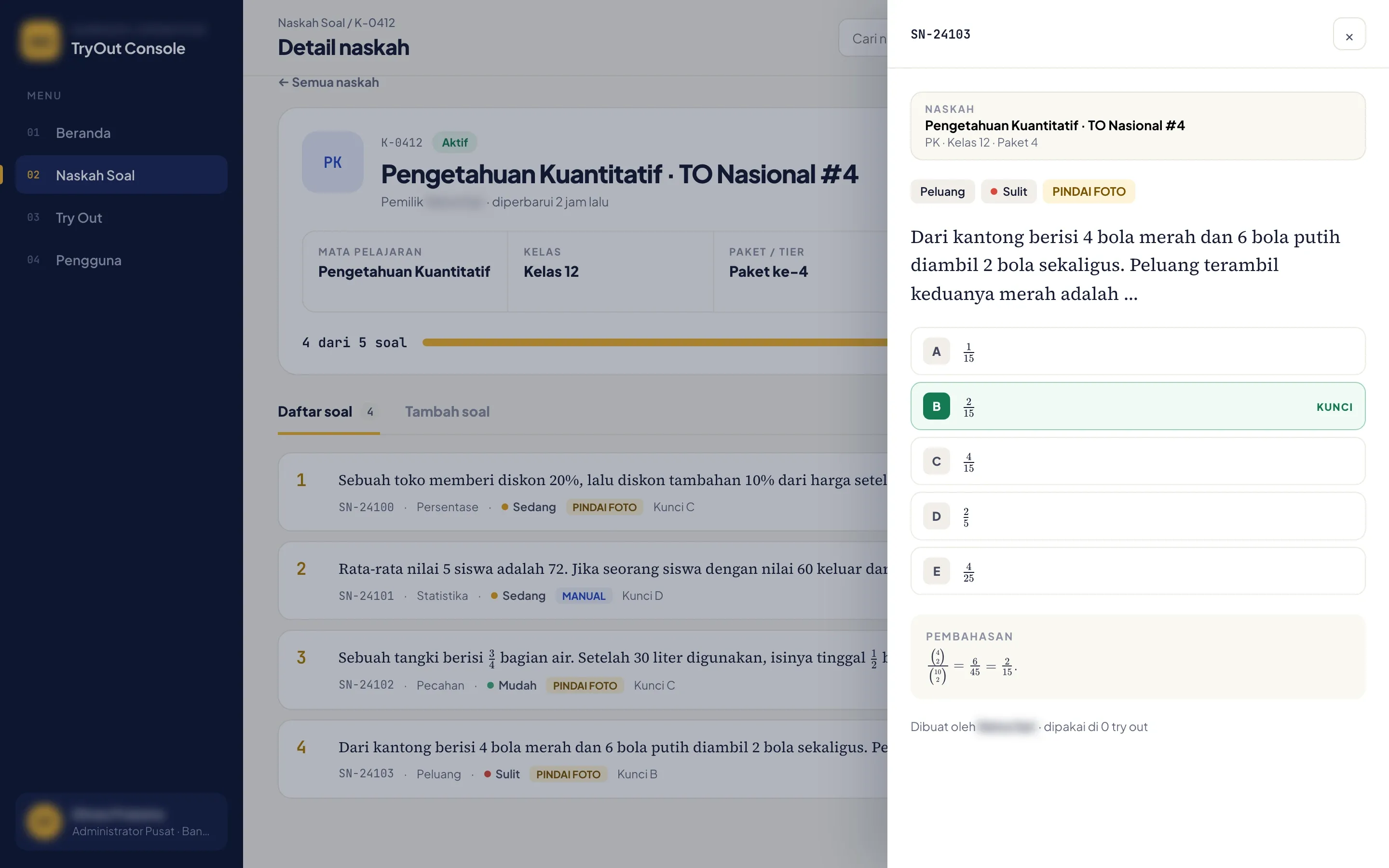
One question set per subject and class
- What we built
- Each question set belongs to one subject, class, package and mock exam, and shows how close it is to its target. A question opens in a drawer with its options, the key, the worked explanation, who wrote it and how many try-outs have used it.
Typed question1 / 2
06 / 10 · 1 of 2
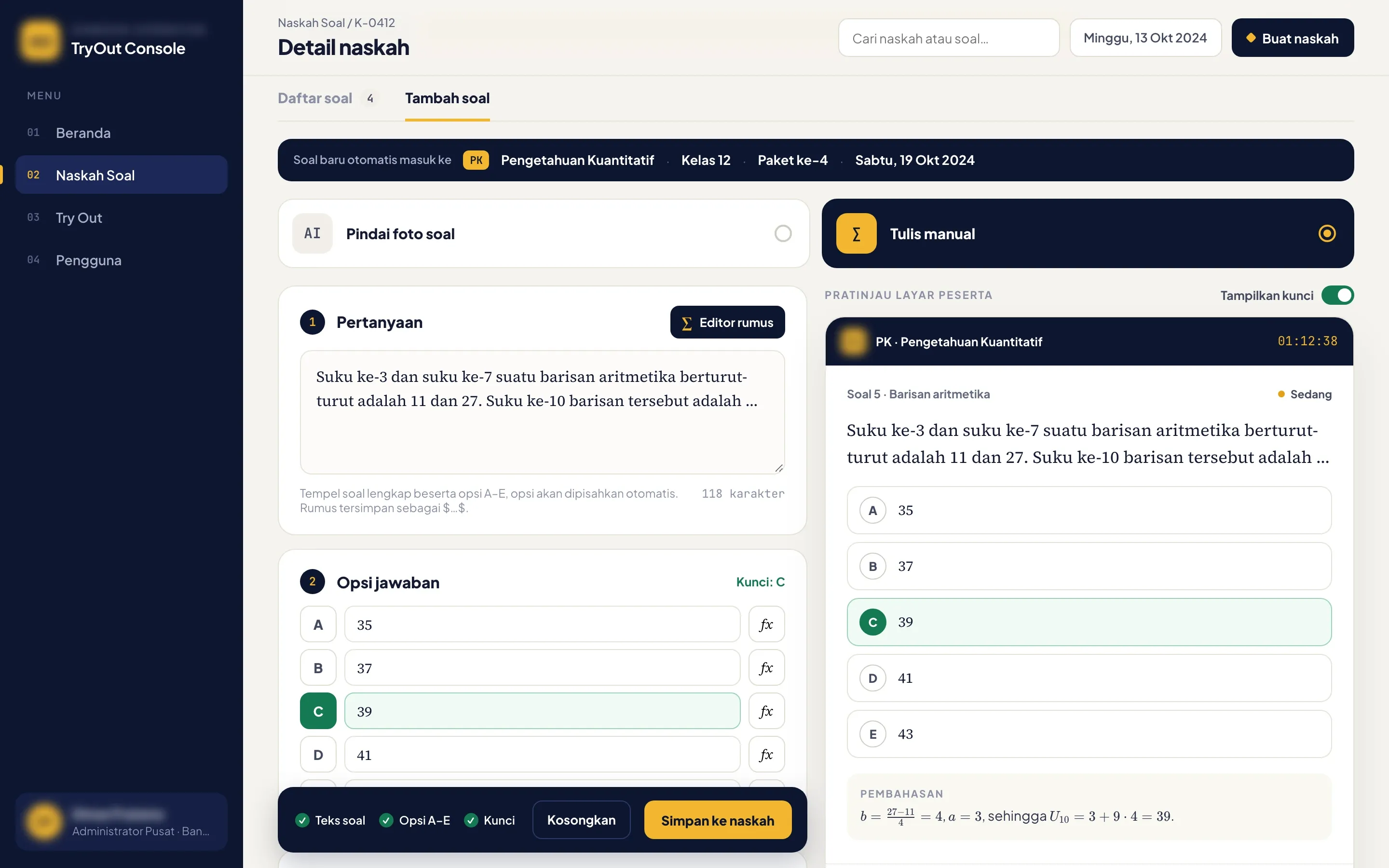
Questions typed beside a live preview
- What we built
- Teachers type the question, five options and the key into a set that already carries its subject, class and package. Beside the form, a preview shows the question as students will see it in the exam.
06 / 10 · 2 of 2
Formulas built from buttons
- The problem
- Questions with formulas were the slowest to retype.
- What we built
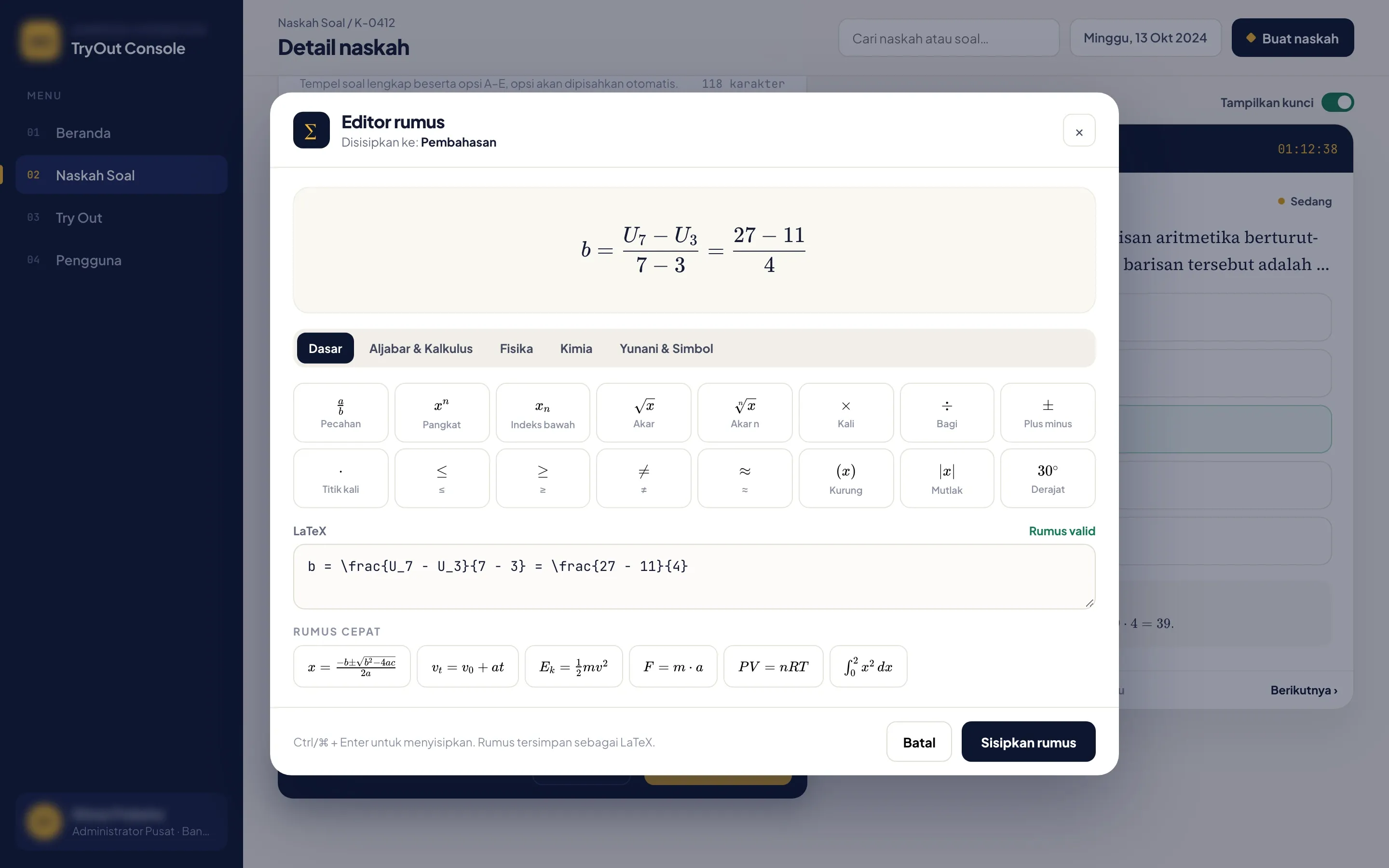
- The formula editor builds fractions, powers, subscripts and roots from buttons, with tabs for algebra and calculus, physics, chemistry and symbols. It renders the formula as it’s typed and checks the LaTeX before it goes into the question or the explanation.
Upload1 / 3
07 / 10 · 1 of 3
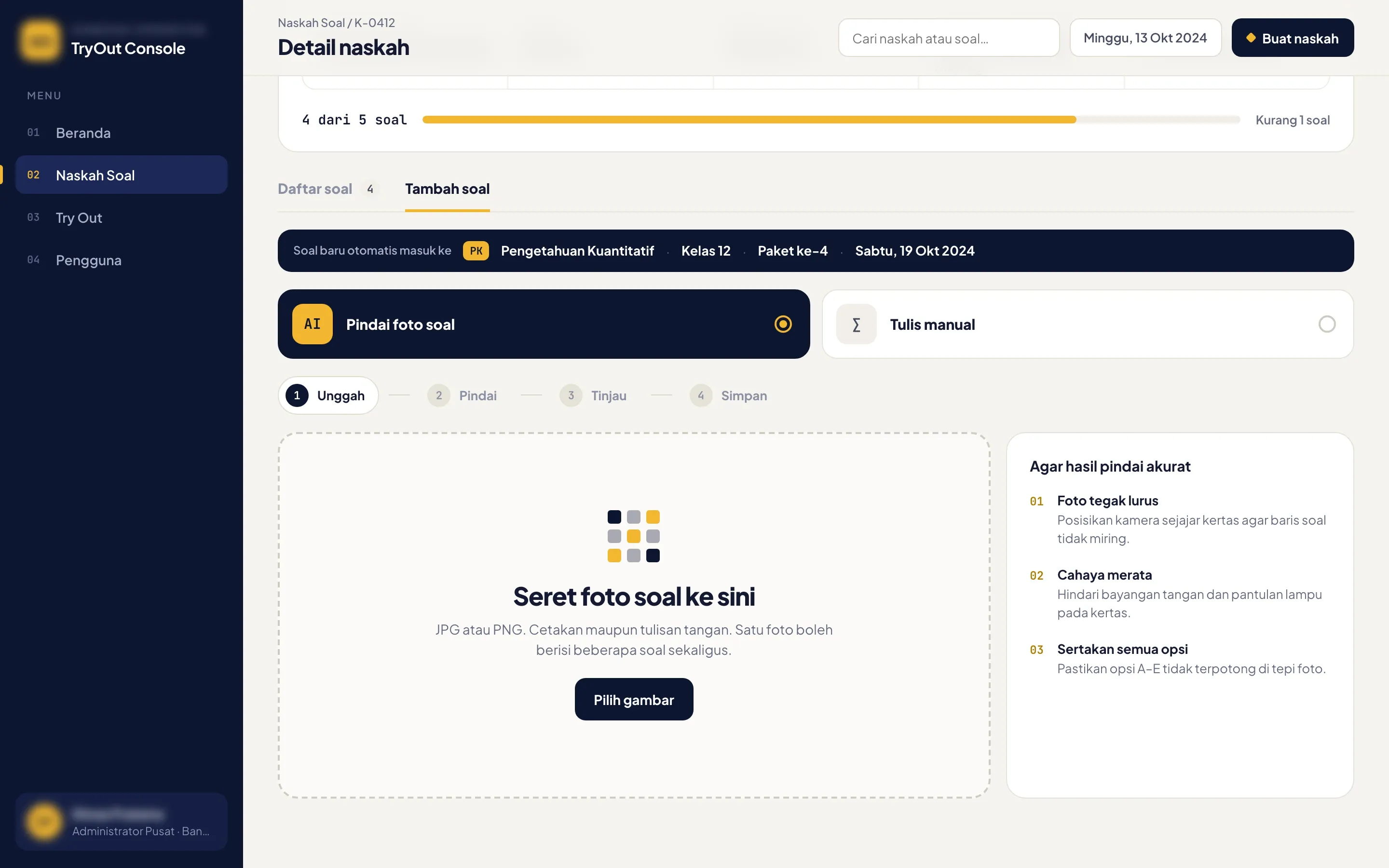
Printed sheets in by photo
- The problem
- Teachers spent too long retyping printed and handwritten worksheets.
- What we built
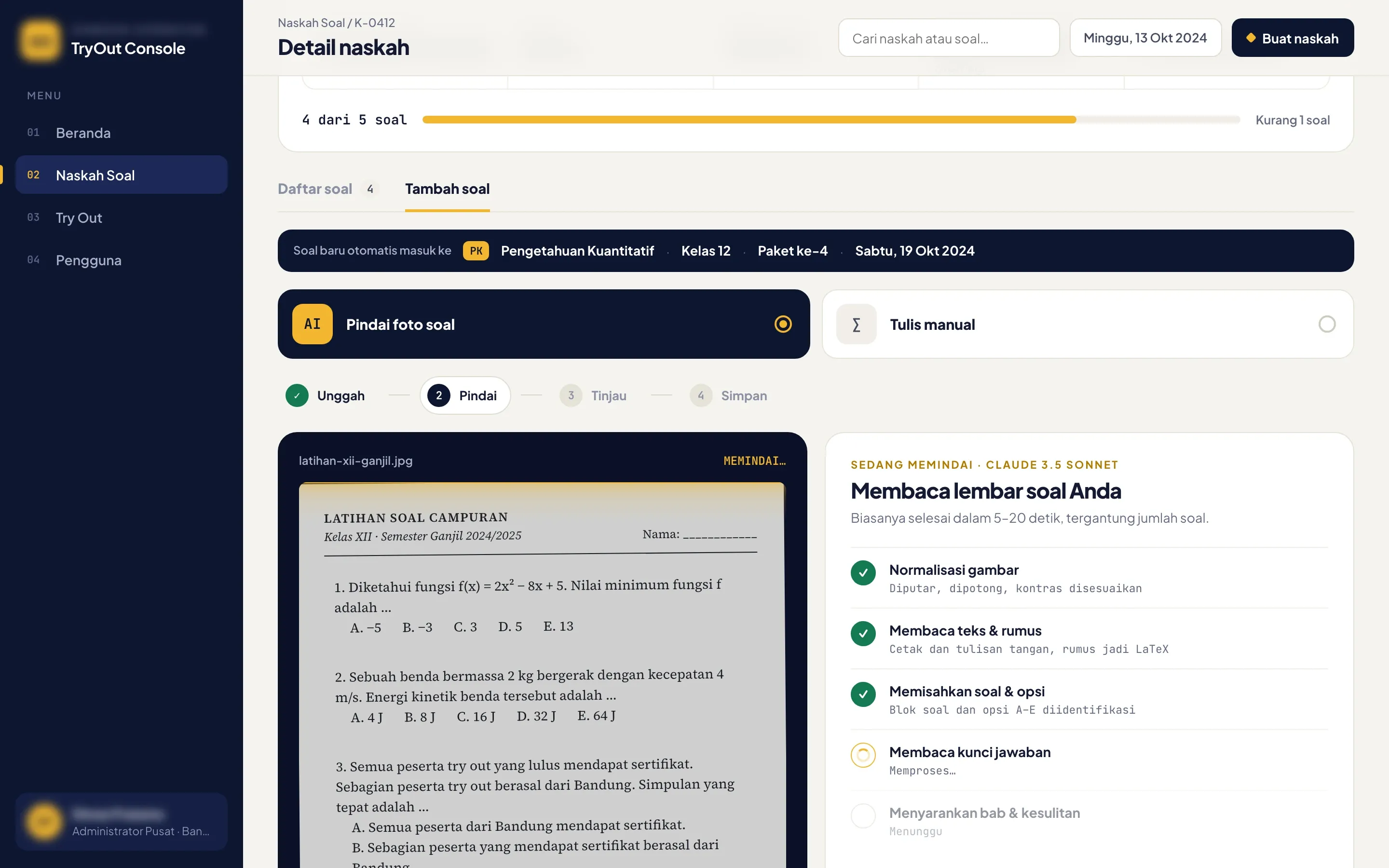
- A teacher drops a photo of a worksheet into the set, printed or handwritten, with several questions on one photo.
07 / 10 · 2 of 3
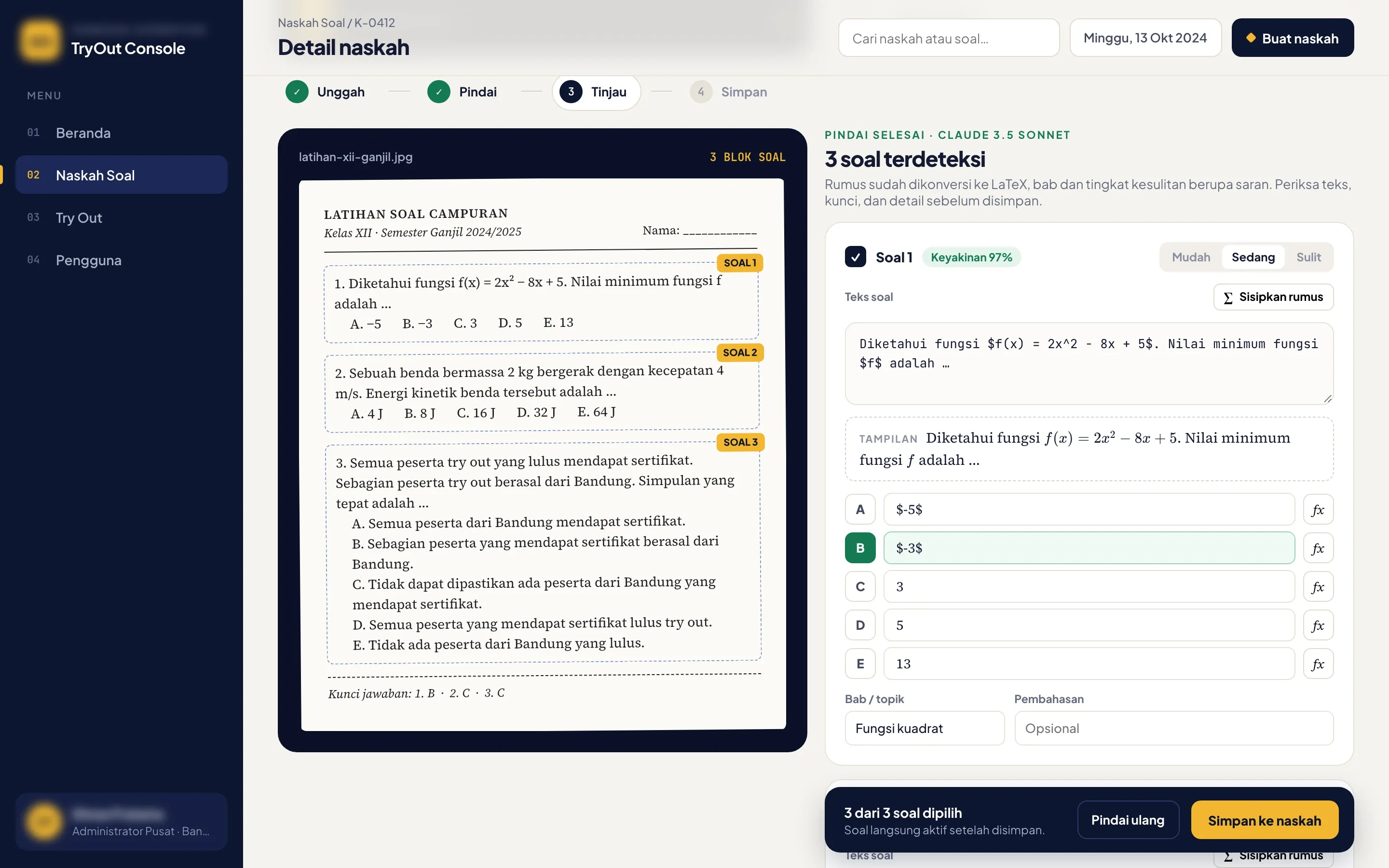
Read by Claude 3.5 Sonnet
- What we built
- The photo is straightened, then Claude 3.5 Sonnet reads it, printed or handwritten: it turns formulas into LaTeX, splits each question from its options, reads the answer key when it’s printed on the sheet and suggests a topic and difficulty.
07 / 10 · 3 of 3
Checked by a teacher before it joins the set
- The problem
- Questions needed a review before they went live.
- What we built
- Each question Claude found sits beside its box on the photo, with its confidence, its formulas in LaTeX, the key and the suggested topic and difficulty. The teacher checks every one, corrects what needs it and saves the questions to the set, where they go live.
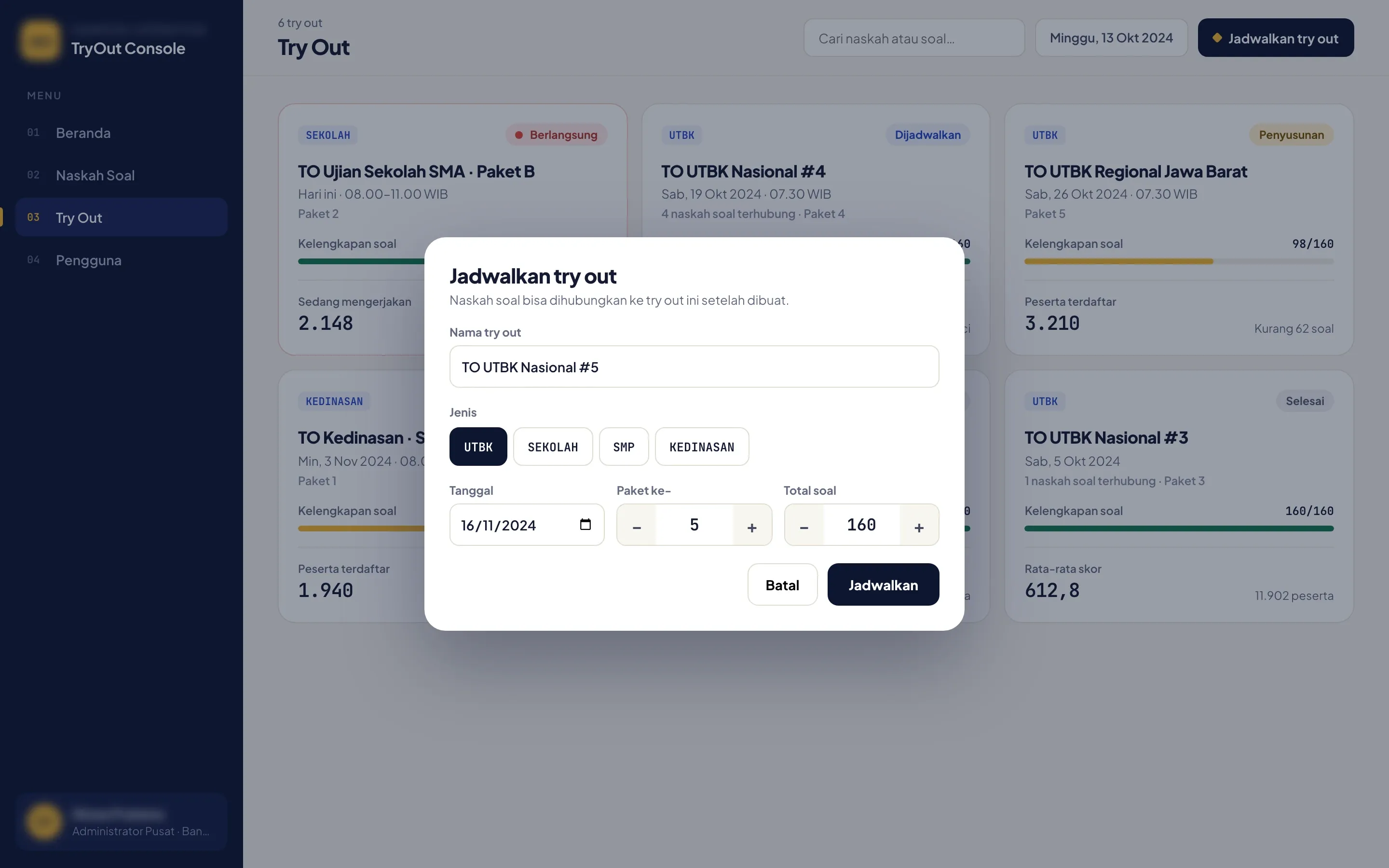
08 / 10
Mock exams scheduled for every branch
- What we built
- Head office schedules each mock exam with its type, date, package and number of questions. The list shows how complete each exam’s questions are, the students registered and, once it’s over, the average score.
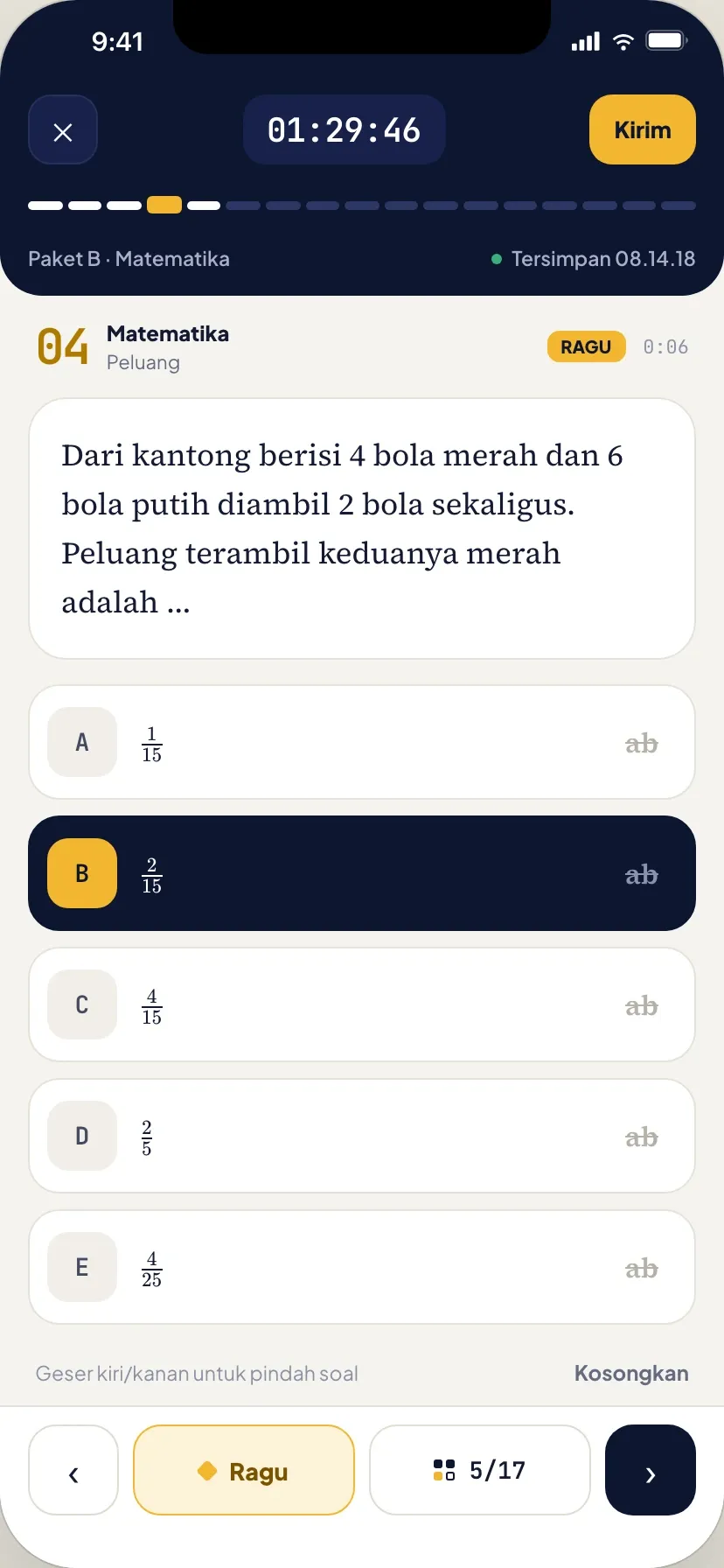
09 / 10
The exam on a phone, built for touch
- The problem
- Most students would sit the exam on their phones, so the mobile version had to be built for touch.
- What we built
- On the phone the timer stays in view above the question. Students swipe between questions, tap the progress bar to jump, strike out options and mark a question as unsure, and each answer is saved as they go.
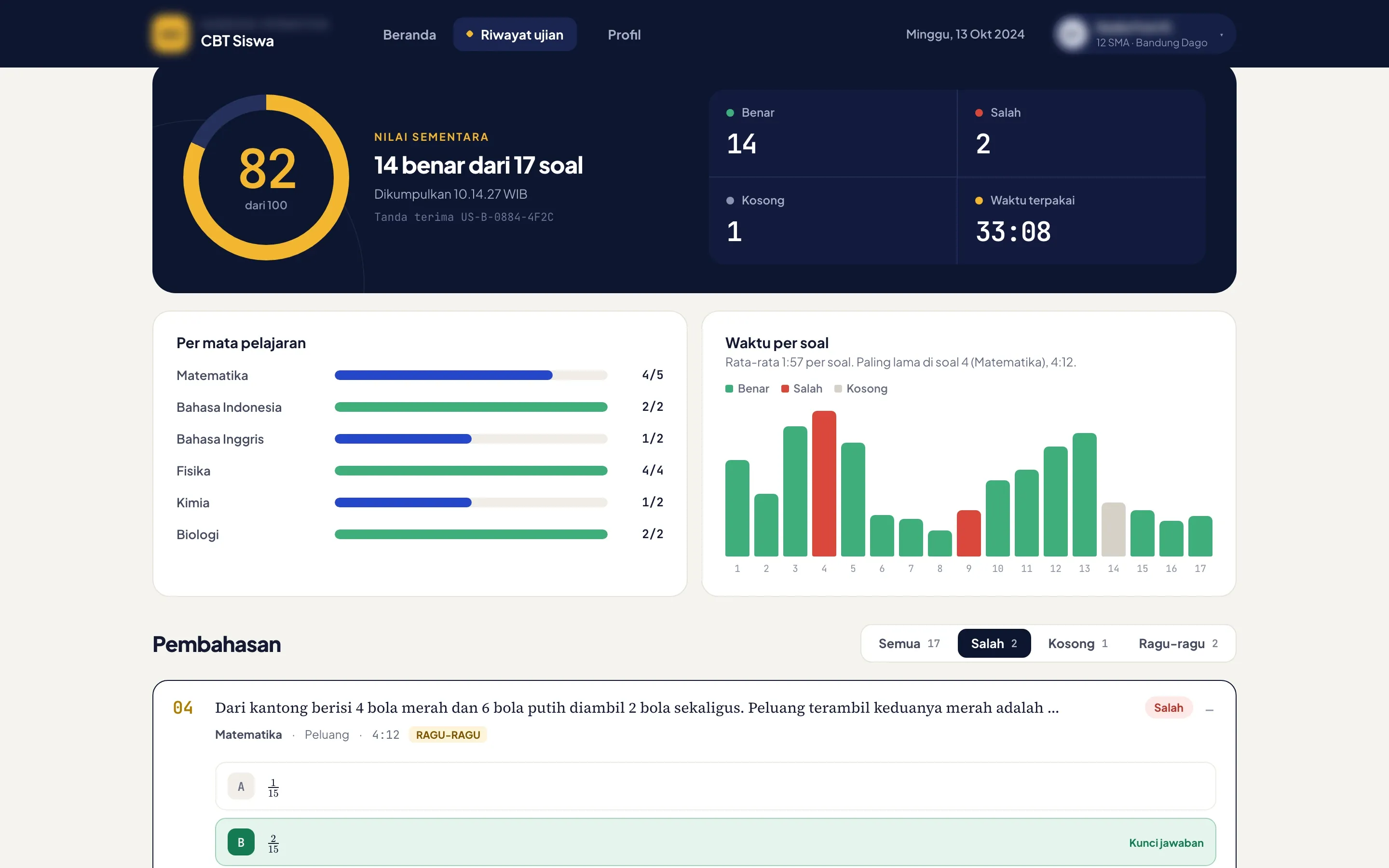
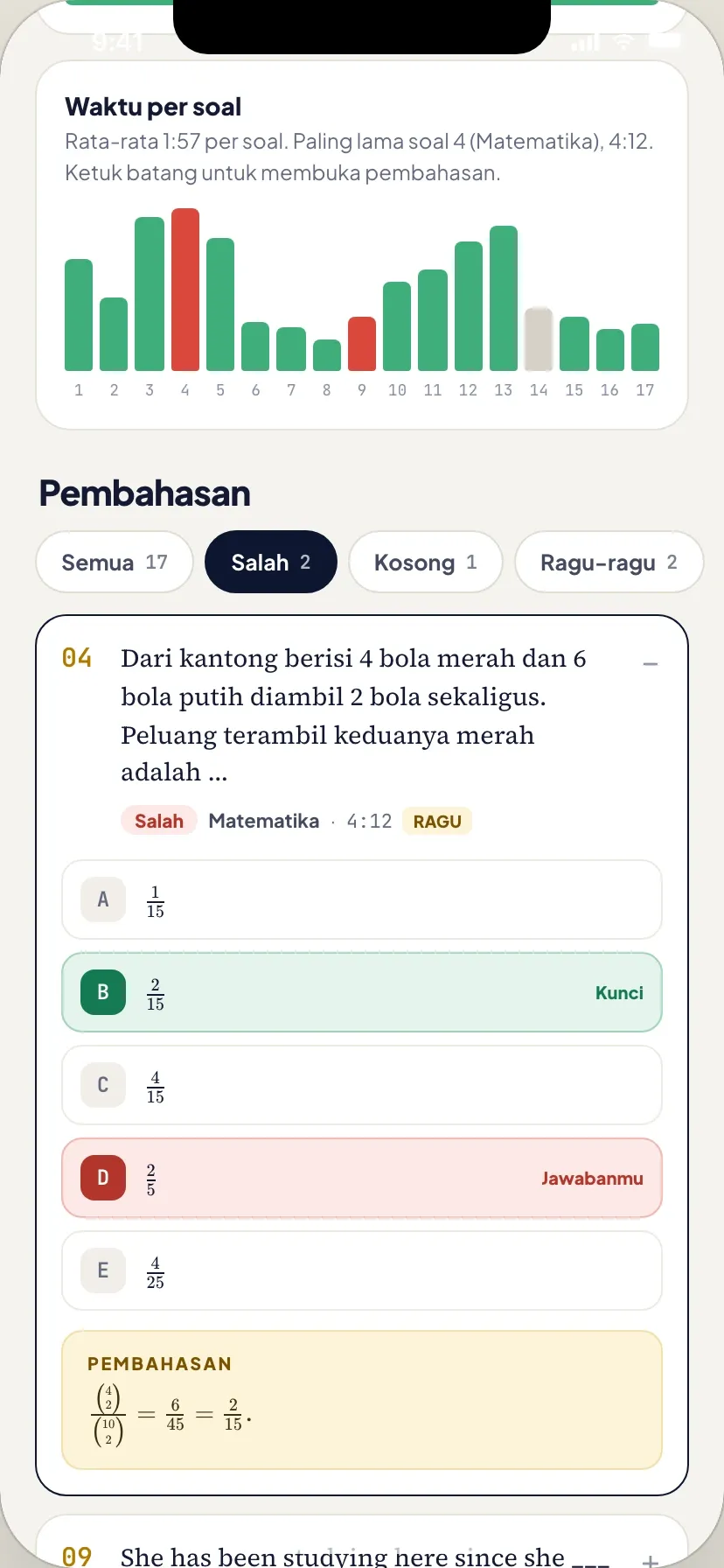
10 / 10
Score and worked explanations on submit
- The problem
- Students needed to see clearly where they went wrong.
- What we built
- Results open on the provisional score with the time of submission and a receipt code, then the score per subject and the time spent on each question. Below sits the worked explanation for every question, with filters for wrong, blank and unsure answers. On the phone, a tap on a question’s bar opens its explanation.
How the 4-week sprint went
Listen & prototype
Clickable prototypes of the student exam app, on desktop and phone, and of the admin console, agreed with head office before the build.
Core build
Built the console, the browser exam and the iOS and Android app on one question bank, writing the code with Claude. Answers save on every tap, and the photo scan reads worksheets with Claude 3.5 Sonnet.
Live & handover
Deployed the console and both exam apps, set up branch and teacher accounts with head office, and handed over the source code, documentation and admin access.
Related reading
- Service · Web DevelopmentWeb app developmentSee the service →
- Service · Mobile App DevelopmentMobile app developmentSee the service →
- Service · AI IntegrationAI integration servicesSee the service →
- Blog · AIOCR vs AI document extraction: invoices, receipts and expense claimsRead article →
- Blog · SystemsHow we built our own ERP, CRM, WMS, EAM and HR (2023–2024)Read article →