Deals and voucher marketplace with member points
Shoppers in Malaysia buy discount vouchers from restaurants, spas and tour operators, pay with points and show a code at the counter.
- SECTOR
- Retail & Rewards
- LOCATION
- Malaysia
- YEAR
- 2022
- DELIVERED AS
Names and sensitive information are blurred under NDA.
The problem
The client, a voucher and deals marketplace in Malaysia, asked for a clean shopping experience, a loyalty programme that brings shoppers back and a single dashboard for its own team.
What we built
For a voucher and deals marketplace in Malaysia, we built a web storefront for discount vouchers and an admin for its team. Shoppers browse six categories or search and filter by price and rating, choose a voucher on the deal page and get its code the moment they pay. Members earn points on purchases, daily check-ins and verified reviews and spend them like cash at checkout, where 100 points take RM 1 off. In the admin, the team approves merchants and deals, confirms redemptions at the counter and adjusts the earning rules.
Screen by screen
What we were asked to solve
Hero banner1 / 2
01 / 09 · 1 of 2
One deal up front, six categories below
- The problem
- Deal hunting had to feel simple and trustworthy, without the clutter of a loud discount site.
- What we built
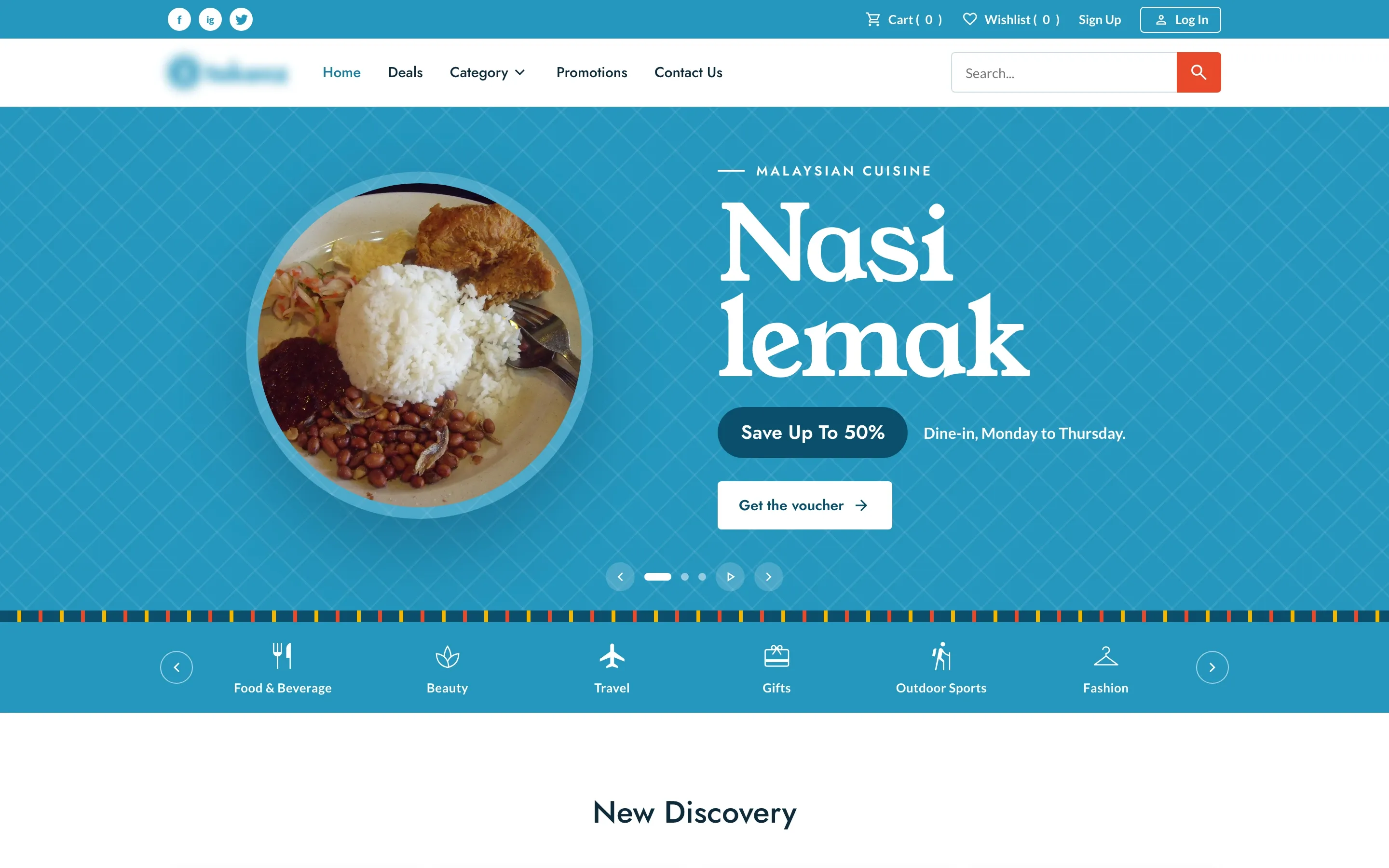
- The home page opens on one promoted deal at a time, with its saving, its terms and a button to get the voucher, and controls to pause the carousel or move it on. The bar of six categories sits right under it.
01 / 09 · 2 of 2
The saving and what’s left on every card
- What we built
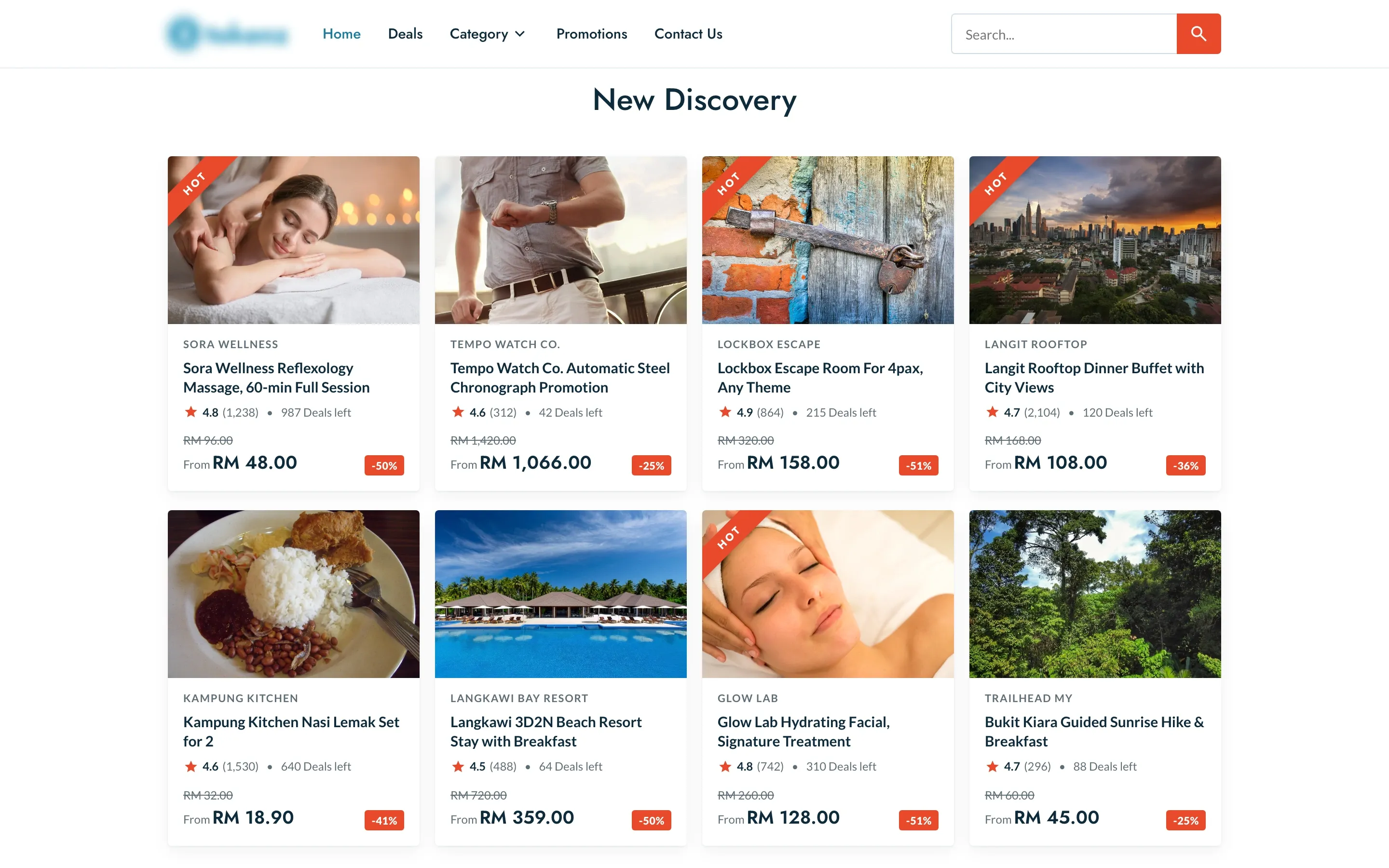
- New Discovery lists eight curated deals. Each card carries the merchant, the rating and number of reviews, the vouchers left, the original price struck through and the discount, and a HOT ribbon marks the deals the team flags in the admin.
02 / 09
One page per category, filtered and sorted
- What we built
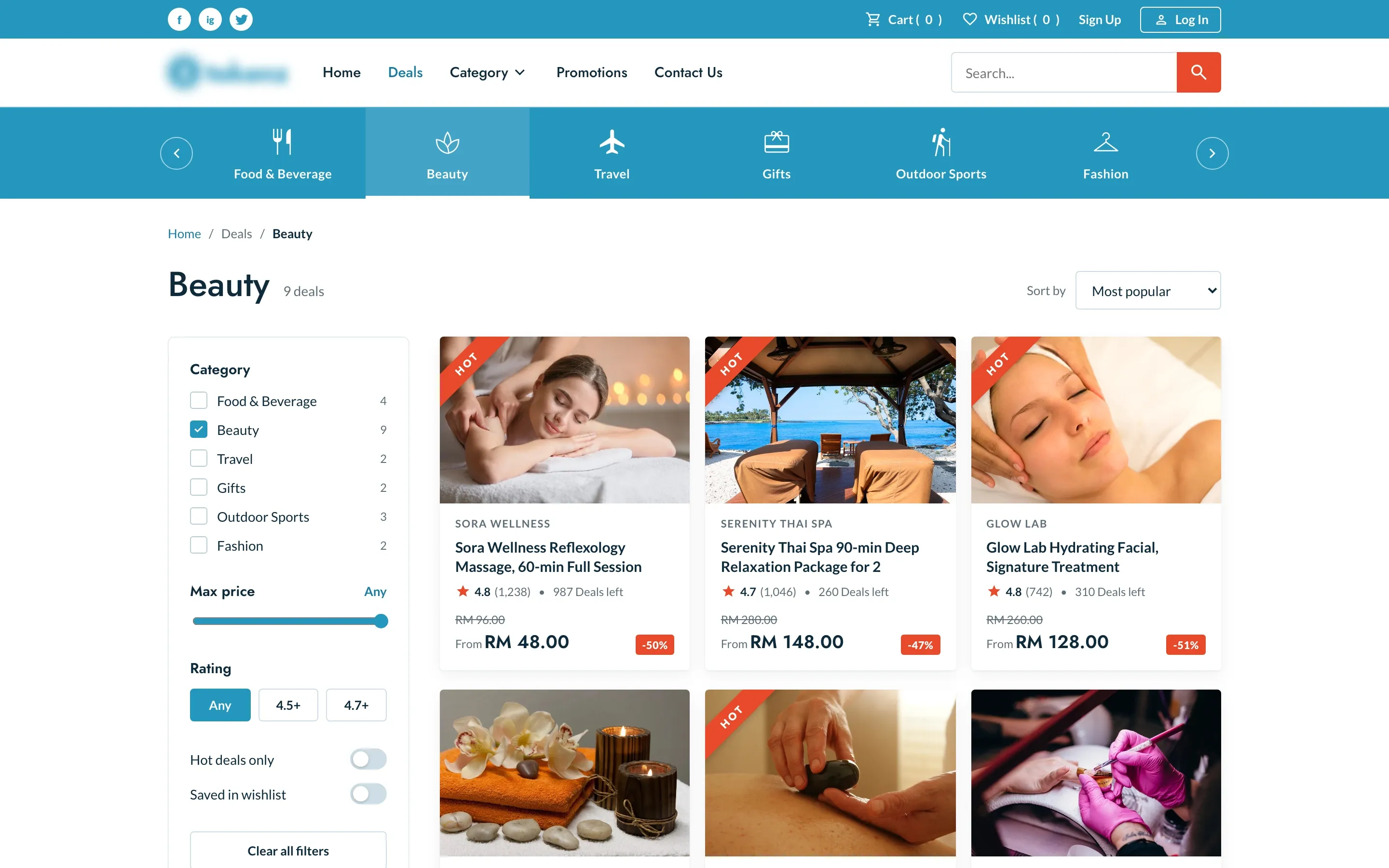
- Each category lists its deals on the same cards. Shoppers search from any page, or narrow a category by maximum price, minimum rating, hot deals or their wishlist, and sort it, here by popularity. Beauty holds nine deals, among them massages, facials and nail care.
03 / 09
Weekday, anytime or two at once
- What we built
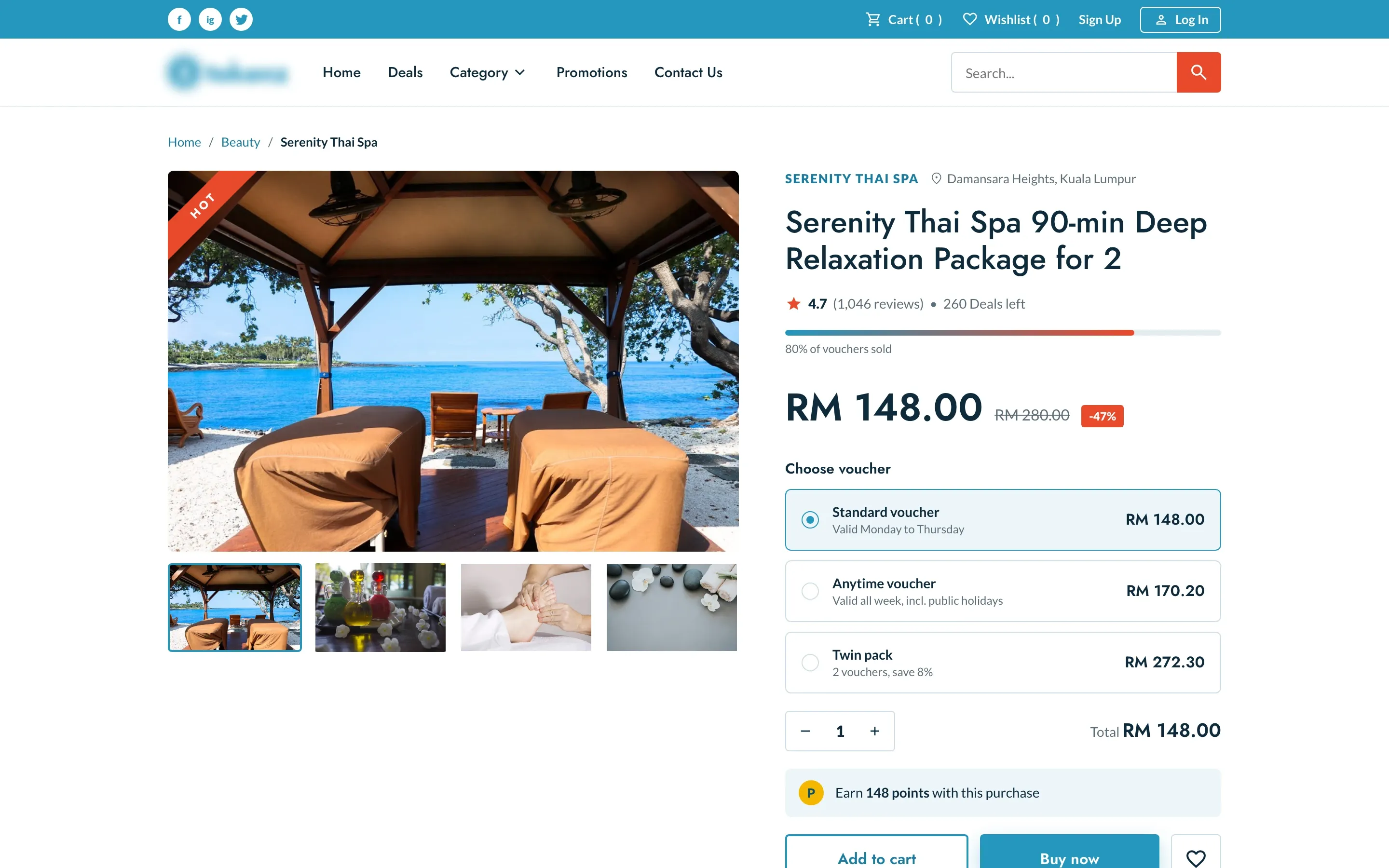
- Each deal sells a standard voucher for Monday to Thursday, an anytime voucher at a higher price that is valid all week and on public holidays, and a twin pack of two at 8% off. The page shows the merchant and its area, the merchant’s own photos, the share of vouchers sold and the points the purchase earns.
04 / 09
Points spent like cash at checkout
- The problem
- The client treated loyalty as central to the business.
- What we built
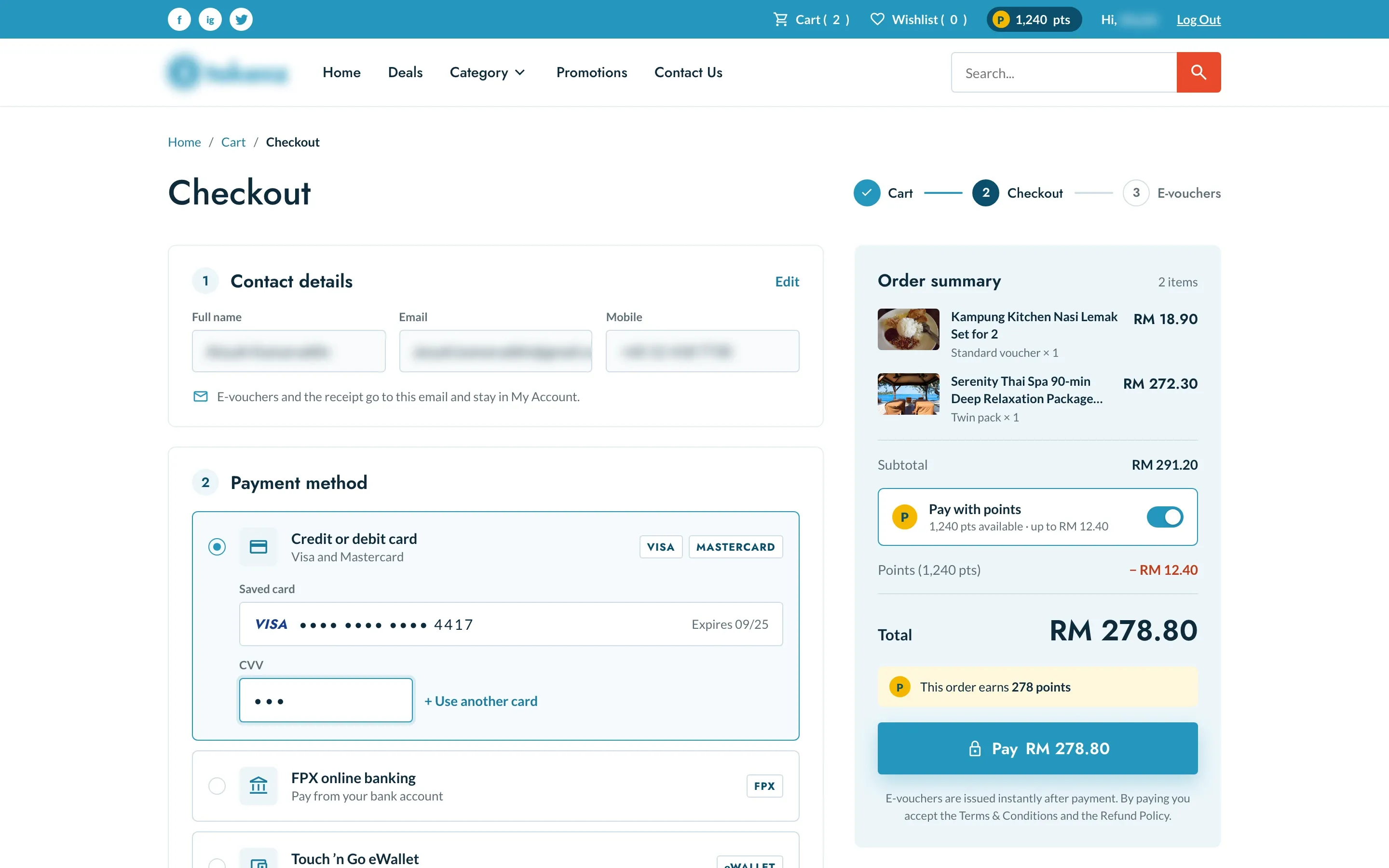
- Checkout fills in the member’s details and takes a saved card, FPX online banking or Touch ’n Go eWallet. Pay with points sits in the order summary: 100 points take RM 1 off, the order still earns points on what is paid, and the vouchers and receipt go to the member’s email.
05 / 09
Sales and redemptions on one screen
- The problem
- The client’s team needed one dashboard to run merchants, deals and redemptions.
- What we built
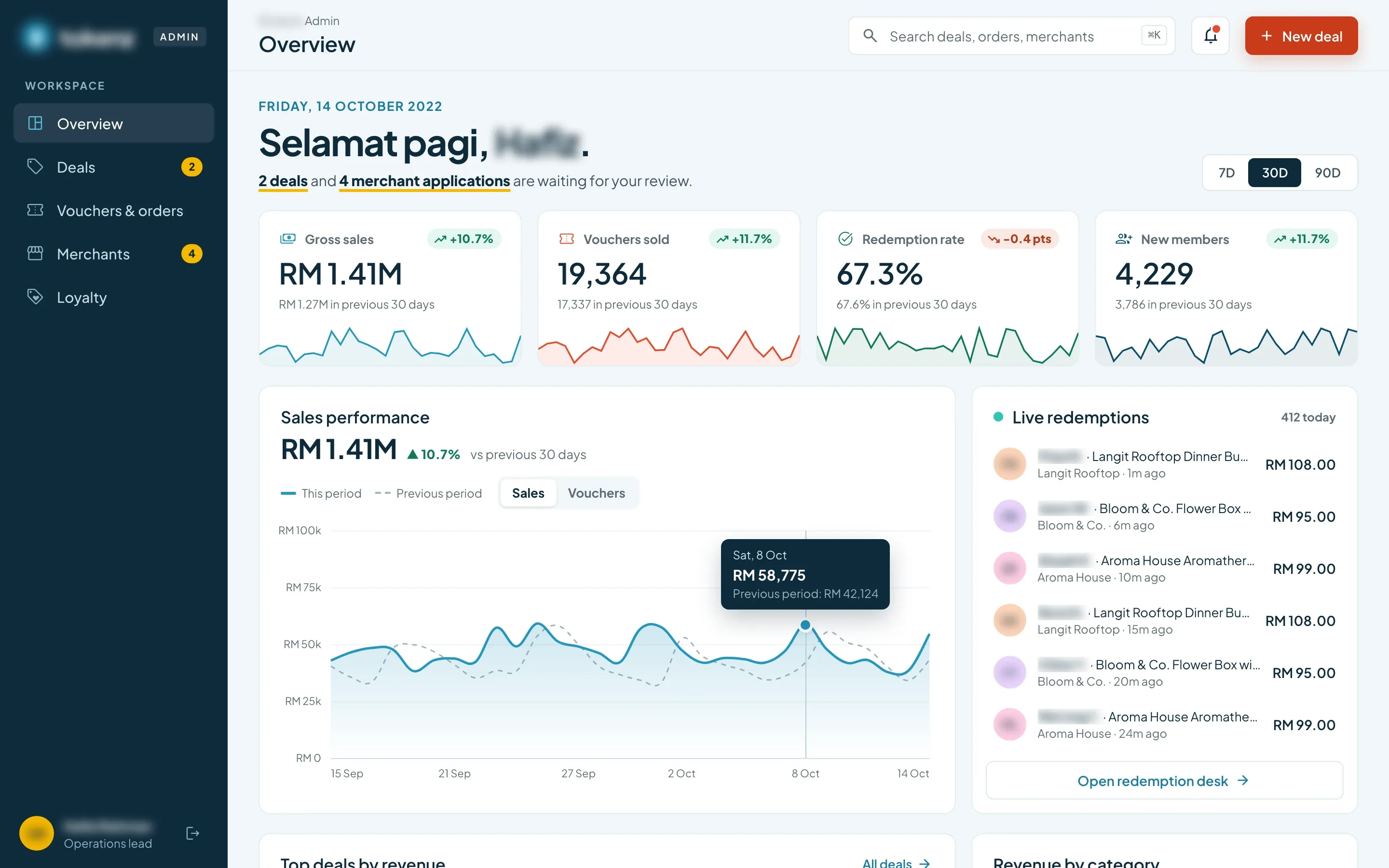
- The admin opens on gross sales, vouchers sold, the redemption rate and new members for 7, 30 or 90 days, each against the period before, and on the deals and merchant applications waiting for review. The sales chart compares the two periods day by day, and redemptions arrive from the merchants as they happen.
06 / 09
Deals edited beside the list
- What we built
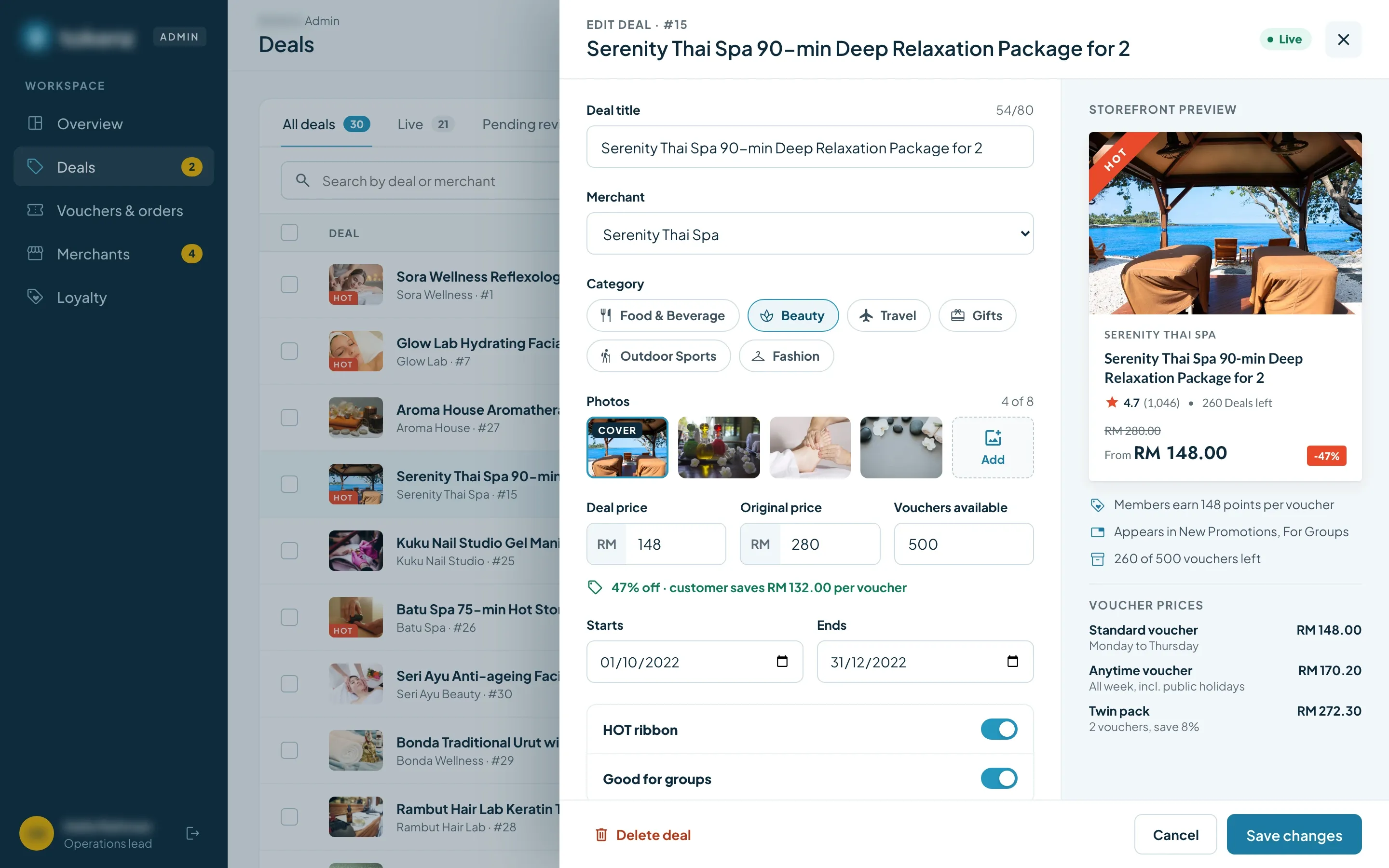
- A deal opens in an editor drawer with the list still in view: title, merchant, category, photos with the cover first, deal price against the original, vouchers available, dates, and switches for the HOT ribbon and for groups. Beside the form sit its storefront card, the points members earn, the home page sections it appears in and the price of each voucher. New deals wait under pending review until the team approves them.
07 / 09
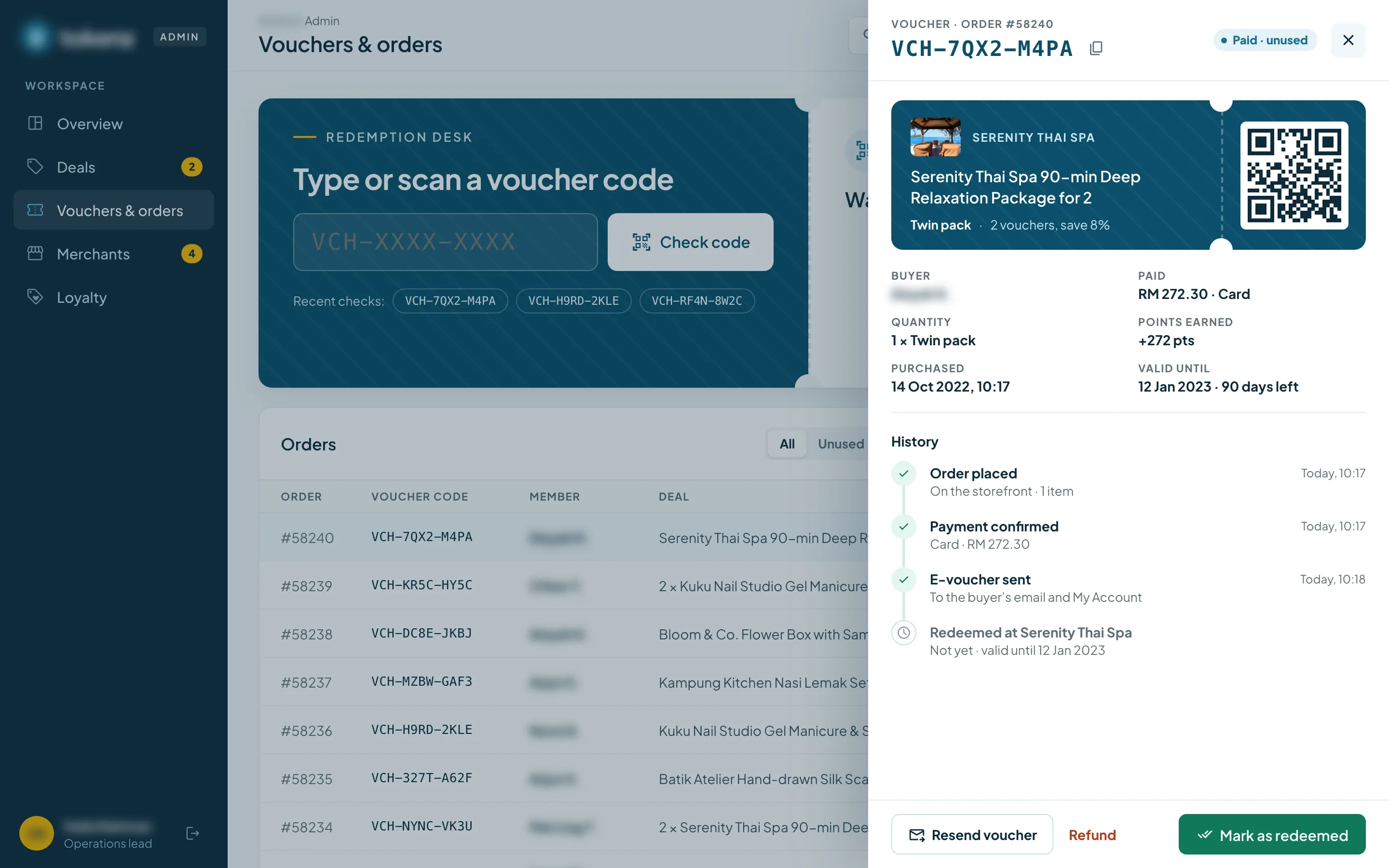
Each voucher from payment to the counter
- What we built
- The redemption desk checks a typed or scanned code. Each order opens a drawer with the code and its QR, the deal and voucher type, the buyer, the payment, the points earned, the validity and the history from order to redemption. From there staff resend the voucher, refund it or mark it redeemed.
08 / 09
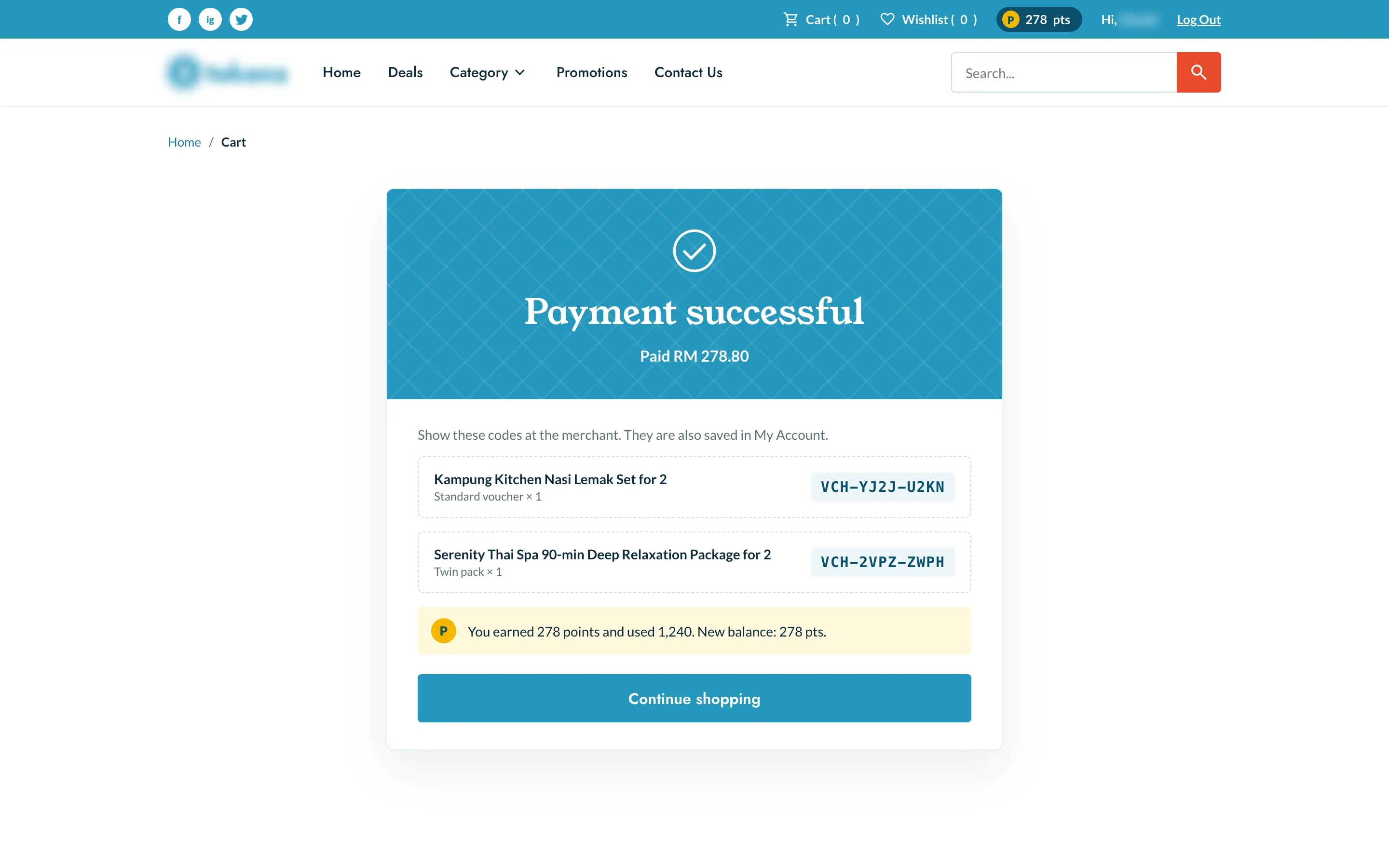
Voucher codes the moment the order is paid
- What we built
- Once the payment goes through, the member gets a code for each deal in the order to show at the merchant, also saved in the account, with the points the order earned and used and the new balance.
09 / 09
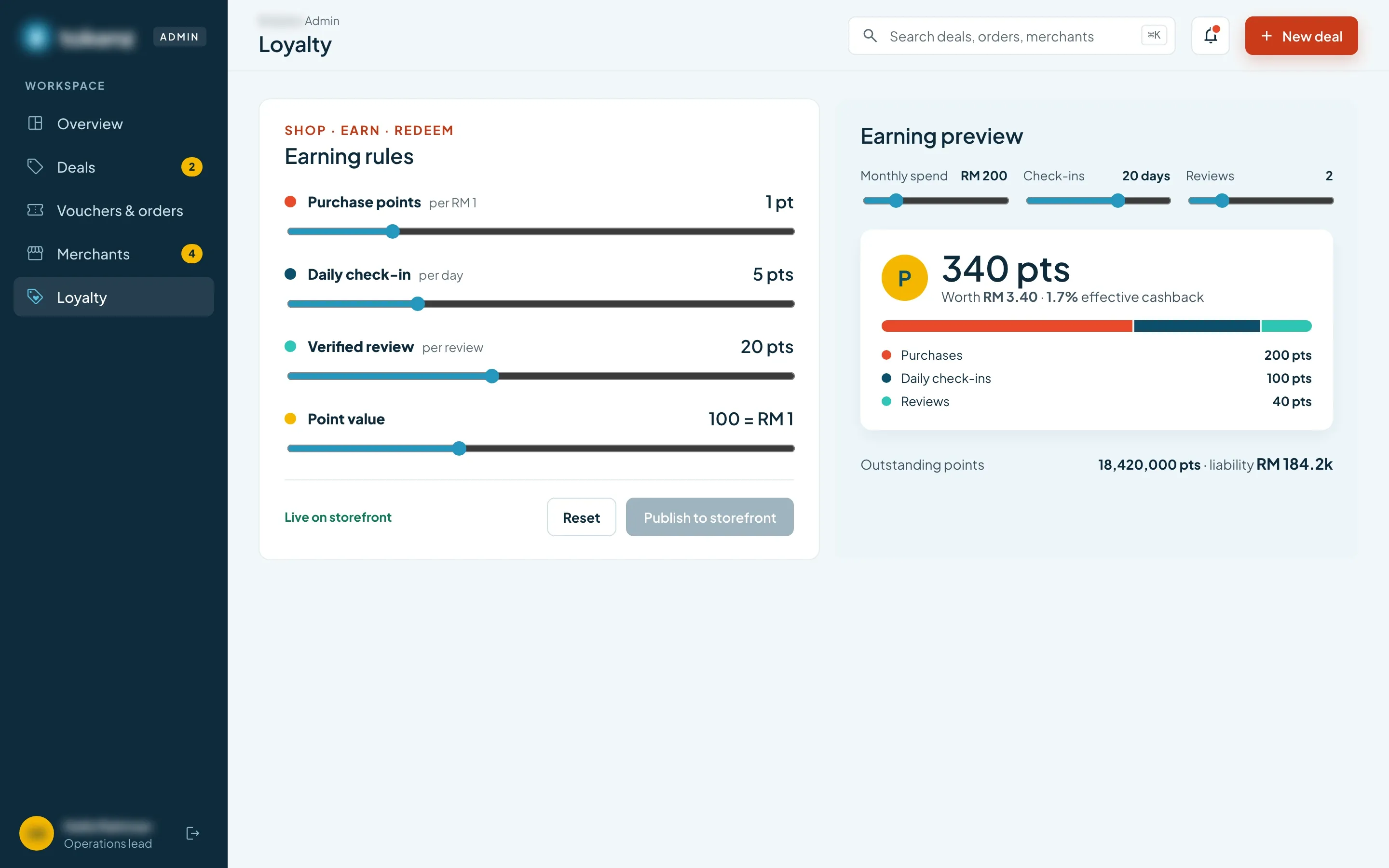
Earning rules set by the team
- What we built
- Loyalty holds the earning rules: points for each ringgit spent, each daily check-in and each verified review, and what 100 points are worth. An earning preview works out what a month of spending, check-ins and reviews earns and the cashback it comes to. Outstanding points are tracked as a liability, and new rules reach the storefront when the team publishes them.
How the 8-week build went
Listen & prototype
Requirements with the client’s team, then a clickable prototype of the storefront and the admin, revised in week 3 before the build.
Core build
Built the storefront and checkout with card, FPX and Touch ’n Go eWallet payments, the points balance of every member, and the admin for deals, merchants, vouchers and loyalty rules.
Live & handover
Loaded the first merchants and deals with the team, went live and handed over source code, documentation and admin access.