Home-visit midwife booking app for mothers and midwives
Mothers book a verified midwife to their home and pay in the app. Midwives accept nearby jobs on their phone, and one console runs the rest.
- SECTOR
- Healthcare
- LOCATION
- Malaysia
- YEAR
- 2022
- DELIVERED AS
Names and sensitive information are blurred under NDA.
The problem
The client wanted to launch a service that brings verified midwives to expectant and new mothers at home in Malaysia. It asked for booking, payment and payout that work smoothly from end to end, with particular weight on trust and safety.
What we built
For a home-visit midwife service in Malaysia, we built three connected products: a mother app to follow the pregnancy and book a visit, a midwife app to take and complete home visits, and a web console where the operations team verifies midwives, assigns bookings, settles disputes and pays out. A midwife takes no booking until her registration with the Midwives Board of Malaysia is checked, and the platform holds each payment until the mother confirms the visit is done. The midwife reads the clinical notes before she accepts a job, and the full address and the chat open only after. All three apps share one visual system.
Screen by screen
What we were asked to solve
Mother app1 / 2
01 / 08 · 1 of 2 · Mother app
The pregnancy on top, booking below
- The problem
- The client asked for a clean look at every touchpoint, warm and trustworthy, without gimmicks.
- What we built
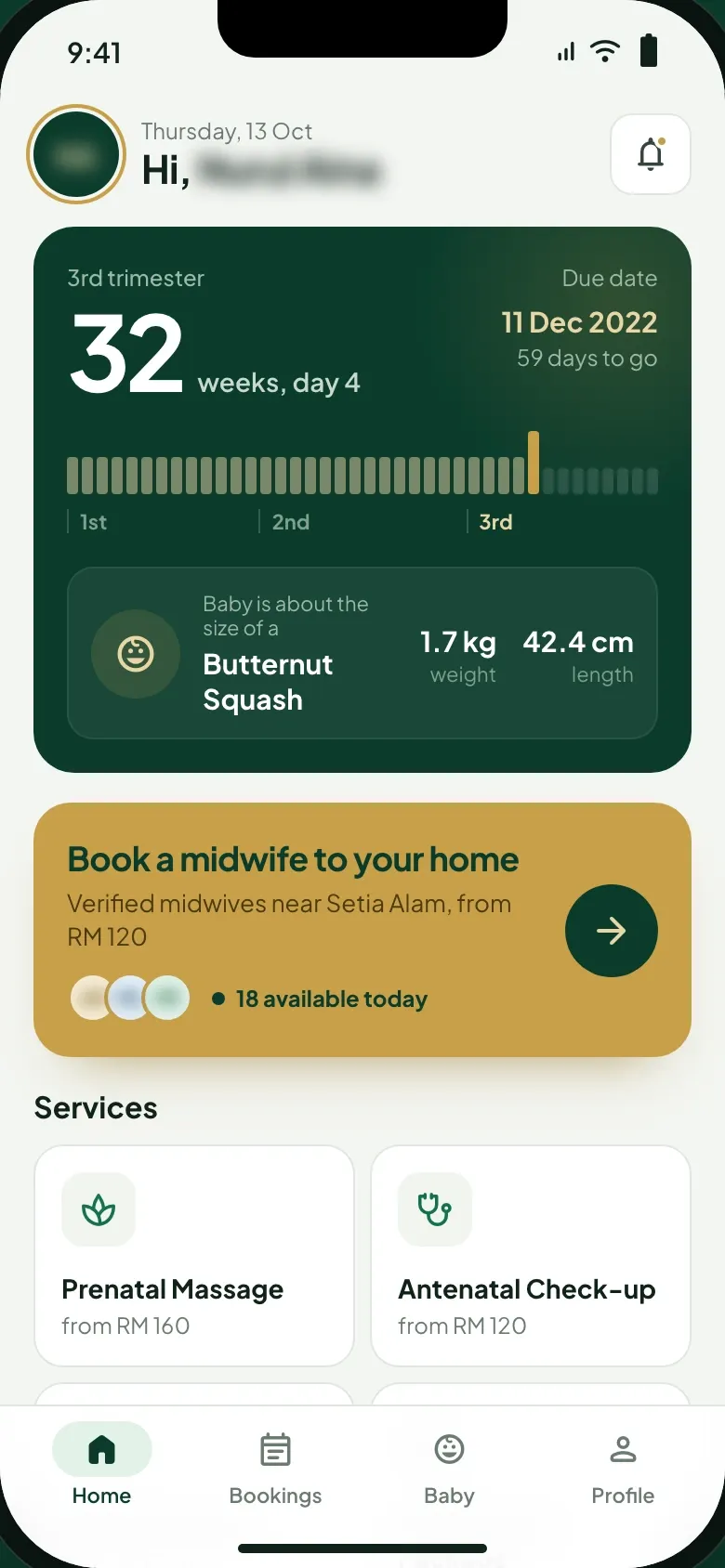
- The mother app opens on her pregnancy: the week and day, a bar across the three trimesters, the due date with the days to go, and the baby’s size, weight and length. Under it, one card books a verified midwife to her home and shows how many are available today, and the services follow with their starting prices.
01 / 08 · 2 of 2 · Midwife app
The midwife’s day on one screen
- What we built
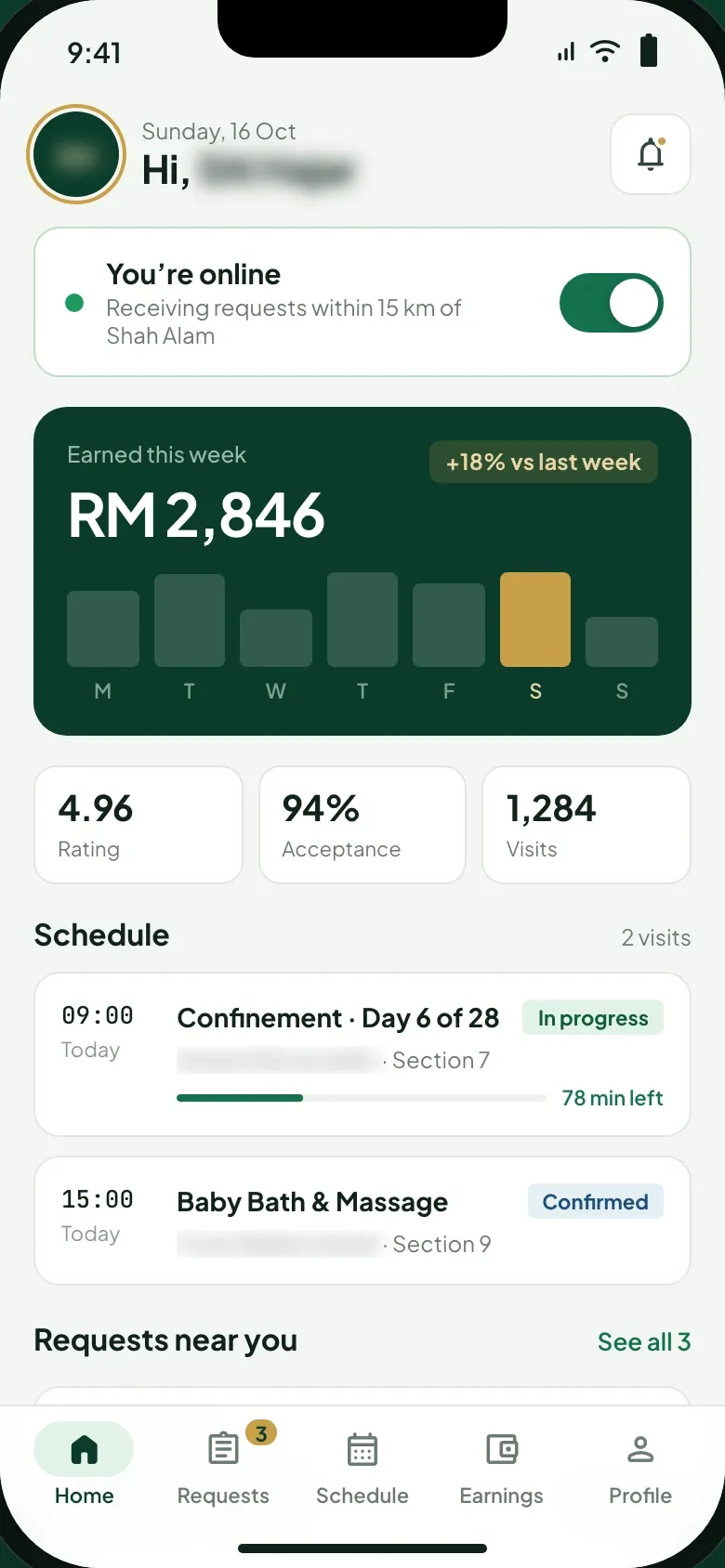
- The midwife app opens on a switch that puts her online for requests within 15 km. Below it sit her earnings this week by day, her rating, acceptance rate and visits, and today’s schedule with the visit in progress and its time left.
Create request1 / 5
02 / 08 · 1 of 5 · Mother app
One screen to ask for a visit
- What we built
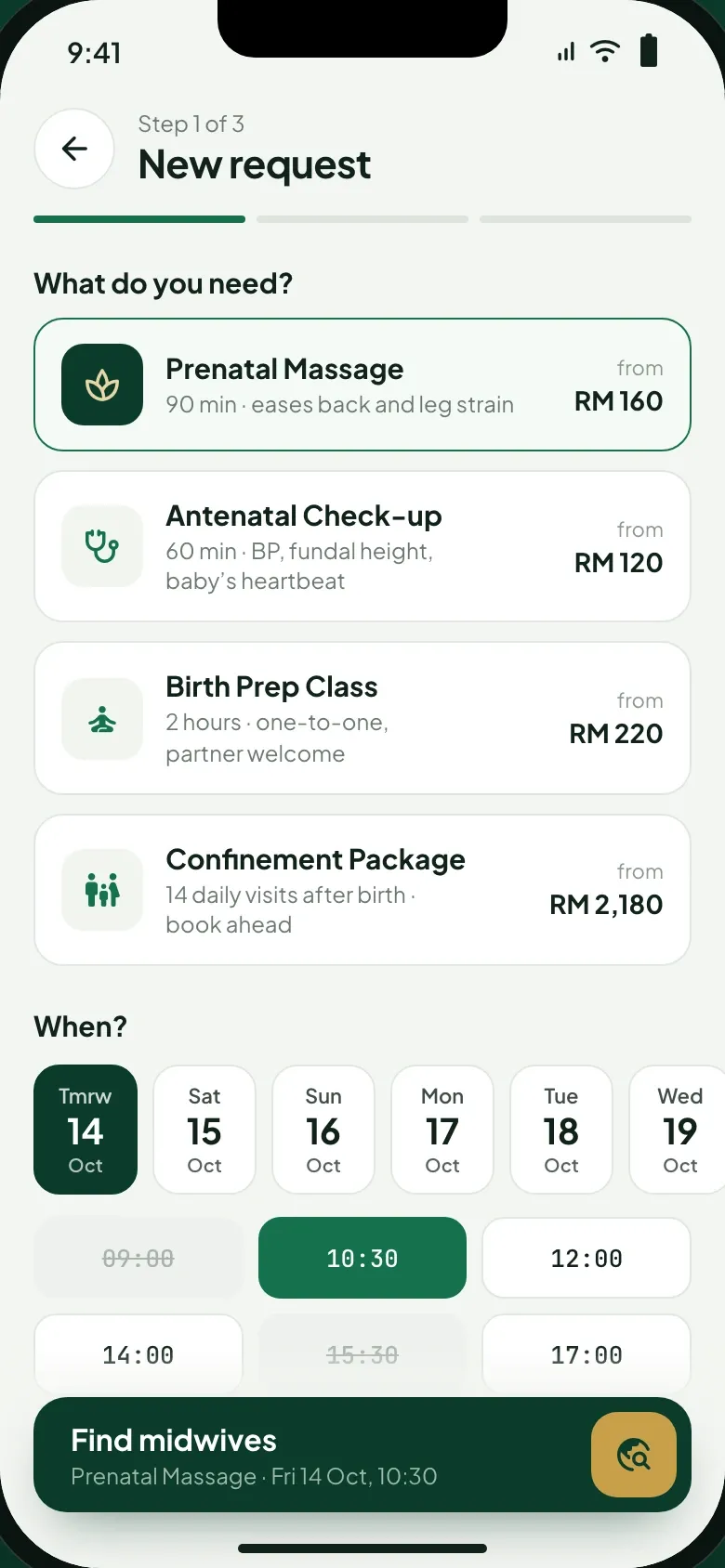
- She picks a home-visit service, each with its length and starting price, from a prenatal massage to a 14-day confinement package. Under them sit a strip of days and the time slots, with full ones struck out, and the button at the foot finds midwives for the slot she picks.
02 / 08 · 2 of 5 · Mother app
Nearby midwives on a radar
- What we built
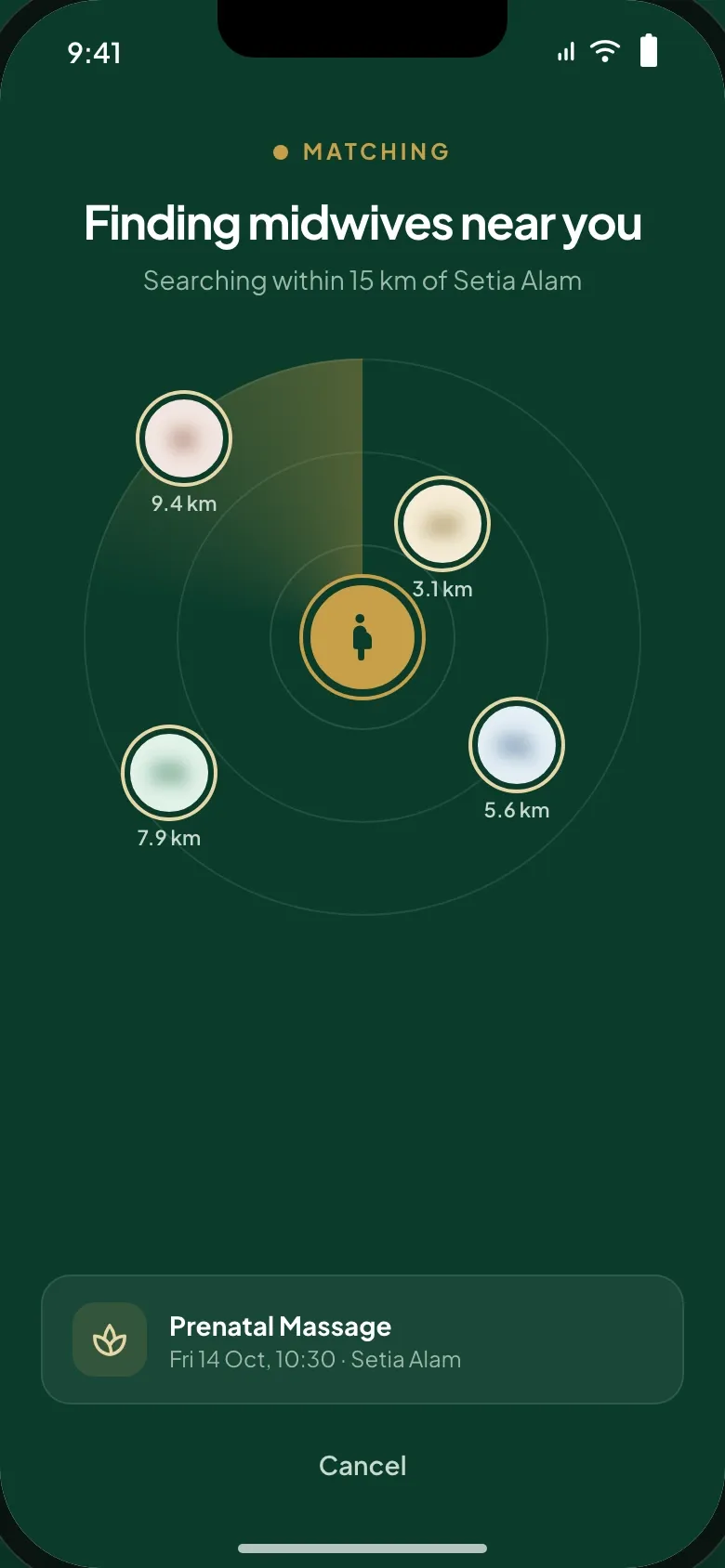
- The app searches within 15 km of her home and places each midwife it finds on a radar by distance, before the list opens.
02 / 08 · 3 of 5 · Mother app
Midwives compared before she books
- What we built
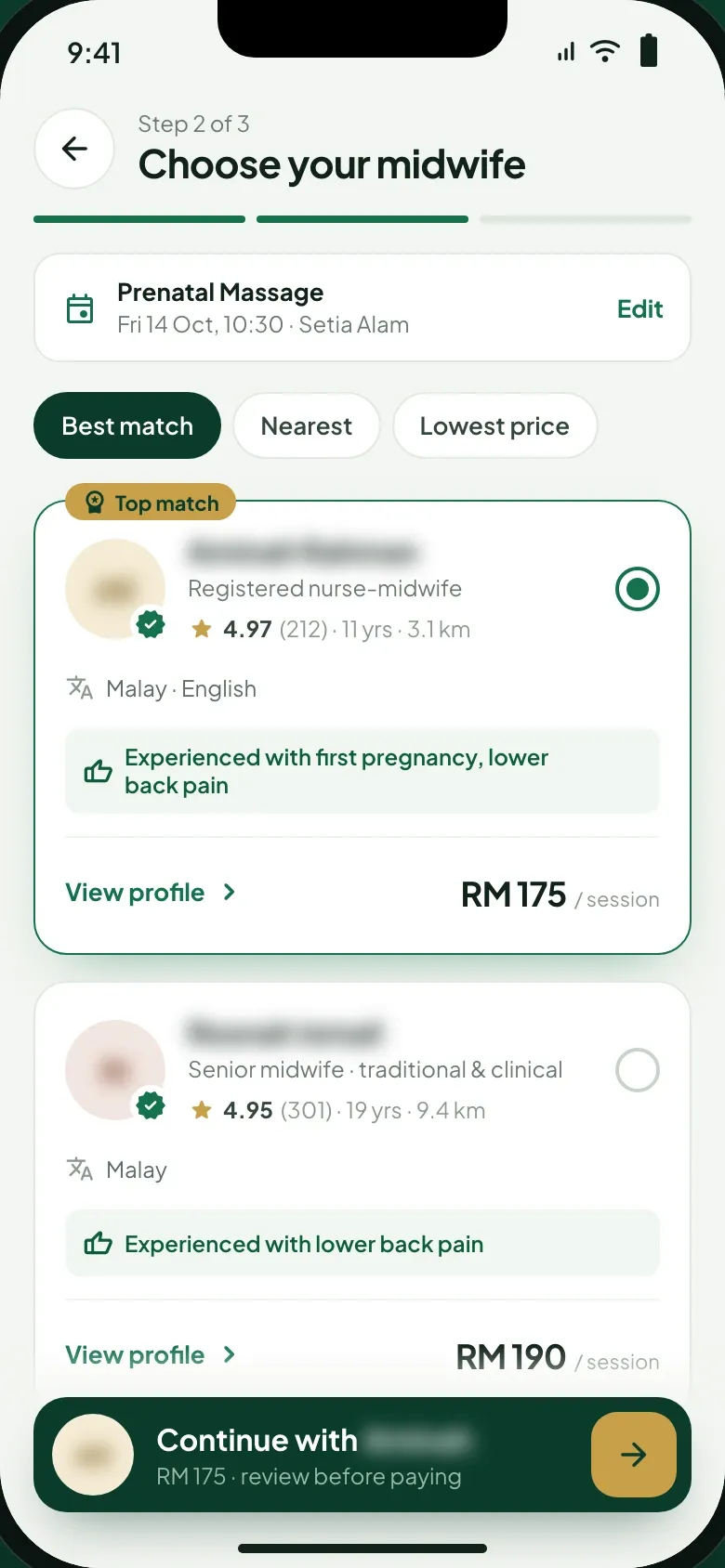
- The list opens on the best match, with tabs for the nearest and the lowest price. Each card gives the midwife’s role, rating and reviews, years of practice, distance, languages and price per session. A line under them names the experience that matches the mother’s notes, such as a first pregnancy or lower back pain.
02 / 08 · 4 of 5 · Midwife app
The earnings before the job
- What we built
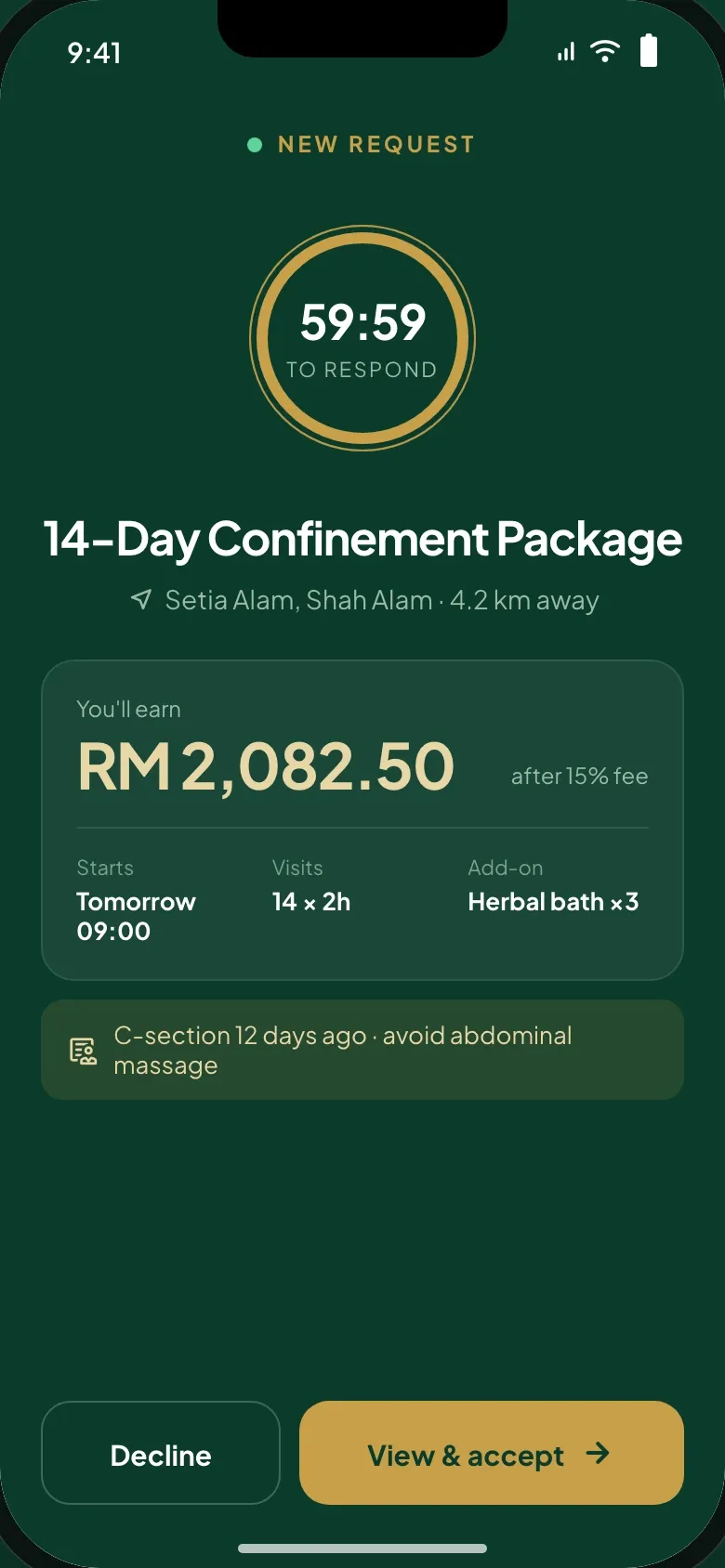
- A request reaches the midwife with the area, the distance and what she earns after the 15% fee, then the start, the visits, any add-on and the clinical note. A countdown gives her an hour to respond, and she can decline or open the job.
02 / 08 · 5 of 5 · Midwife app
The whole job before she says yes
- What we built
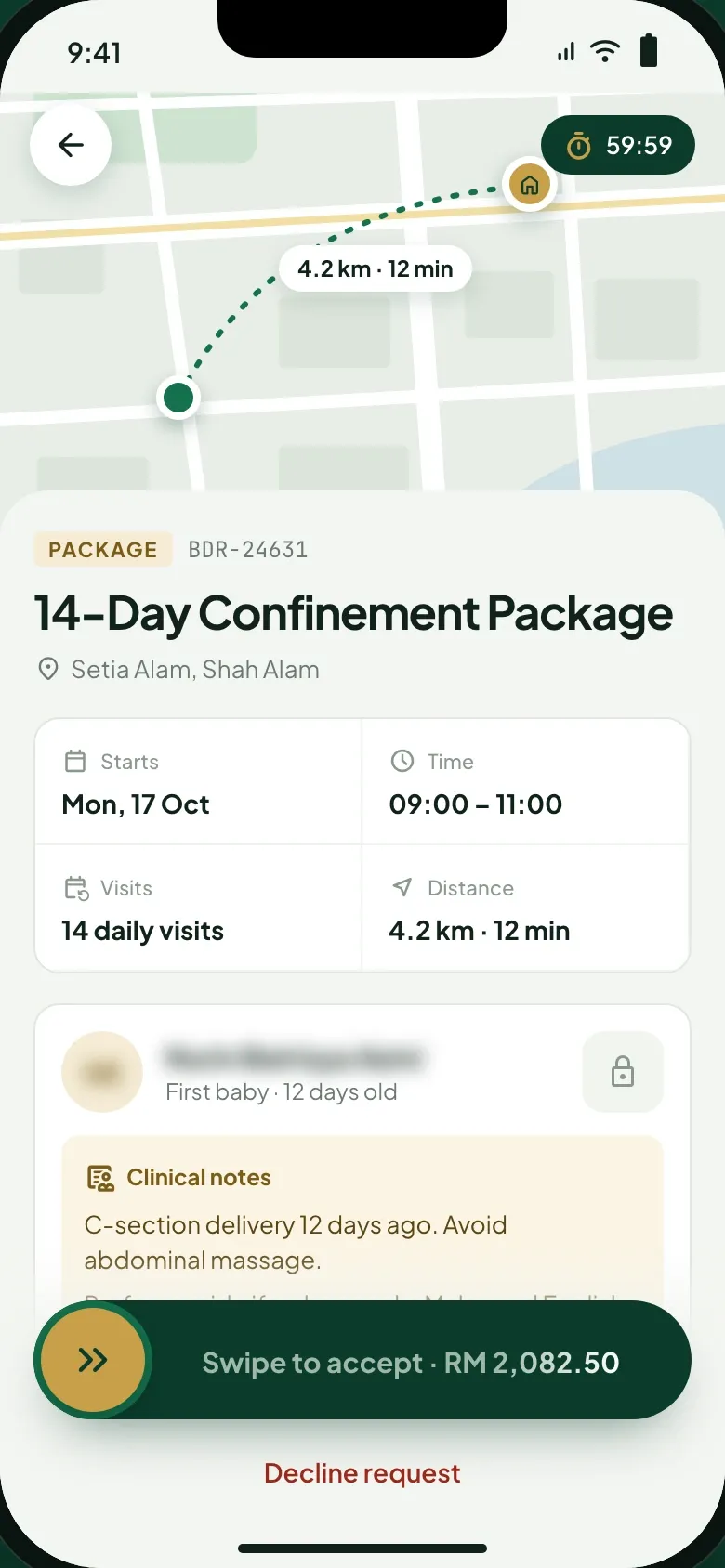
- The job page maps the route and travel time, then lists the start date, the hours, the visits and the distance. The clinical notes reach her before she commits, while the address shows only the area: the full address and the chat open once she swipes to accept.
Pay in app1 / 5
03 / 08 · 1 of 5 · Mother app
Payment held until the visit is done
- The problem
- For the client, trust and safety included the money a mother pays before the visit.
- What we built
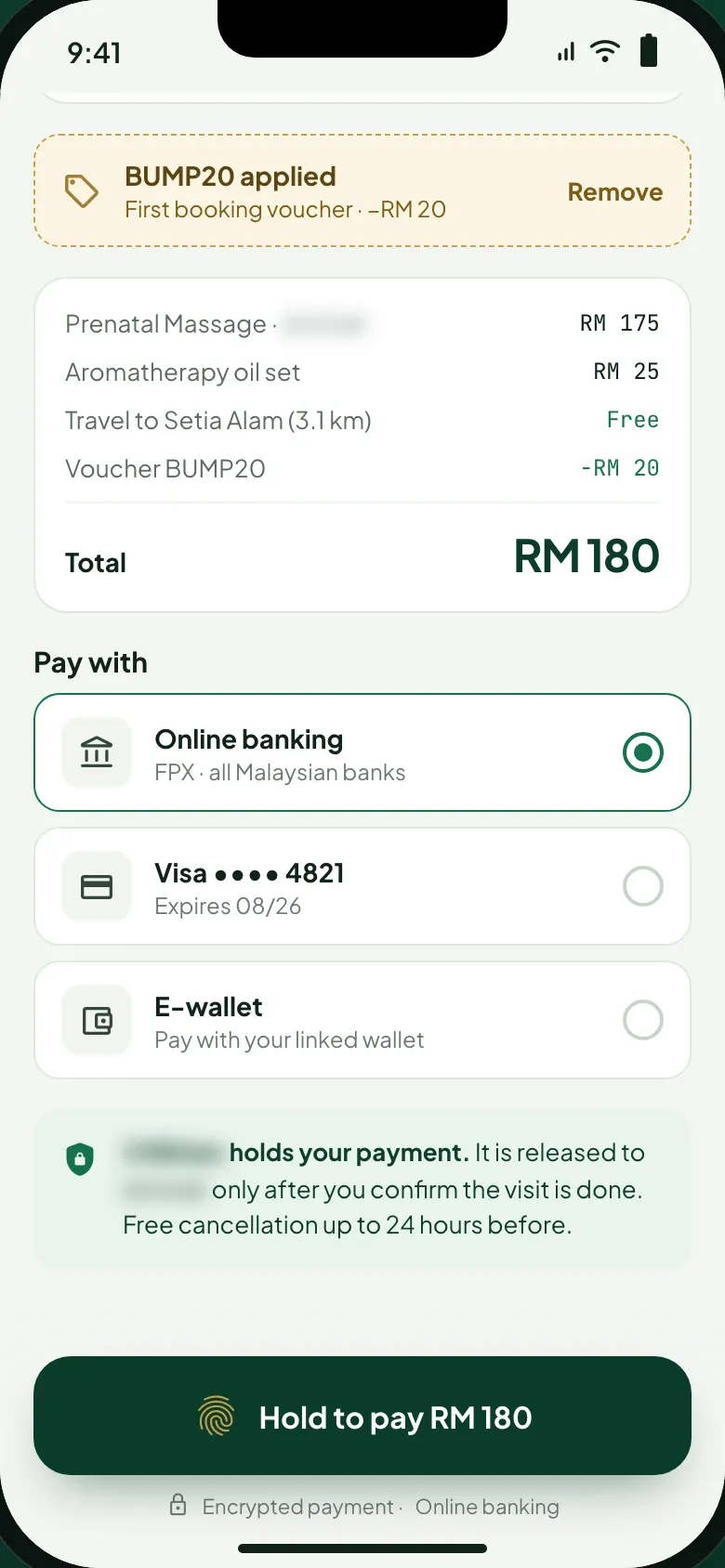
- The review screen lists the service, any add-on, travel and a first-booking voucher, then the choice of FPX, card or e-wallet. The platform holds the payment and releases it to the midwife only after the mother confirms the visit is done, with free cancellation up to 24 hours before. Paying takes a press and hold on the button.
03 / 08 · 2 of 5 · Mother app
Each step of the payment on screen
- What we built
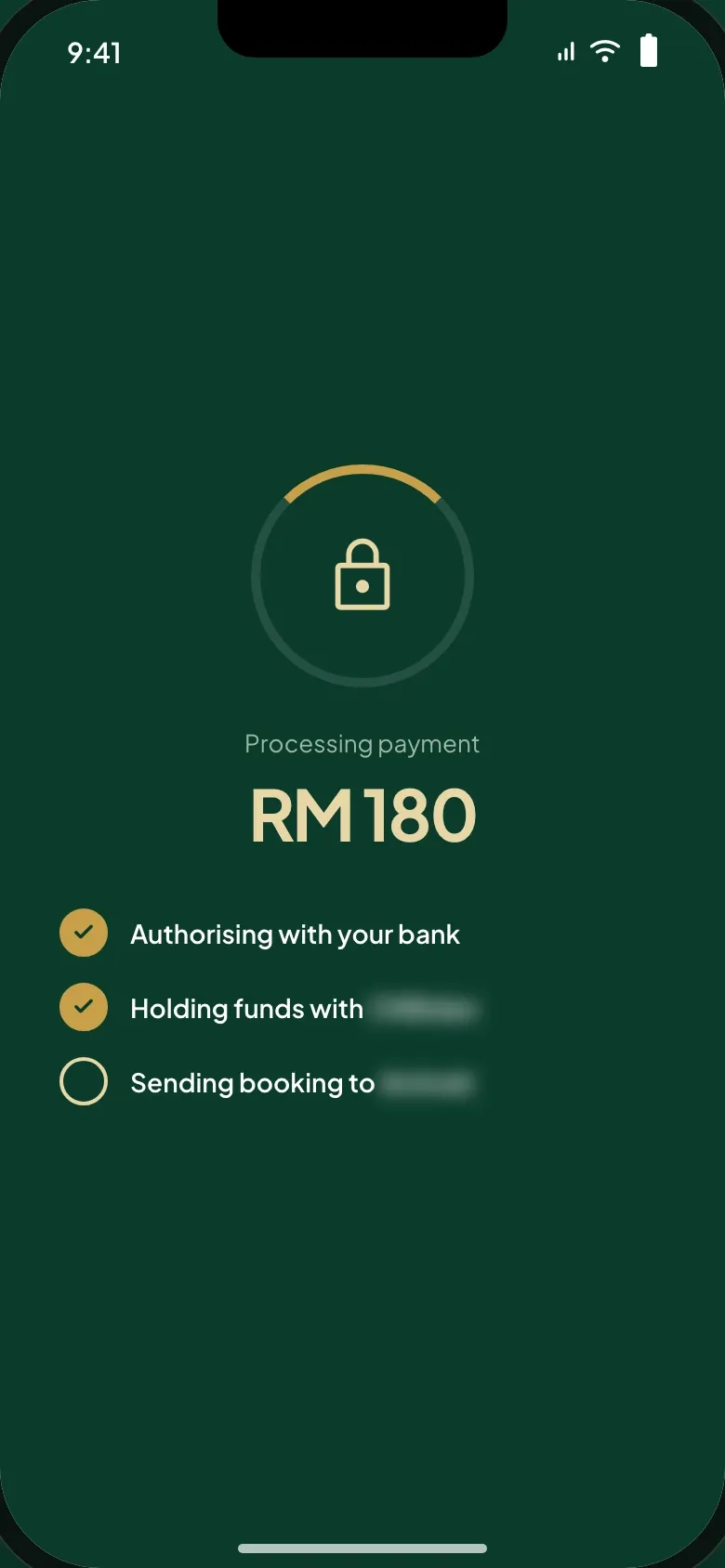
- While the payment goes through, the screen ticks off each step: the bank authorises it, the platform holds the funds, and the booking goes to the midwife.
03 / 08 · 3 of 5 · Mother app
Booked, with what happens next
- What we built
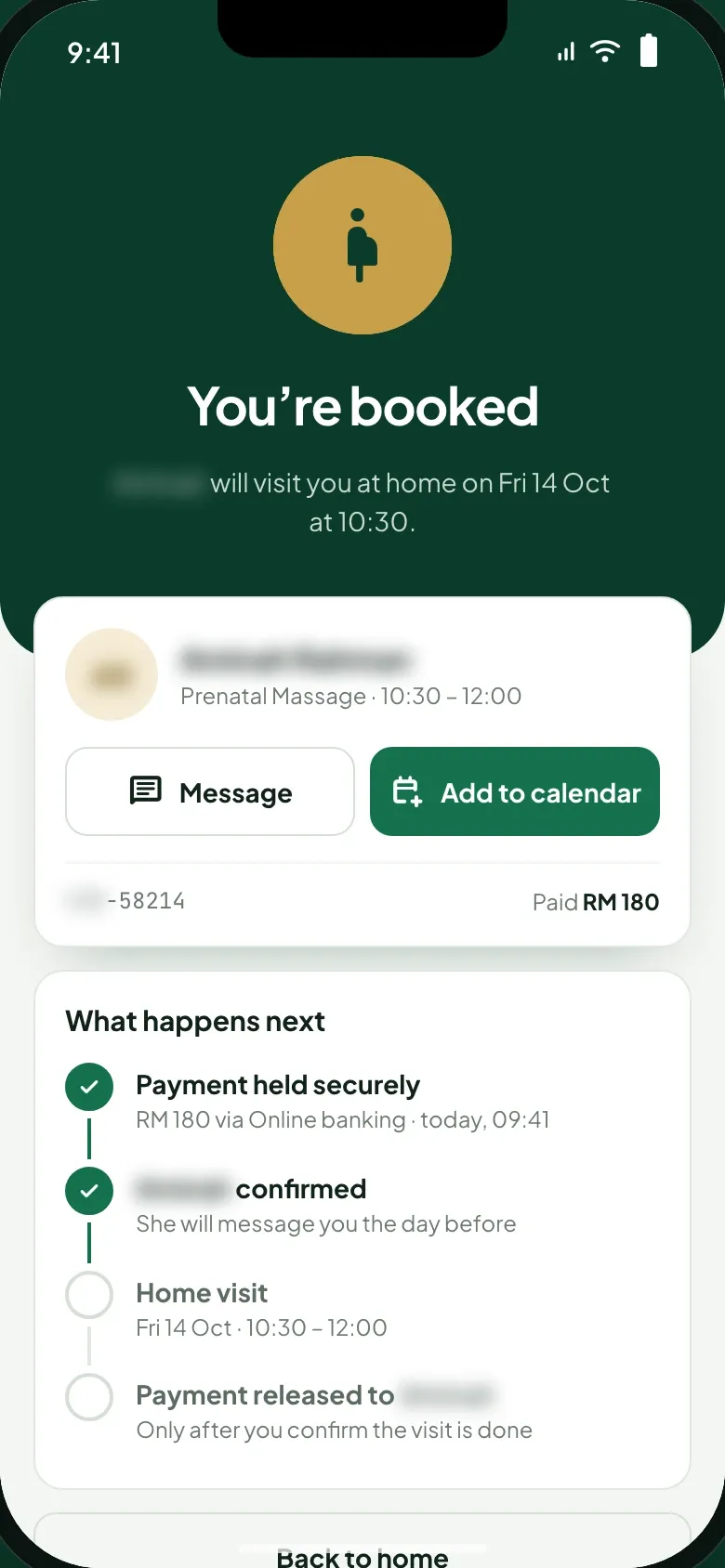
- The confirmation names the midwife and the visit time, with buttons to message her and add the visit to the calendar. A timeline runs from payment held and midwife confirmed to the home visit, and ends with the payment released once the mother confirms the visit is done.
03 / 08 · 4 of 5 · Midwife app
Accepted, with the address and a checklist
- What we built
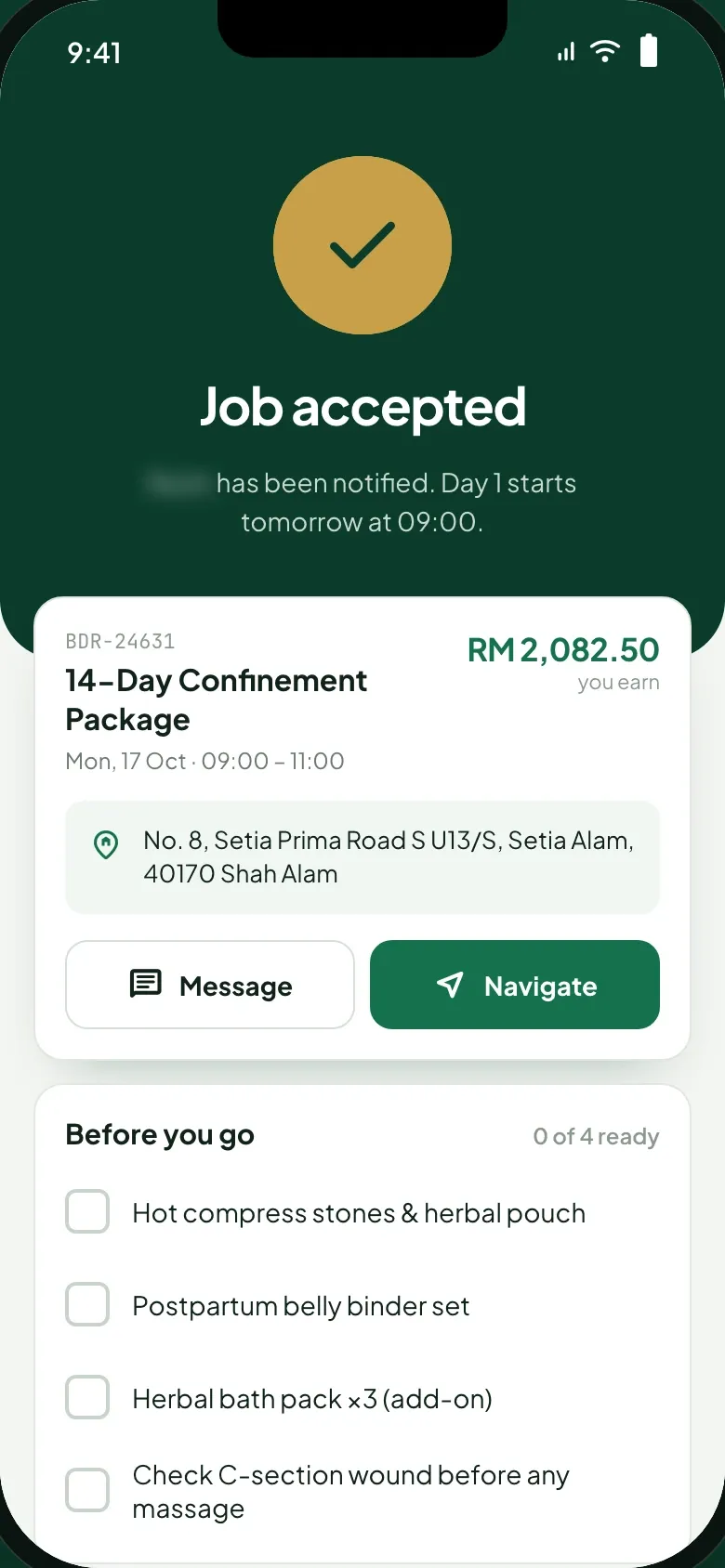
- Once she accepts, the midwife sees the full address with buttons to message the mother or get directions, what she earns, and a checklist of what to bring and check for the package, its add-on and the clinical note.
03 / 08 · 5 of 5
One chat, seen from both phones
- What we built
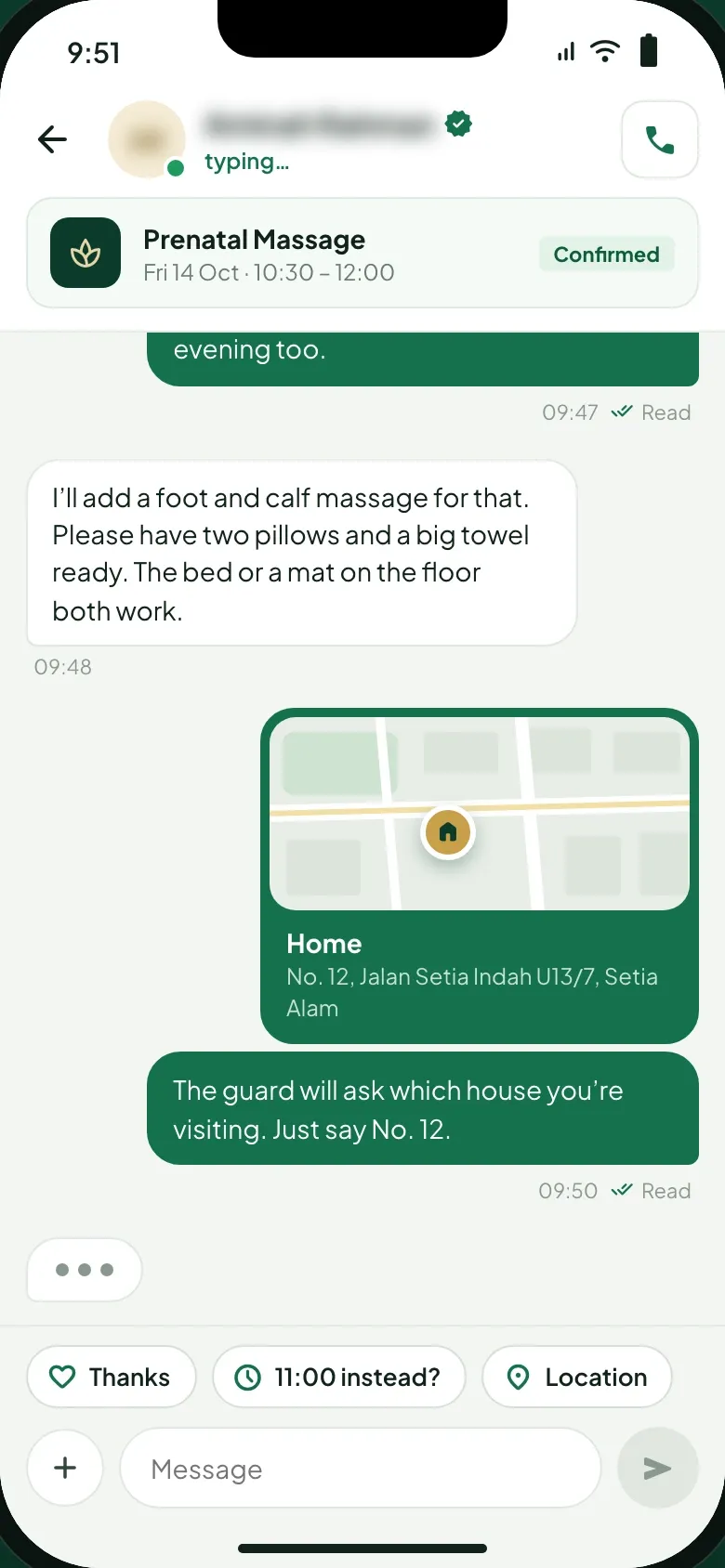
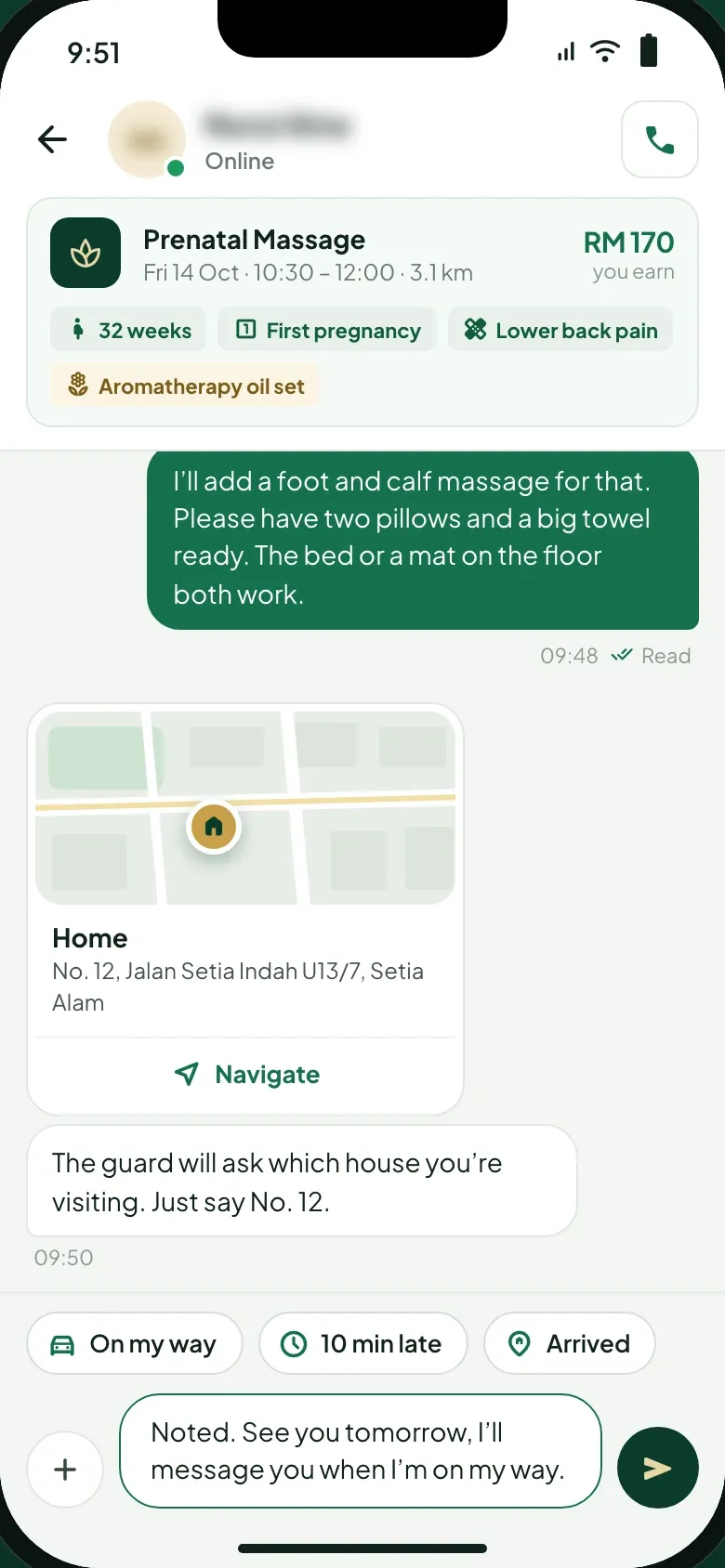
- Mother and midwife message each other in the app once the visit is booked, with the booking pinned above the thread. The mother can share her home location from the chat. On the midwife’s side the pin also carries the mother’s notes, the add-on and her earnings, with quick replies to say she is on her way, running late or has arrived. The console’s mediation page lists the chat log as evidence.
04 / 08
Disputes settled against the visit record
- What we built
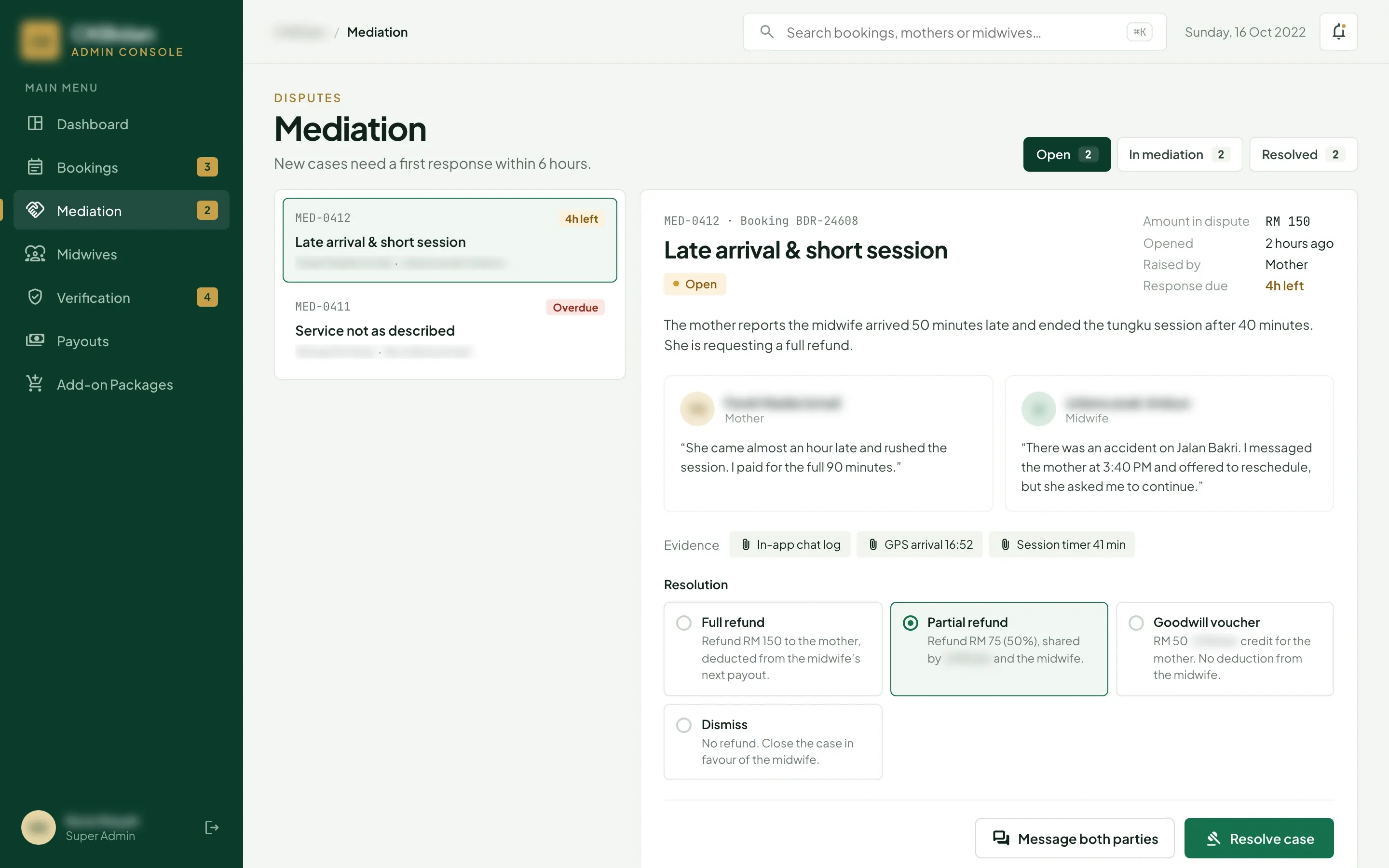
- Each case shows the amount in dispute, who raised it and the time left to respond, with the mother’s and the midwife’s statements side by side. The evidence comes from the app: the chat log, the GPS arrival time and the session timer. Staff choose a full refund taken from the midwife’s next payout, a partial refund shared by the platform and the midwife, a goodwill voucher or a dismissal, and can message both parties.
05 / 08
Every midwife and her status on one page
- What we built
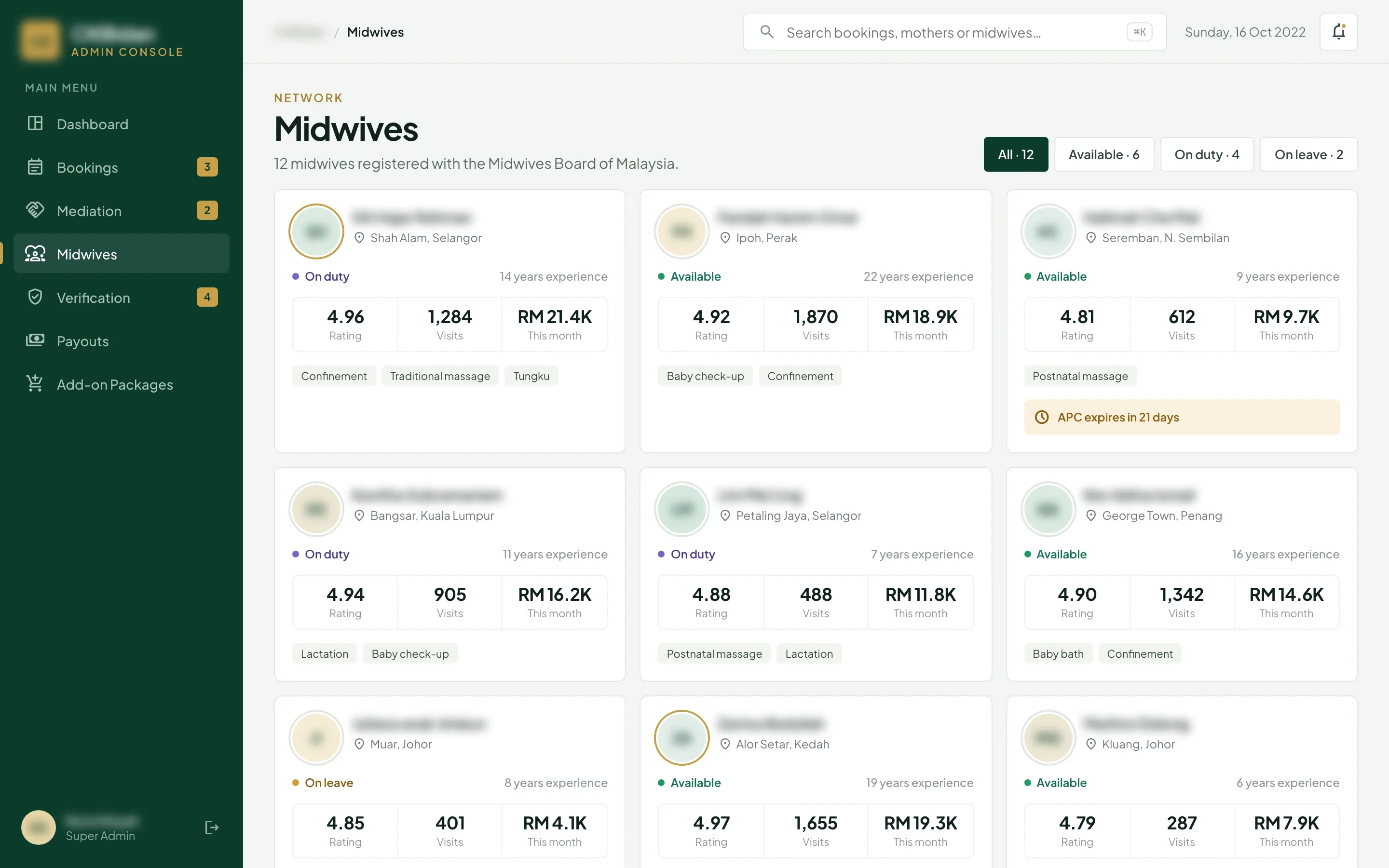
- The console lists the service’s midwives, each registered with the Midwives Board of Malaysia, with her area, status, years of experience, rating, visits, earnings this month and specialties. Filters split them into available, on duty and on leave, and an annual practising certificate close to expiry is flagged on her card.
06 / 08
Documents checked before the first booking
- The problem
- Trust and safety also covered who comes into a mother’s home.
- What we built
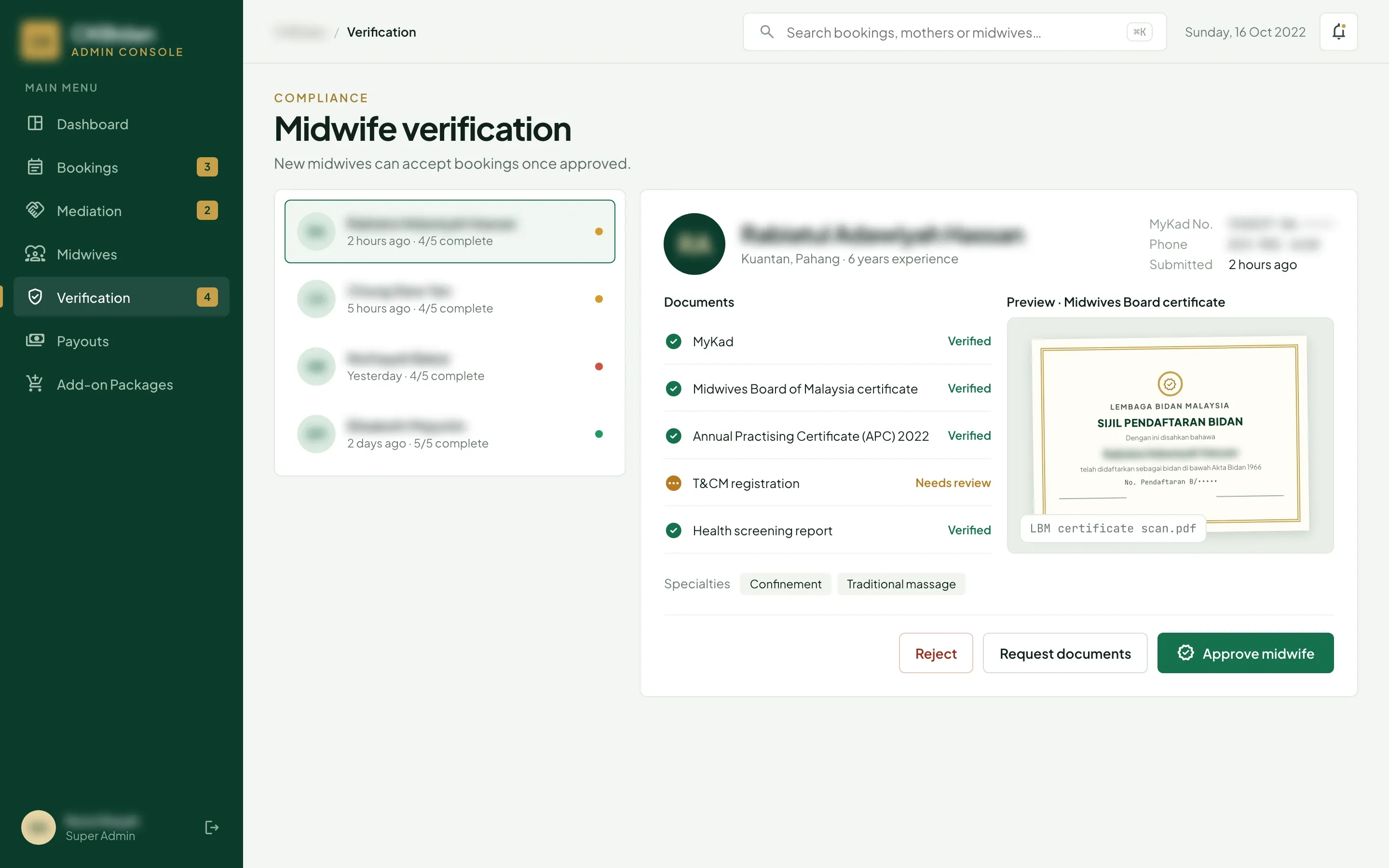
- Applicants upload their MyKad, Midwives Board certificate, annual practising certificate and health screening report. Staff open each scan and mark the document verified or needing review, then request what is missing or approve the midwife. She can accept bookings only once approved.
07 / 08
Add-ons priced and published from the console
- What we built
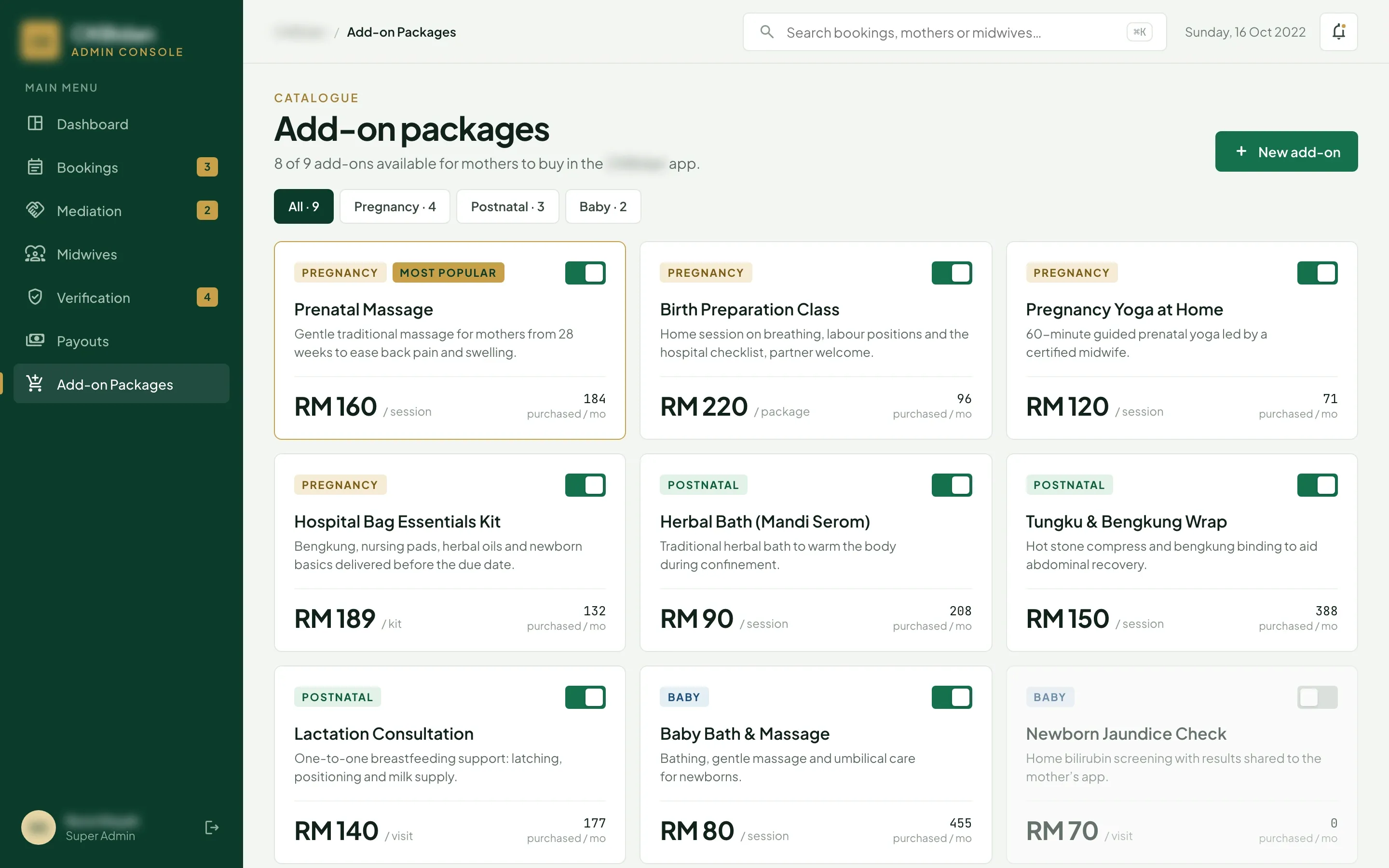
- The team prices the add-ons a mother can buy with a visit, such as a birth preparation class or a herbal bath, in three groups: pregnancy, postnatal and baby. Each card shows the price, the unit and how many are bought a month, and a switch takes an add-on off the mother app without deleting it.
08 / 08
Midwives paid by DuitNow
- The problem
- The client asked for payout to work as smoothly as booking and payment.
- What we built
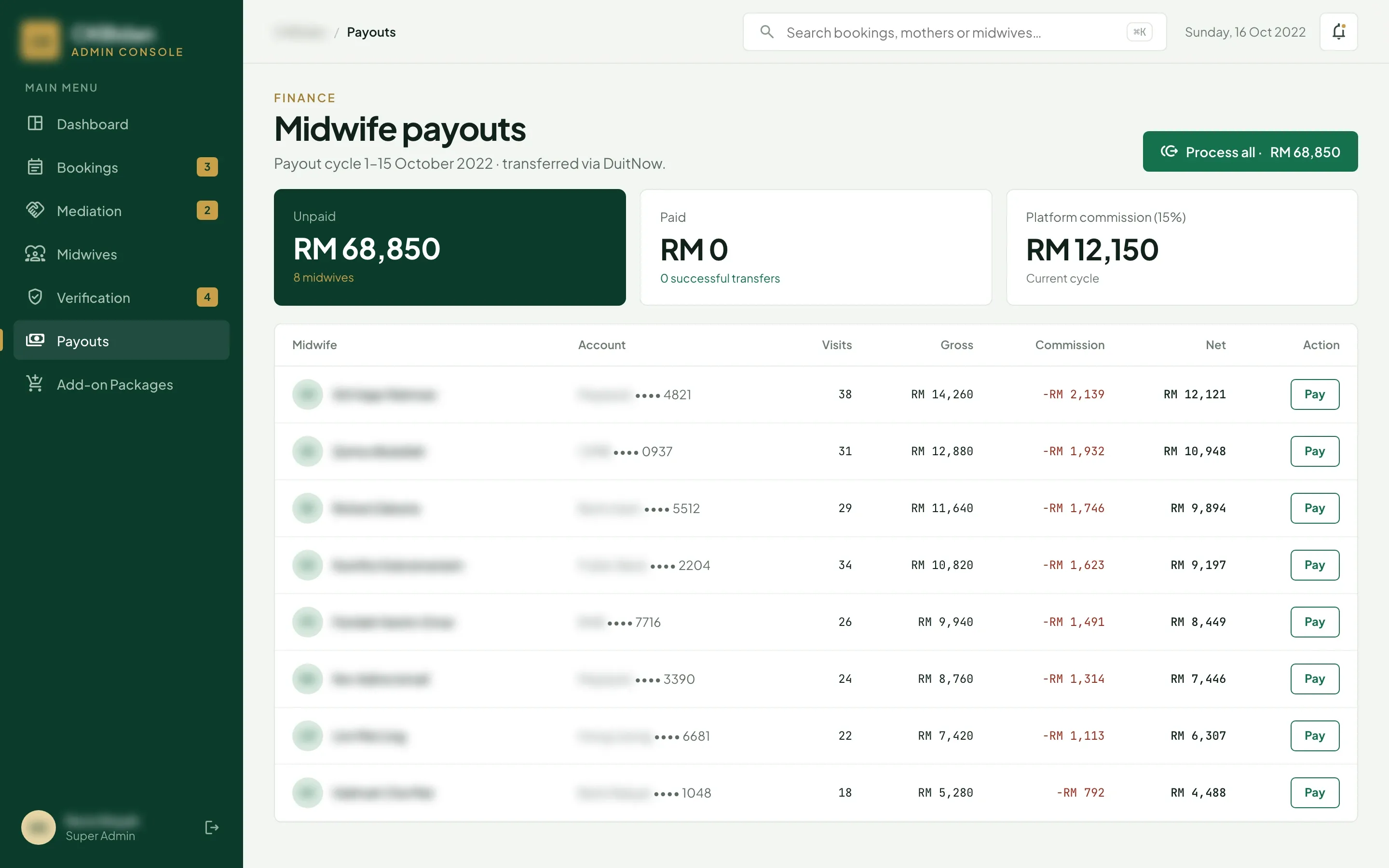
- Each payout cycle lists every midwife with her bank account, her visits, the gross amount, the 15% platform commission and what she receives. Staff pay each midwife by DuitNow from her row, or the whole cycle with one button, and the unpaid and paid totals sit on top.
How the 8-week build went
Listen & prototype
Requirements with the client’s operations team, then a clickable prototype of the mother app, the midwife app and the console, revised in week 3 before the build.
Core build
Built the three apps on one booking and payment system, with FPX, card and e-wallet payments held by the platform until the mother confirms each visit, and payouts to midwives by DuitNow.
Live & handover
Deployed the apps and the console, checked the first midwives’ registrations with the operations team and handed over source code, documentation and admin access.