Parent portal and admissions platform for a school group
Parents at a Singapore school group book tours, apply, upload documents and pay fees on their phones, and staff run every campus from one panel.
- SECTOR
- Education
- LOCATION
- Singapore
- YEAR
- 2025–2026
- DELIVERED AS
Names and sensitive information are blurred under NDA.
The problem
A school group in Singapore wanted one platform for admissions, parent communication, payments and student records, with every campus following the same process. Families would use it on their phones, and it had to feel warm, calm and trustworthy to them. Admissions, finance and campus teams needed an efficient desktop panel. Billing is central to how the group runs.
What we built
For a school group in Singapore, we built a Parent Portal for families’ phones and a desktop Admin Panel for staff, both on the same family and student records. One family account covers every child at every campus, and parents book tours, apply, upload documents and pay fees in the portal. A PayNow payment carries its invoice number and confirms itself, while any payment without a clean reference, such as a bank transfer or a cheque, waits for finance beside the invoice the system suggests. In the Admin Panel, every campus moves its applications through the same pipeline, and each role opens on its own dashboard.
Screen by screen
What we were asked to solve
01 / 10
One family account for every child
- What we built
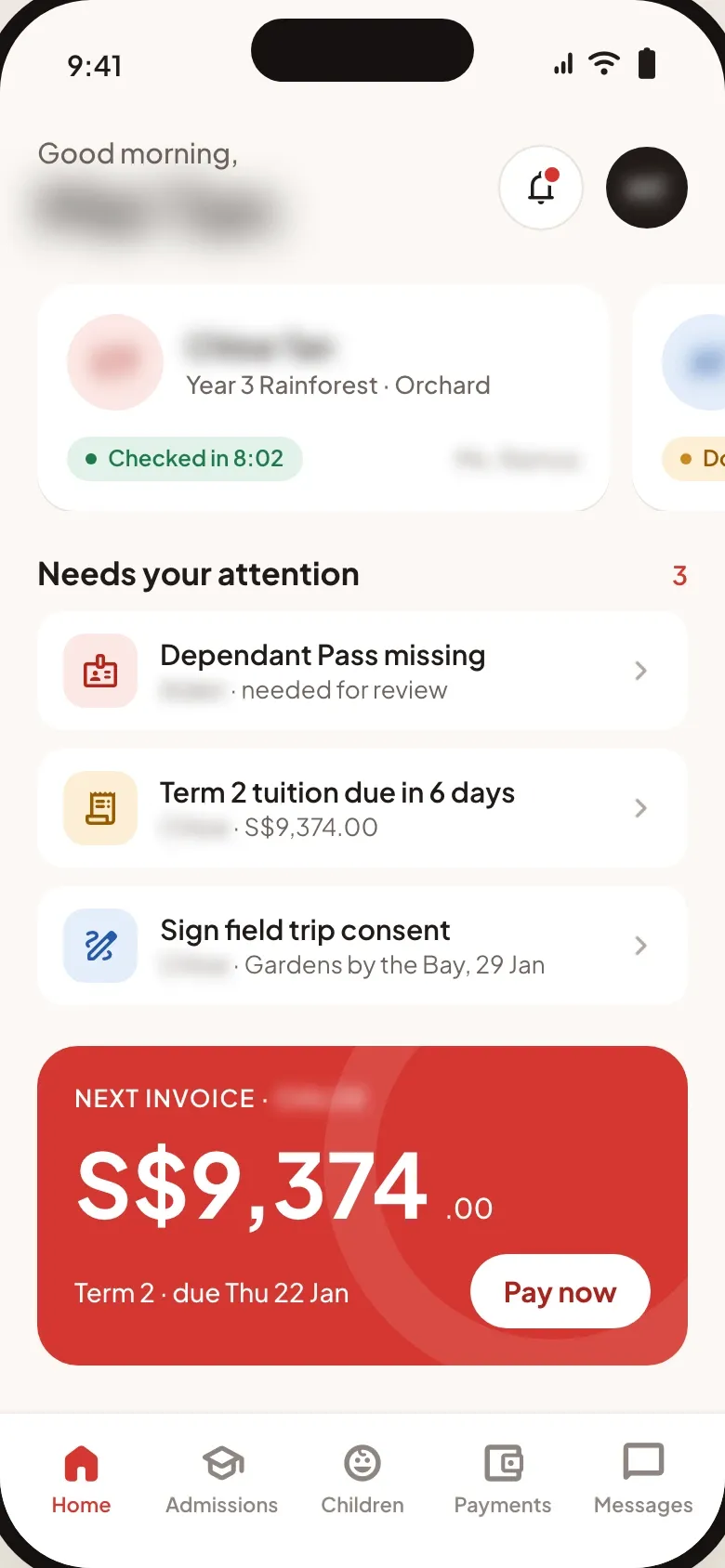
- A family signs in once for all its children, whatever their campus. Home opens on each child’s class or application, then what needs the family’s attention, such as a missing pass, a fee due or a consent form, and the next invoice with a button to pay it.
02 / 10
Tours booked by parents, with seats shown
- What we built
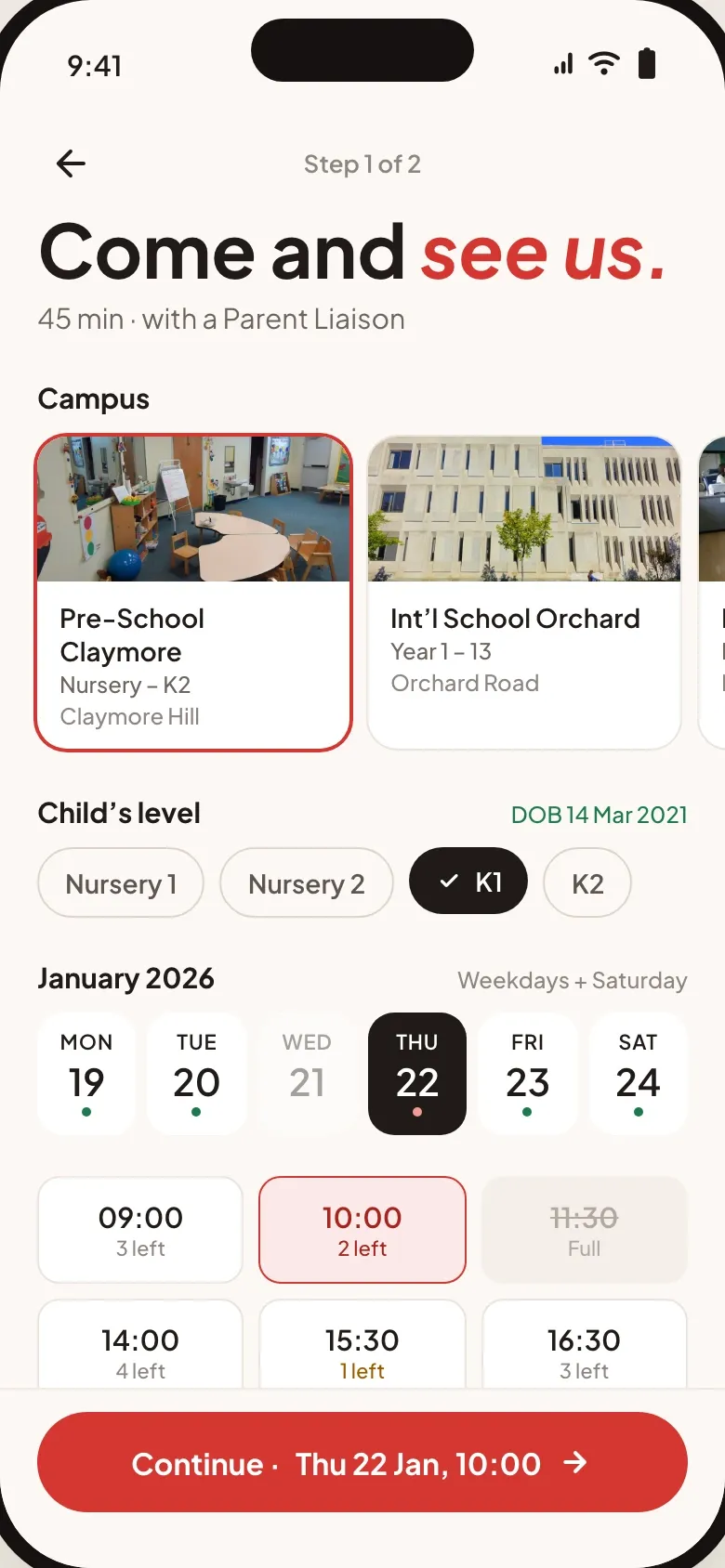
- Parents pick a campus and their child’s level, which follows from the date of birth, then a day and a 45-minute slot with a Parent Liaison. Each slot shows the seats left, and full ones are struck out.
03 / 10
Documents checked off one by one
- What we built
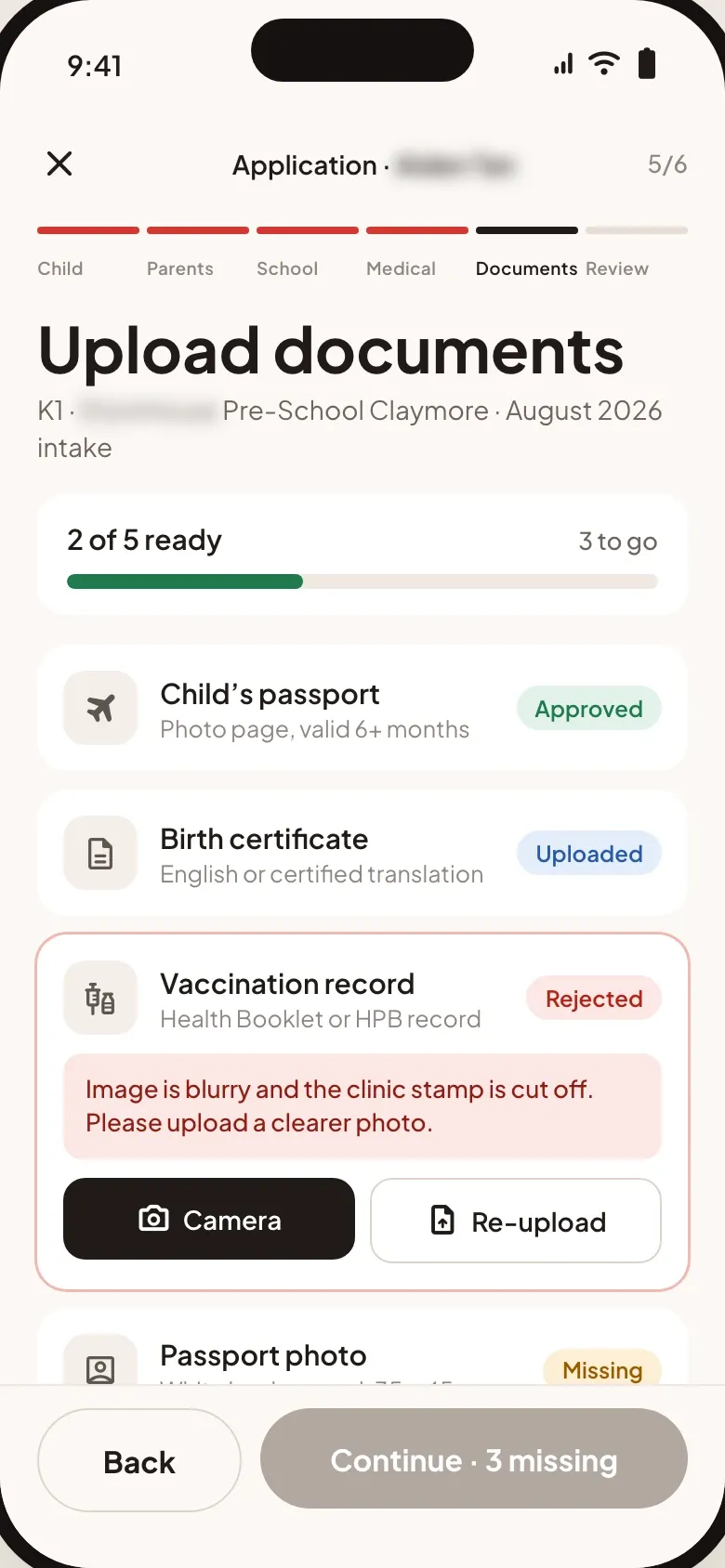
- Step five of the six-step application lists every document the school needs, each with its own status. A rejected file shows the reason, and parents retake it with the phone’s camera or upload it again.
04 / 10
The whole application on one timeline
- What we built
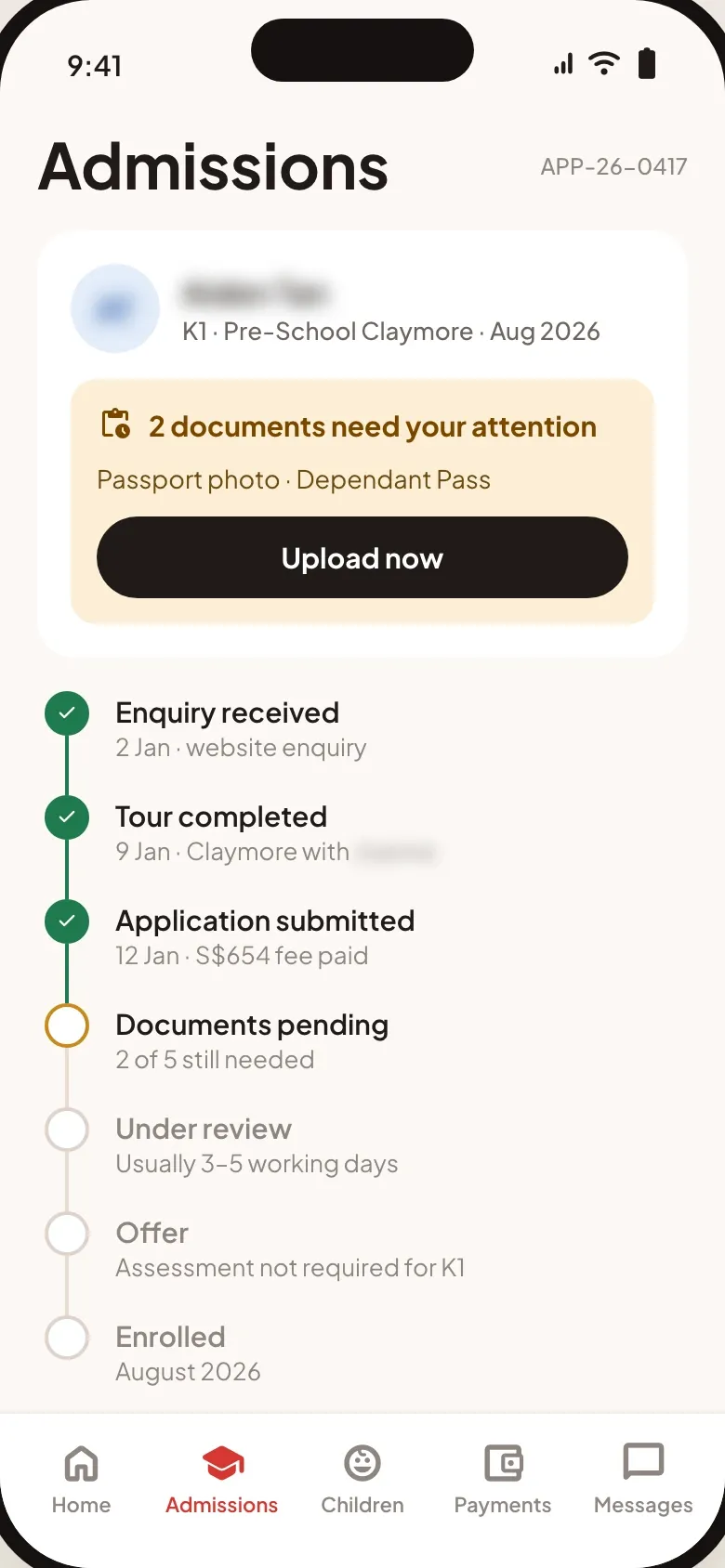
- The application page lists every stage from enquiry to enrolment, with the date of each step done and how long the review usually takes. Whatever the family still owes sits on top with a button to upload it, and a stage the child’s level doesn’t need, such as the assessment for K1, is marked as not required.
05 / 10
All campuses on one dashboard
- What we built
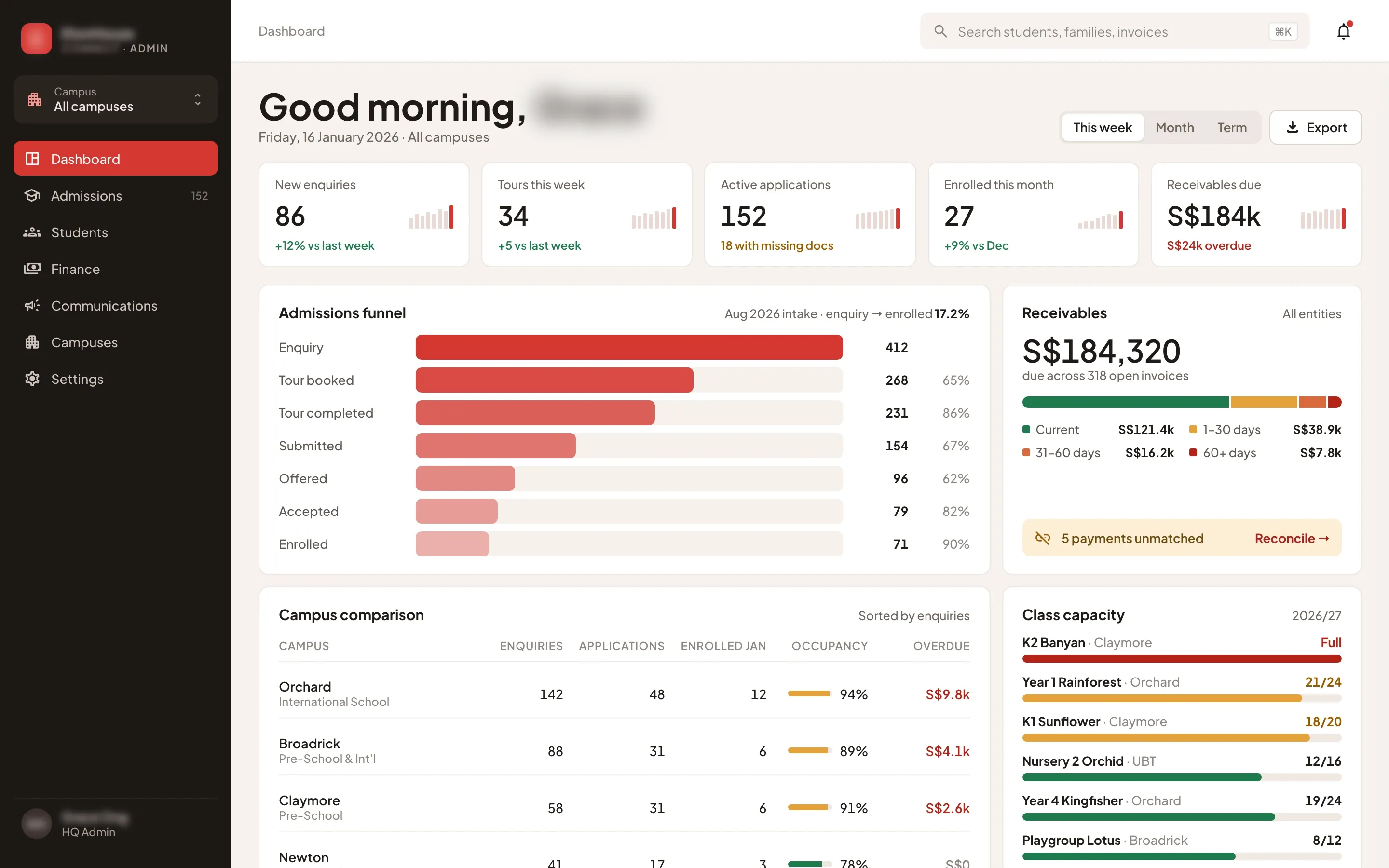
- The dashboard follows each staff member’s role. HQ sees the week’s figures, the admissions funnel, receivables by age, a comparison of campuses and the capacity of each class, which turns amber as it fills and red when it’s full.
06 / 10
One pipeline for every campus
- The problem
- The group wanted every campus to follow one shared process, from the first enquiry to enrolment.
- What we built
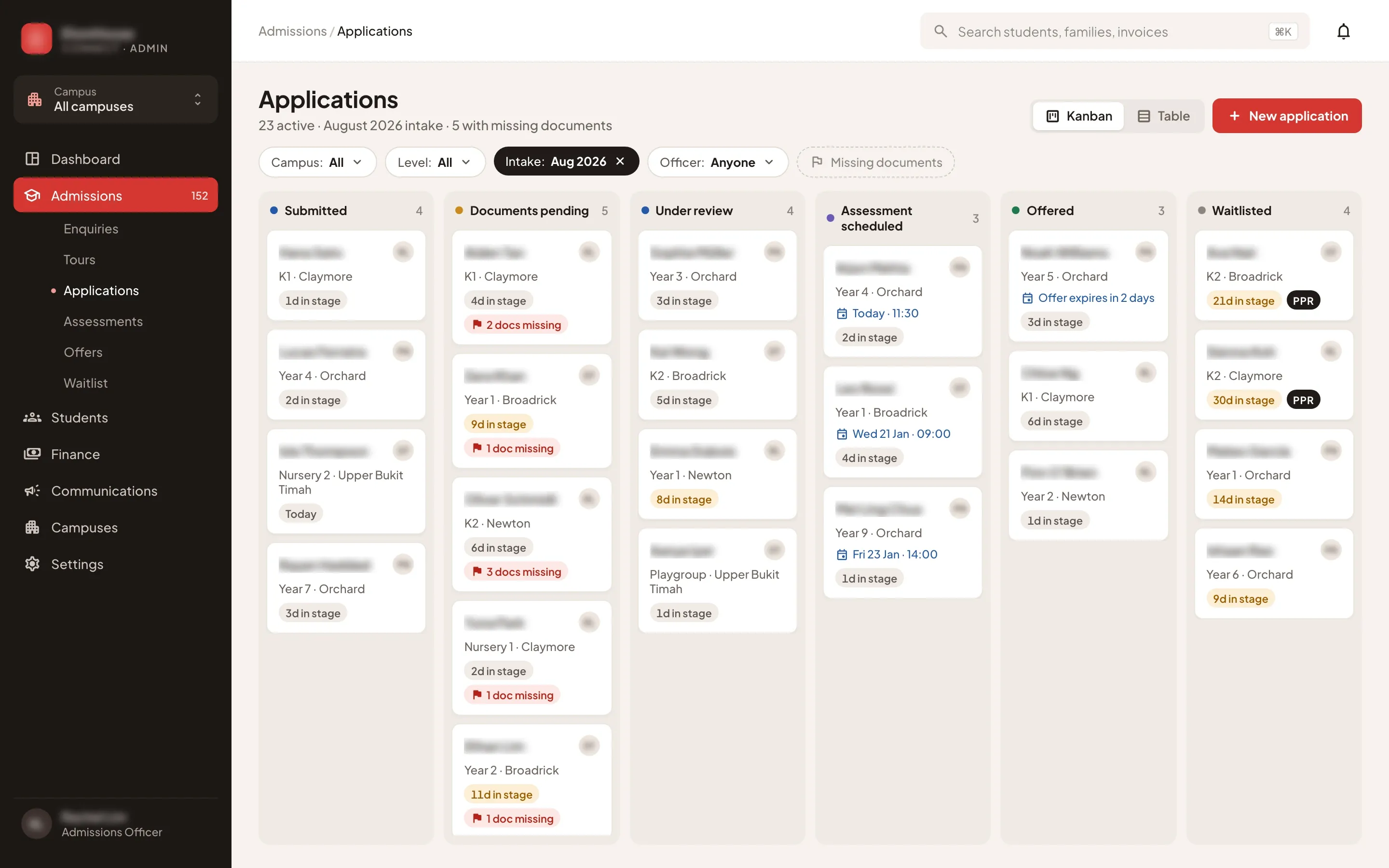
- Applications from every campus move through the same stages, from submitted to offered or waitlisted, on a board or in a table. Each card shows its days in stage and any missing documents, priority placement is marked on the waitlist, and staff drag a card to the next stage.
07 / 10
The week’s tours, marked as they happen
- What we built
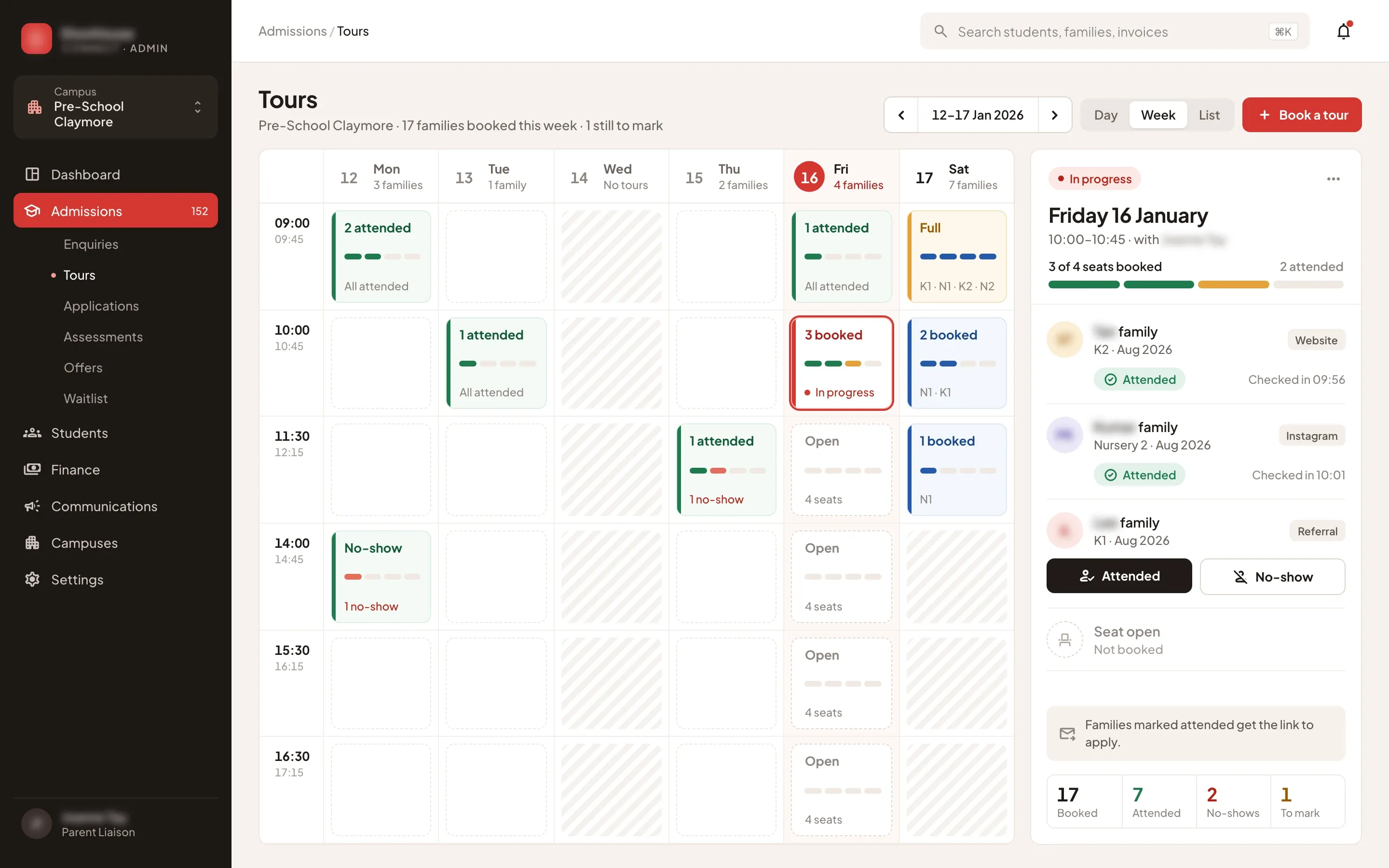
- A Parent Liaison sees the week’s tours at their campus: each 45-minute slot with its seats taken and the children’s levels, and the hours without tours shaded out. During a tour they mark each family attended or a no-show, and the families marked attended get the link to apply.
08 / 10
One profile for each campus
- What we built
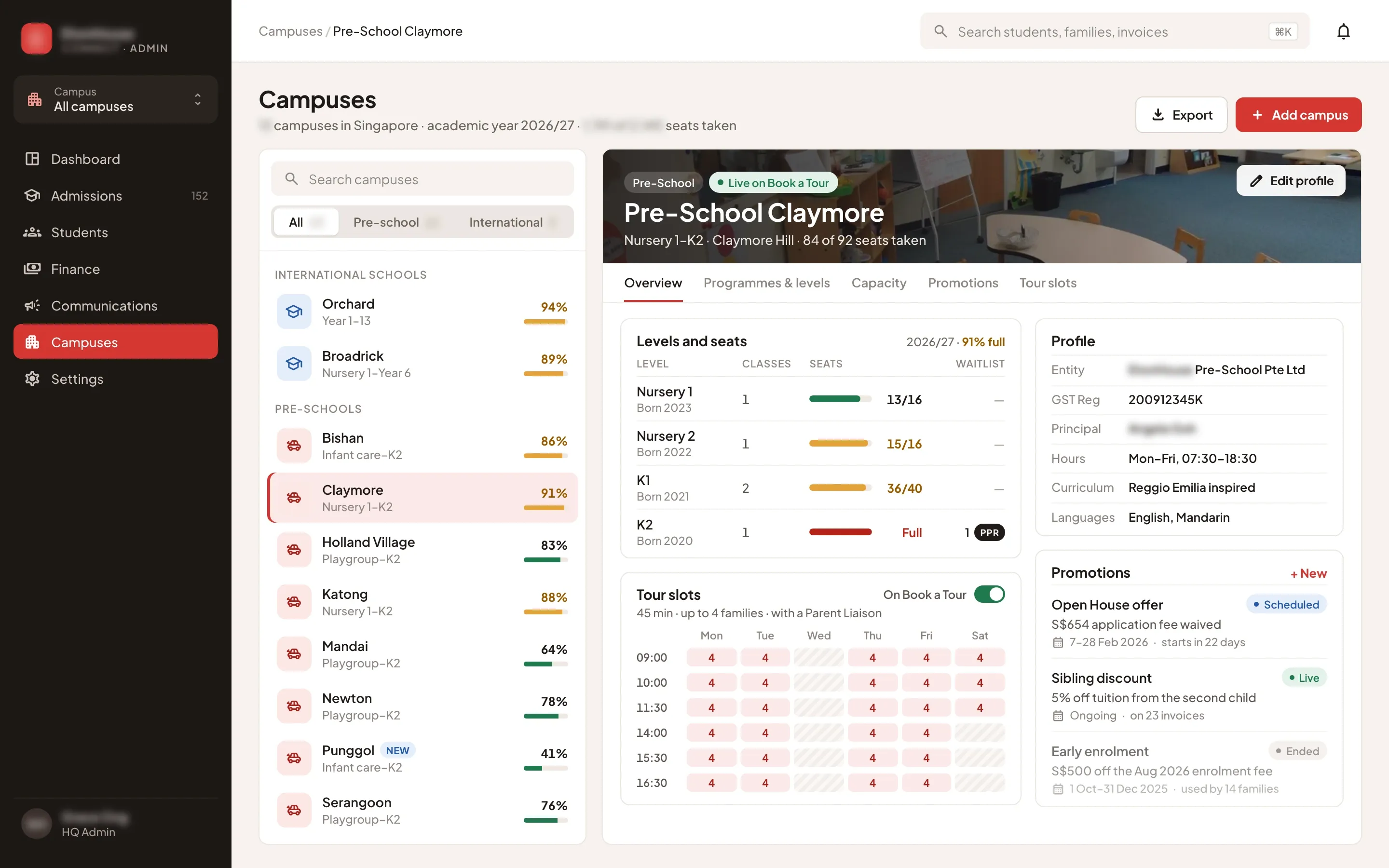
- Each campus has one profile: the company and GST number that issue its invoices, its levels by year of birth with classes, seats and waitlist, its promotions with start and end dates, and its weekly tour slots. A switch puts the campus on the tour booking page, where parents see those slots.
09 / 10
Fees paid by PayNow, confirmed on their own
- What we built
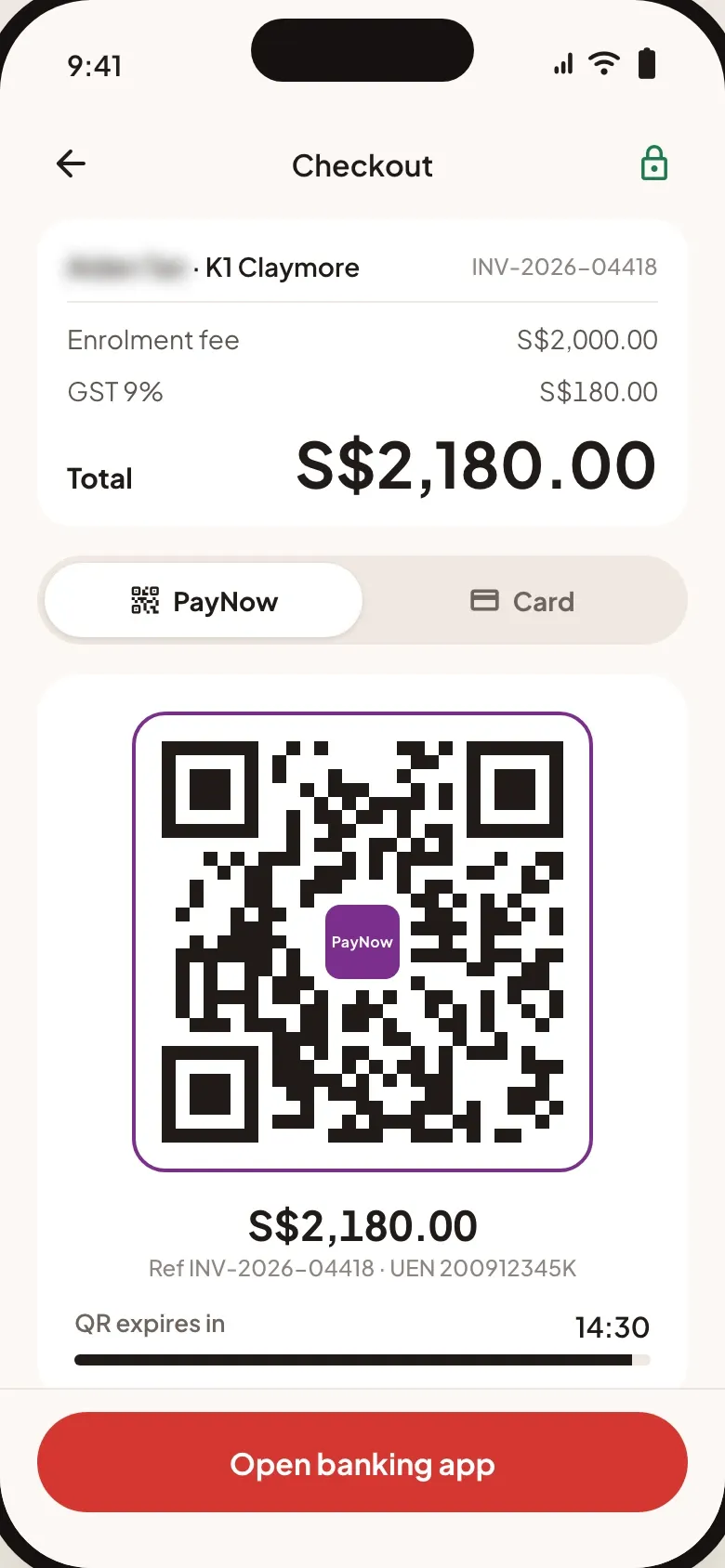
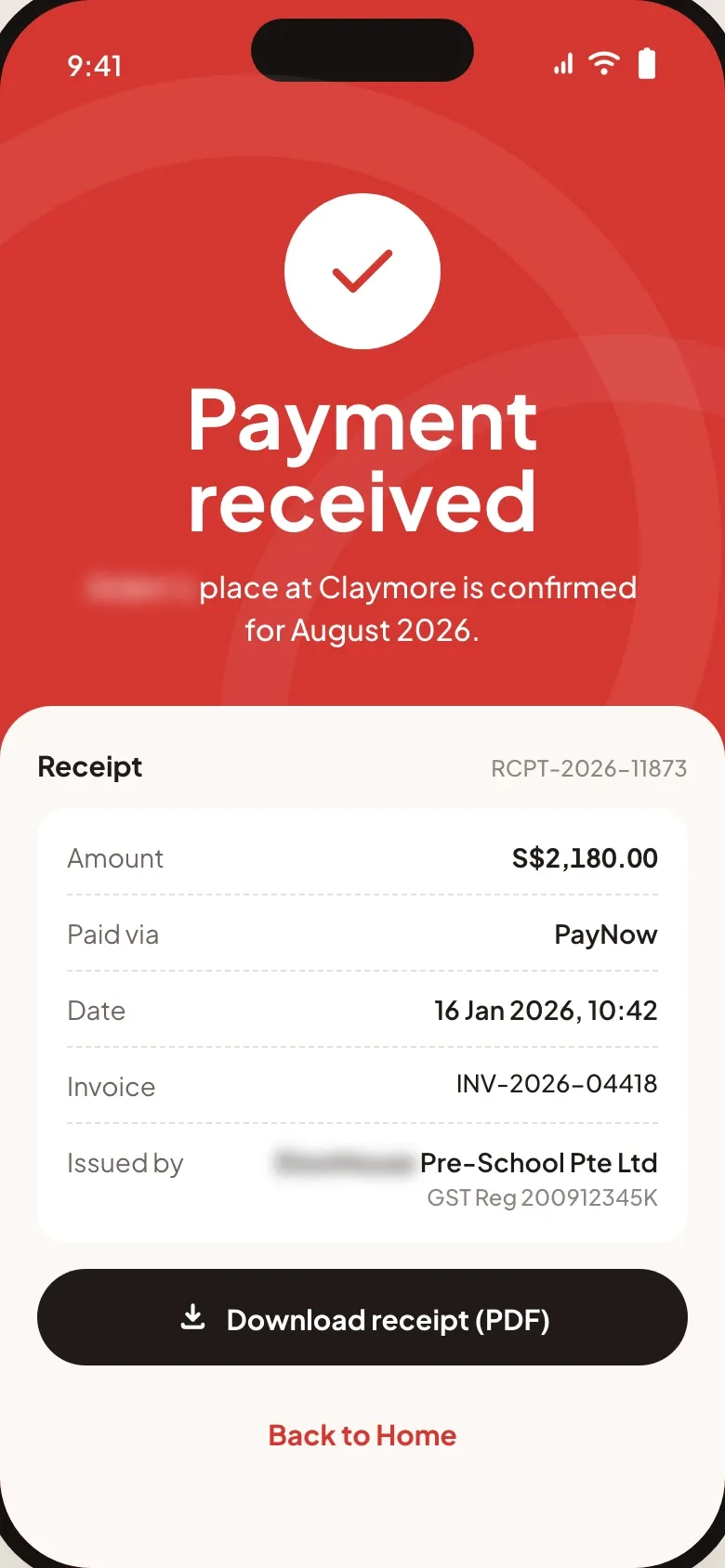
- Every fee is an invoice paid in the portal, by PayNow or card. The PayNow QR carries the invoice number, so the payment is verified as soon as it arrives. The receipt then confirms the child’s place and names the company that issued the invoice, with its GST registration.
10 / 10
Payments matched to invoices
- What we built
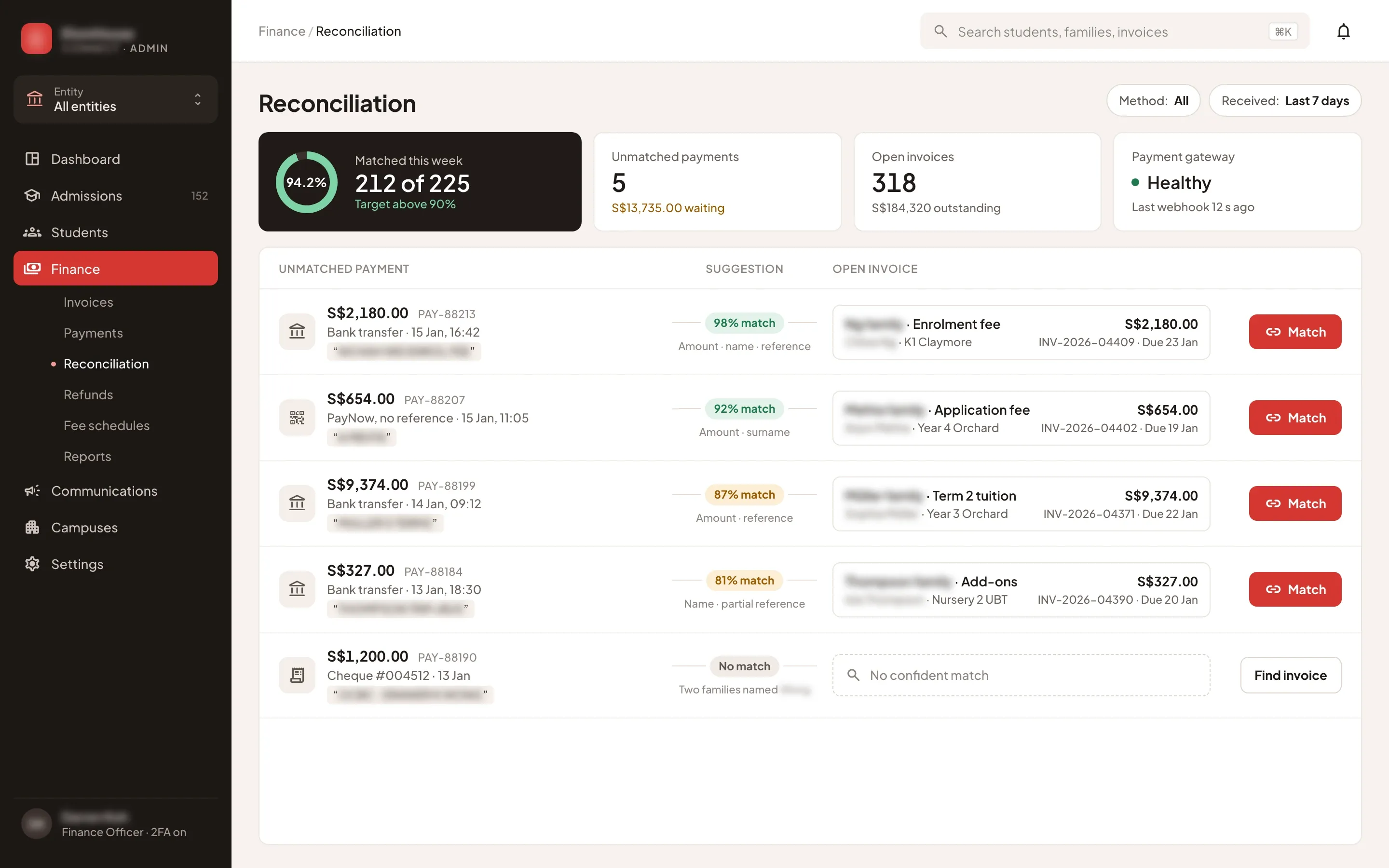
- Finance sees how many of the week’s payments matched their invoices on their own. Each payment that arrived without a clean reference, by bank transfer, PayNow or cheque, sits beside the open invoice the system suggests, with a match score and what matched, such as the amount, the name or the reference. One click links the two, and when nothing fits, finance looks the invoice up by hand.
How the 4-week sprint went
Listen & prototype
Clickable prototypes of the mobile Parent Portal and the desktop Admin Panel, from the first enquiry to a paid invoice, agreed with the school group before the build.
Core build
Built both apps on the same family and student records: tour booking, the six-step application with document upload, the applications pipeline, invoices paid by PayNow or card, and reconciliation for finance.
Live & handover
Launched the Parent Portal and the Admin Panel, set up staff roles for each campus, and handed over the source code, documentation and admin access.